


Account Contact
Je winkelwagen
Verzending via DPD & FedEx
Hulp nodig? Vraag het de AI

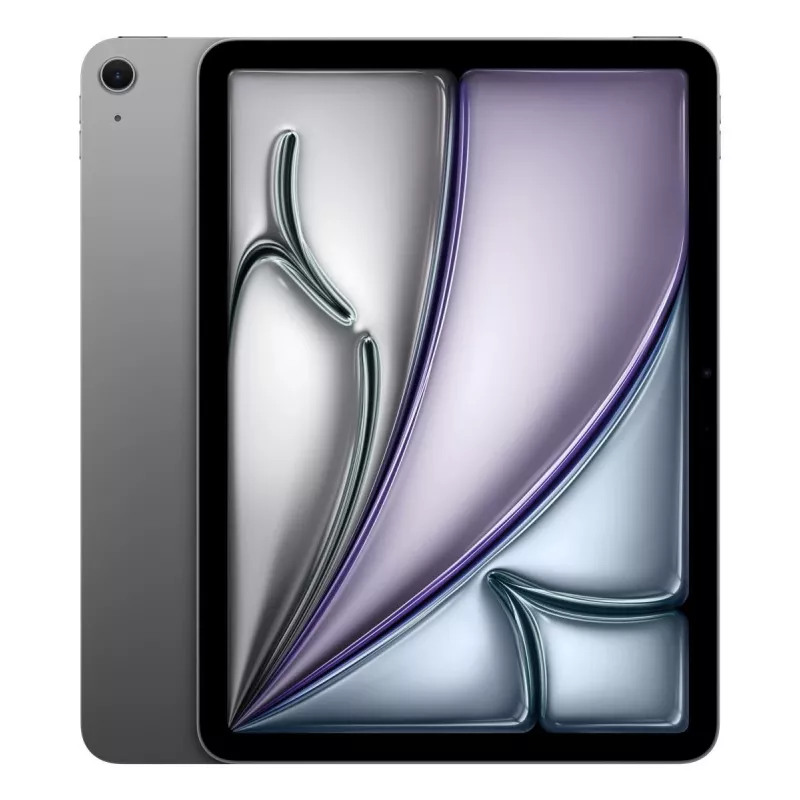
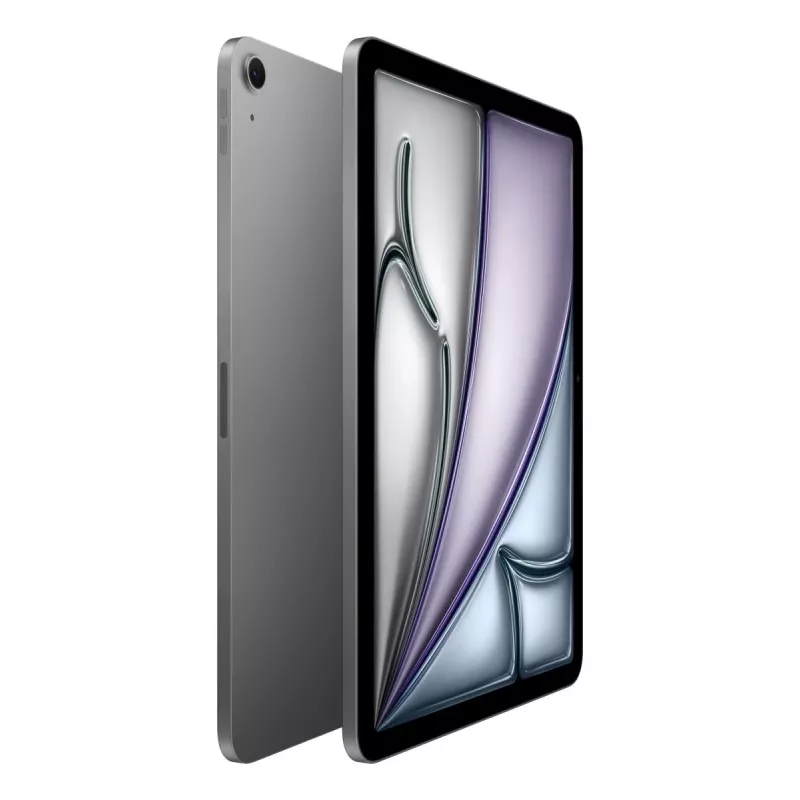
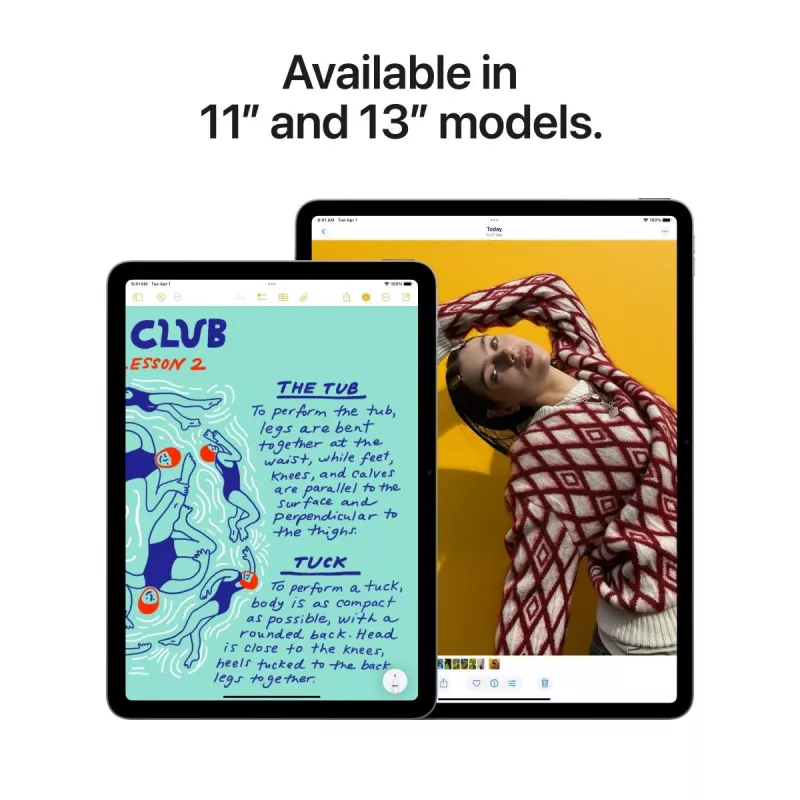
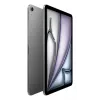
APPLE iPad Air (2025) - M3 - 11in - 7e generatie - Wi-Fi - 512GB - Space Gray

APPLE iPad Air (2025) - M3 - 11in - 7e generatie - Wi-Fi - 512GB - Space Gray
1.047,92 €
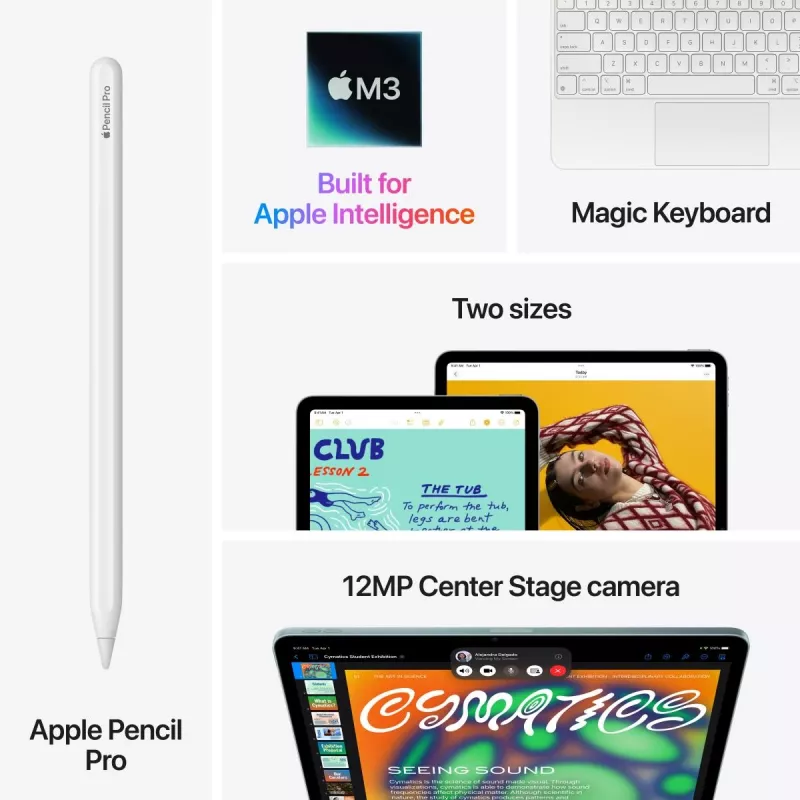
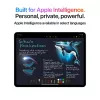
The Apple iPad 11-inch Air M3 combines an 11" LED display (2360 x 1640) with the Apple M3 processor, 8 GB of RAM and 512 GB of internal storage to deliver responsive performance for multitasking, media and apps. It runs iPadOS 18, includes a 12 MP rear camera and a 12 MP front camera for photos and ... Lees meer
Voorraad Niet op voorraadGeen voorraad Code 111142 Merk Apple Model MCA74TY/A Garantie 2 jaar

Bezorging & retourneren

The Apple iPad 11-inch Air M3 combines an 11" LED display (2360 x 1640) with the Apple M3 processor, 8 GB of RAM and 512 GB of internal storage to deliver responsive performance for multitasking, media and apps. It runs iPadOS 18, includes a 12 MP rear camera and a 12 MP front camera for photos and video calls, supports Wi‑Fi 6E and weighs approximately 460 g. The tablet has IP42 protection, a repairability class C rating and an energy efficiency class G.

Advantages

The iPad Air M3 provides a high-resolution 11" display and a modern M3 chip that together ensure smooth app performance and efficient multitasking. With 8 GB of RAM and 512 GB of storage, it offers ample space for apps, media and documents. Dual 12 MP cameras cover common photography and videoconference needs, while Wi‑Fi 6E support improves wireless speed and connectivity. Its lightweight form factor and iPadOS 18 integration deliver a portable, cohesive user experience.

Suitable for

  • Everyday multitasking and productivity apps
  • Watching high-resolution video and media consumption
  • Video calls and remote communication
  • Photo capture and light editing
  • Travel and on-the-go use thanks to lightweight design

Key specifications

  • Display: 11" LED, 2360 x 1640
  • Processor: Apple M3
  • Memory: 8 GB RAM
  • Storage: 512 GB internal
  • Cameras: Rear 12 MP, Front 12 MP
  • Connectivity: Wi‑Fi 6E (no mobile network)
  • Operating system: iPadOS 18
  • Protection: IP42
  • Weight: 0.46 kg
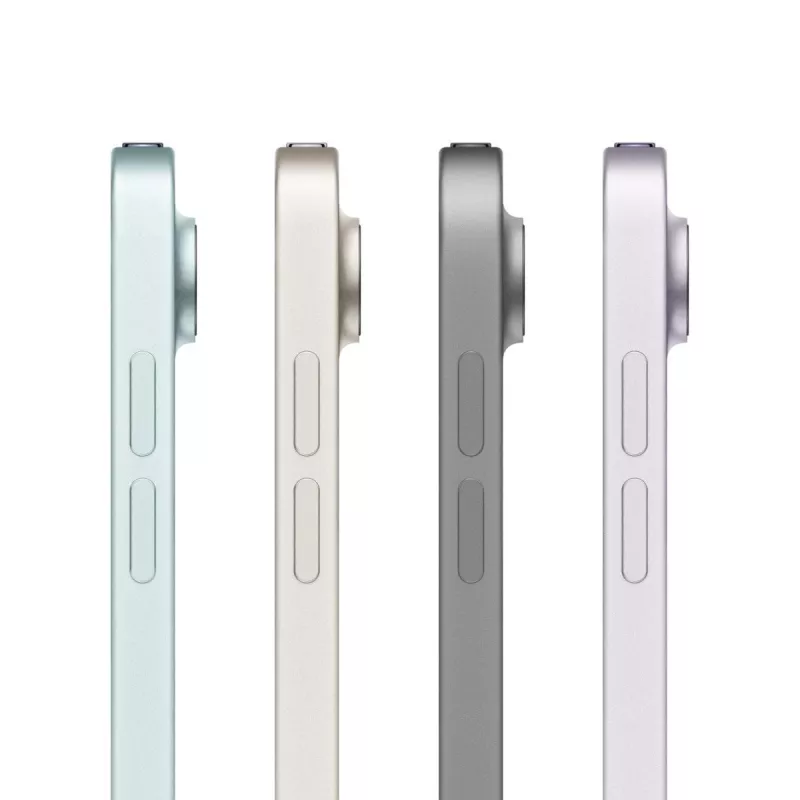
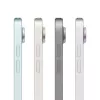
  • Colour: Grey
  • Energy class: G

How to use

Power on the iPad Air using the top button and follow the on-screen setup to connect to Wi‑Fi, sign in with an Apple ID and restore or transfer data if required. Install apps from the App Store for productivity, media or communication. Use the Home screen, Dock and multitasking gestures in iPadOS 18 to switch between apps and manage split view. For photography or video calls, launch the Camera or FaceTime apps and select the front or rear camera as needed.

Recommendations

To maintain battery health, avoid keeping the iPad plugged in at full charge for prolonged periods and update to the latest iPadOS releases. Use a protective case to reduce the risk of drops; the device meets IP42 but is not fully waterproof. For optimum wireless performance, pair with a Wi‑Fi 6E compatible router.

Why iPad

iPad is so versatile, it’s more than up to any task. Whether you’re working on a project, expressing your creativity, or playing an immersive game, iPad is a fun and powerful way to get it done. Here are just a few of the countless things you can do with iPad.

Get the tough things done easily.

Run powerful apps effortlessly. iPad works with the powerful apps you’re familiar with, like Adobe Photoshop or Microsoft Office, with the added ease of using them with touch. All‑day battery life. Stay productive and on the go all day. Use multiple apps at once and work between them. Multitasking with iPad is more intuitive and powerful than ever. Work seamlessly across apps. Use Slide Over or Split View to work with multiple apps at the same time, and even drag and drop content between apps with touch or a trackpad. And on iPad Pro and iPad Air, you can use Stage Manager to overlap, stack, and resize app windows. Wi‑Fi when you have it. Cellular when you don’t. Cellular capability means iPad keeps you connected from just about anywhere. So you don’t miss a beat even if you’re away from Wi‑Fi. Store and share all your stuff with Files. You can organize, share, and get to all your stuff with the Files app. Manage what’s on your iPad, in iCloud, or on cloud services like Box. Easily access files stored on a thumb drive or other external devices, too.

Write it down. Mark it up. And make it unforgettable.

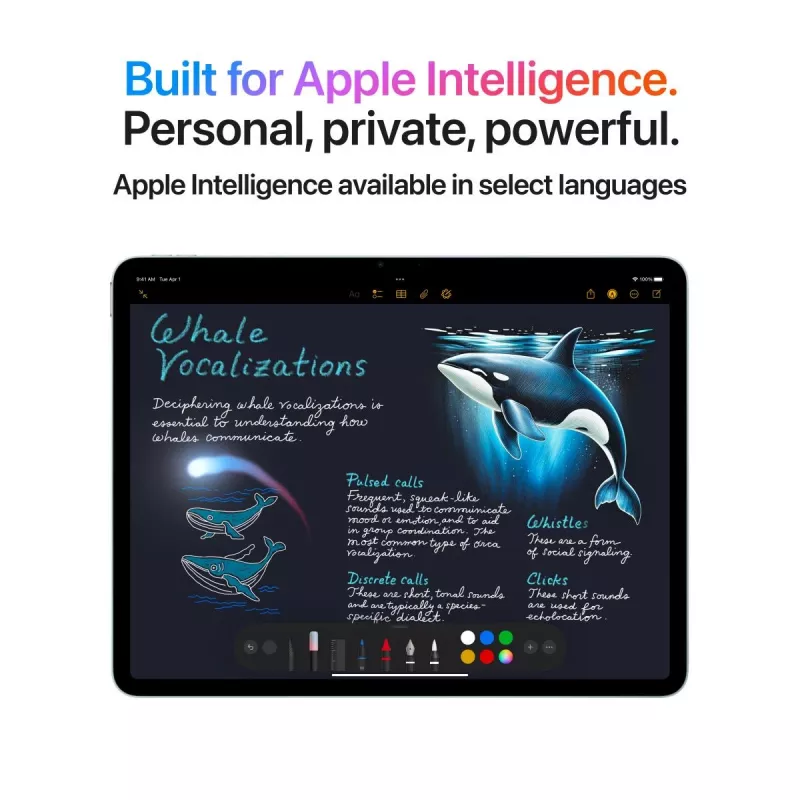
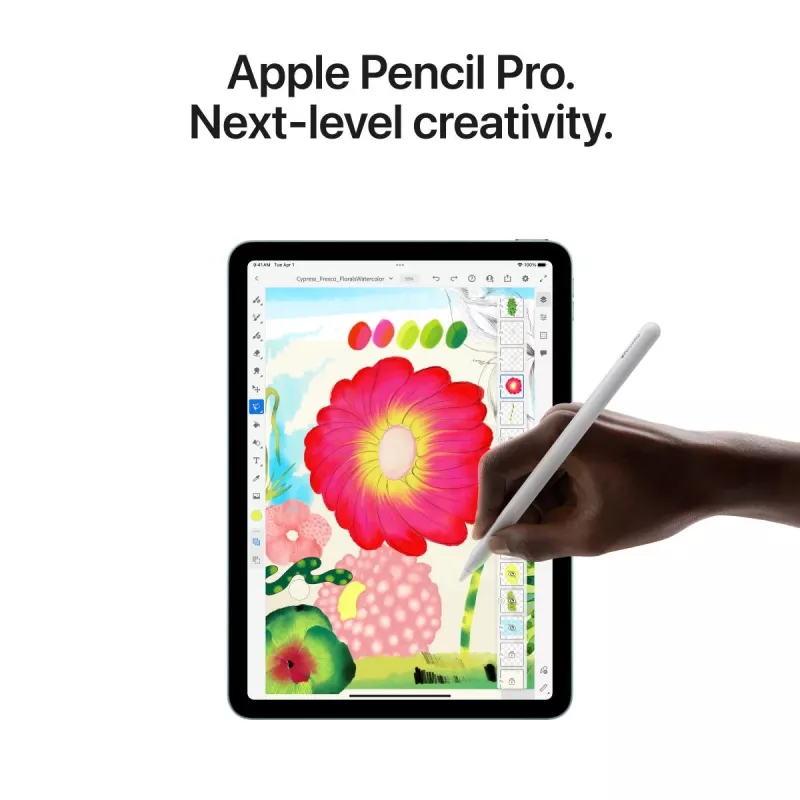
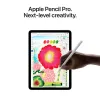
Take amazing notes with Apple Pencil. Whether you’re taking class notes, keeping a journal, or brainstorming a solution, iPad is always ready to capture your brightest ideas. Then you can easily share them, build on them, and bring them to life. Convert your handwritten notes to typed text. With iPad, your handwriting can be just as powerful as typed text. Start with your handwritten note, then with a few taps, copy and paste it as typed text. Draw perfect shapes by hand. Draw familiar shapes freehand with Apple Pencil and watch as shape recognition snaps them into their ideal form. Sign documents. Mark up anything. Fill out a form or sign a document right on iPad with your fingertip or Apple Pencil, then send it with just a tap. Or take a screenshot and mark it up, give some retouching notes on a photo, or make revisions to a document. Handwrite in any text field with Scribble. Use Apple Pencil to write a quick message or search for something in Safari. Your handwriting will automatically convert to typed text, so you don’t have to interrupt your flow. Take a Quick Note anywhere. Quick Note is a fast and easy way to make or get to a note no matter what you’re doing. Start a Quick Note with a swipe of a finger or Apple Pencil, then jot down information over any app or screen. Add links, highlights, tags, and mentions for context.

Create on the ultimate canvas for any project.

Draw a masterpiece with Apple Pencil. With tilt and pressure sensitivity, low latency, and pixel‑perfect precision, Apple Pencil is the ultimate tool to help turn a blank page into an inspiring work of art. 3D design at your fingertips. Even the most intensive creative projects are brought to life on iPad. Use touch to move and manipulate objects. Apple Pencil to draw and fine‑tune sketches. You can even view them in AR, all on one device. Produce music or record a podcast. Audio apps for iPad help you learn, practice, record, and create with ease. And with Logic Pro for iPad, you have everything you need to create a finished song and more — it’s like having a professional recording studio in your hands. Bring your own animated characters to life. Use Apple Pencil to draw characters and create new worlds with intuitive animation apps designed for all types of artists. iPad and Mac make a serious creative team. With Sidecar, you can extend or mirror your Mac display wirelessly. Then use iPad for precision tasks or as an incredible second display. And with Universal Control, a single keyboard and mouse or trackpad work seamlessly between your Mac and iPad.

Catch a movie. Blast tunes. Read a classic.

Comes with 3 months of Apple TV+. Every iPad includes a 3‑month subscription to Apple TV+, featuring critically acclaimed Apple Original series and films. Watch and stream all your favorite content. Catch the newest film and TV releases or rewatch your favorites on an immersive display that goes with you anywhere. Amazing speakers for music, video, and TV. Listen to a podcast as you cook, blast your favorite playlist, or take a movie to go. Catch up on the latest news or read a best seller. iPad makes reading a joy. Check out all your favorite authors, books, and publications with the Books and News apps.

Snap a photo. Scan a doc. Shoot a film. All on the same device.

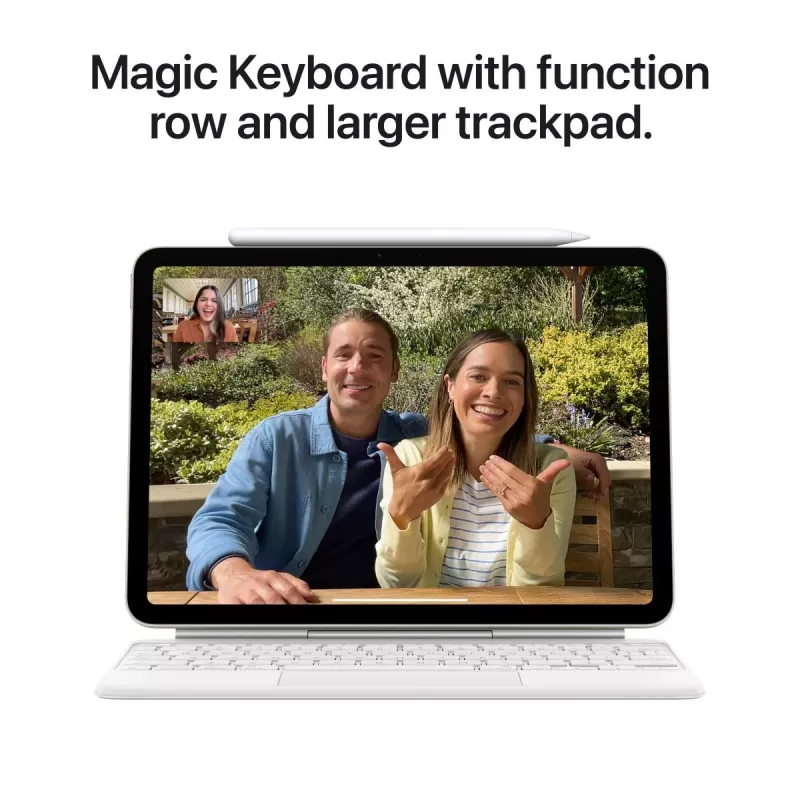
Edit your photos and videos right away. iPad makes editing, enjoying, and sharing your photos and videos easy. Capture the perfect shot and make it your own with a suite of powerful built‑in or third‑party editing apps. And use Final Cut Pro for iPad to shoot, edit, finish, and deliver professional videos anywhere you are. Stay connected. Use FaceTime and other video conferencing apps to stay connected with family, friends, and the office. You can take selfies, too. Did you know a document scanner is built right in? Use the back camera to scan a document, then mark it up and send it. All from the same device. The best platform for AR. Advanced cameras, motion tracking, and a large display make iPad the ultimate device for augmented reality. So you can learn, watch, and play in immersive environments.

Play it like you mean it.

App Store games that look and play amazing. Browse and enjoy thousands of games designed just for iPad. From high‑speed racing to jigsaw puzzles, there’s a game for everyone. Connect a game controller. Pair your PlayStation or Xbox controller with your iPad to create an incredible portable game console. Play solo or squad up with friends in multiplayer. Explore a world of games with a free trial of Apple Arcade. Play your way through hundreds of worlds and experience endless fun with Apple Arcade. One subscription, zero ads, all you can play. Games are more engaging with motion. Games take on a new dimension with motion sensors built into iPad. Dodge, drive, and take aim with iPad as an amazing handheld gaming device.

Lifelong learning made magical.

Your classroom can be anywhere. Take your learning to go and sign in from wherever you are. Attend a lecture, tackle a group project, or simply stay connected with colleagues and classmates from all over. Learn something new, be it cooking or Cantonese. iPad makes a perfect companion for learning. Go step by step with an instructor or zip through a self‑guided course in your free time. However you like to learn, there’s an app for that. A great start for all types of learning. The App Store has a huge range of educational apps for children to explore outside the classroom. And Screen Time lets you view and set limits on how much time you and your kids spend on apps, websites, and more. Build your coding skills. Swift Playgrounds makes it fun to learn and experiment with Swift — a powerful programming language created by Apple. Learn code, build real apps with SwiftUI, and see your ideas come to life on the App Store. Unlock the world around you with AR. Expand your mind with augmented reality learning apps. Dive into layers of the human body or point your iPad to the stars and see the constellations above you.

Game alsof je niets te verliezen hebt.

App Store-games die er geweldig uitzien en fantastisch spelen. Ontdek en speel duizenden games die speciaal zijn ontwikkeld voor iPad. Van snelle racegames tot puzzels, op iPad is er voor elk wat wils. Sluit een gamecontroller aan. Pair met een PlayStation- of Xbox-controller, en je iPad verandert in een geweldige gameconsole die je makkelijk met je meeneemt. Speel solo, of met je vrienden in multiplayer-modus. Beweeg en maak je games extra spannend. Met de bewegingssensoren van iPad krijgen games een heel nieuwe dimensie. Zo wordt iPad een fantastische handheld waarmee je moeiteloos kunt duiken, racen en knallen.
Belangrijkste kenmerken
  • Everyday multitasking and productivity apps
  • Watching high-resolution video and media consumption
  • Video calls and remote communication
  • Photo capture and light editing
  • Travel and on-the-go use thanks to lightweight design
  • Display: 11" LED, 2360 x 1640
  • Processor: Apple M3
  • Memory: 8 GB RAM
  • Storage: 512 GB internal
  • Cameras: Rear 12 MP, Front 12 MP
  • Connectivity: Wi‑Fi 6E (no mobile network)
  • Operating system: iPadOS 18
  • Protection: IP42
  • Weight: 0.46 kg
  • Colour: Grey
  • Energy class: G
Specificaties
Aanraaktechnologie
Multi-touch
Aantal ingebouwde luidsprekers
2
Aantal Micro-USB 2.0-poorten
0
Aantal Micro-USB 3.2 Gen 1 (3.1 Gen 1)-poorten
0
Aantal microfoons
2
Aantal mini-USB 2.0-poorten
0
Aantal mini-USB 3.2 Gen 1 (3.1 Gen 1)-poorten
0
Aantal USB 2.0 Type-C-poorten
0
Aantal USB 2.0-poorten
0
Aantal USB 3.2 Gen 1 (3.1 Gen 1) Type-A-poorten
0
Aantal USB 3.2 Gen 1 (3.1 Gen 1) Type-C-poorten
0
Aantal USB 3.2 Gen 2 (3.1 Gen 2) Type-A-poorten
0
Aantal USB 3.2 Gen 2 (3.1 Gen 2) Type-C-poorten
1
Aantal USB4 Gen 3x2-poorten
0
Accucapaciteit
28.93 Wh
Accuduurzaamheid in cycli
1000
Afgeronde schermhoeken
Yes
AirPlay
Yes
Antireflectiecoating
Yes
Apple Intelligence
Yes
Assisted GPS (A-GPS)
No
Autofocus
Yes
Barometer
Yes
Batterijtechnologie
Lithium Polymer (LiPo)
Bedrijfshoogte
0 - 3000
Bedrijfstemperatuur (T-T)
0 - 35
Beelddiagonaal
11 "
Beeldschermhelderheid
500 cd/m²
Beeldschermresolutie
2360 x 1640
Beeldschermtechnologie
LED
Beeldstabilisatie
Yes
Betrouwbaarheidsklasse bij herhaalde val
E
Bevat geen
Arsenic, Mercury (element), PVC/BFR
Bluetooth
Yes
Bluetooth-versie
5.3
Breedte
178.5 mm
Burstmodus
Yes
Center Stage
Yes
Continue videoweergavetijd
10 h
Coprocessor
Yes
Coprocessorkernen
16
Diafragma achtercamera
1.8
Diafragma frontcamera
2
Diepte
6.1 mm
Digitale zoom
5 x
Dolby-technologieën
Dolby Atmos, Dolby Digital, Dolby Digital Plus
Duurzaamheidscertificaten
ENERGY STAR
Efficiëntiecores
4
Elektronisch kompas
Yes
Energie-efficiëntieklasse
G
Energie-efficiëntieschaal
A to G
Filmische videostabilisatie
Yes
Frontcamera
Yes
Gebruiksduur accu per cyclus
3720 min
Gecombineerde koptelefoon-/microfoonaansluiting
No
Geïnstalleerd besturingssysteem
iPadOS 18
Gelamineerd display
Yes
Generatie mobiel netwerk
Not supported
Geotagging
Yes
Gewicht
0.46 kg
GPS (satelliet)
No
Gyroscoop
Yes
HDR-modus camera (High Dynamic Range)
Yes
High Dynamic Range (HDR) ondersteund
Yes
High Dynamic Range (HDR)-technologie
Dolby Vision, High Dynamic Range 10 (HDR10), High Dynamic Range 10+ (HDR10 Plus), Hybrid Log-Gamma (HLG), Smart HDR 4
Hoogste wifi-standaard
Wi-Fi 6E (802.11ax)
Hoogte
247.6 mm
iBeacon
Yes
Ingebouwde kaartlezer
No
Intern geheugen
8 GB
International Protection (IP)-code
IP42
Interne opslagcapaciteit
512 GB
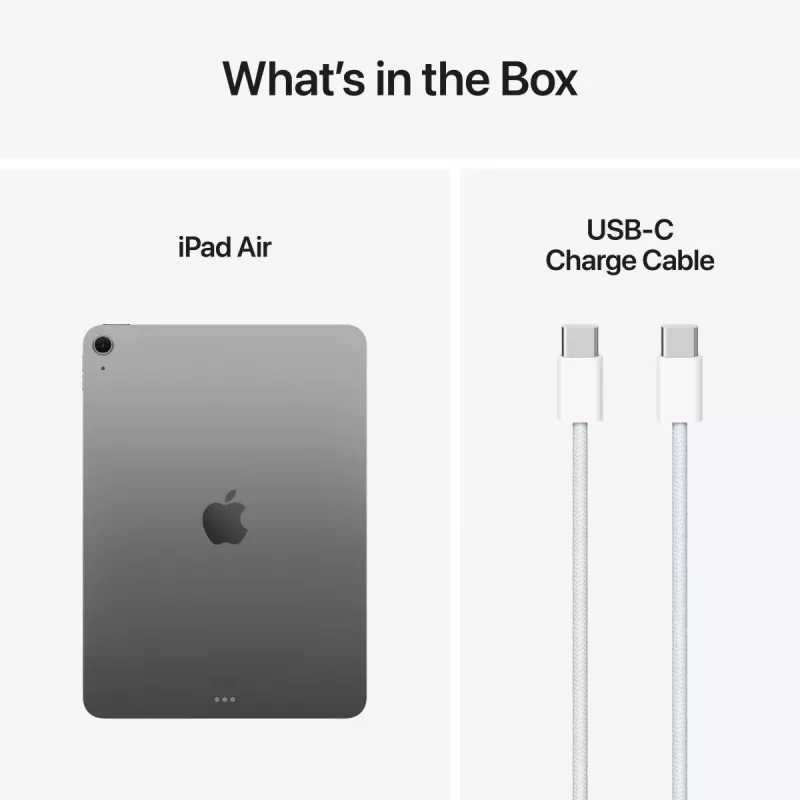
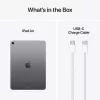
Kabels inbegrepen
USB Type-C
Kernen videokaart
9
Led-achtergrondverlichting
Yes
Lenscorrectie
Yes
Lenselementen achtercamera
5-element lens
Mac-compatibiliteit
Yes
Marketingnaam beeldtechnologie
Liquid Retina
Materiaal behuizing
Aluminium
Materiaal lensafdekking
Sapphire crystal
Maximale videoresolutie
3840 x 2160
Meegeleverde software
App Store, Books, Calculator, Calendar, Camera, Clock, Contacts, FaceTime, Files, Find My, Freeform, Health, Home, iTunes Store, Magnifier, Mail, Maps, Measure, Messages, Music, News, Notes, Passwords, Photo Booth, Photos, Podcasts, Reminders, Safari, Settings, Shortcuts, Stocks, Tips, Translate, TV, Voice Memos, Weather
Merkspecifieke technologieën
True Tone, Wide color (P3)
Microfoonmodi
Voice Isolation, Wide Spectrum
MIMO
Yes
Mobiele netwerkverbinding
No
Model
11-inch iPad Air
Model coprocessor
Neural Engine
Native beeldverhouding
4:3
Near Field Communication (NFC)
No
Oleofobe coating
Yes
Omgevingslichtsensor
Yes
Ondersteunde afbeeldingsformaten
GIF, JPG, TIFF
Ondersteunde archiefformaten
ZIP
Ondersteunde audioformaten
AAC, ALAC, FLAC, MP3
Ondersteunde beeldformaten camera
HEIF, JPEG
Ondersteunde cameravideoformaten
H.264, HEVC
Ondersteunde documentformaten
DOC, DOCX, HTM, HTML, ICS, KEY, PDF, PPT, PPTX, RTF, TXT, USDZ, VCF, XLS, XLSX
Ondersteunde Mac-besturingssystemen
Mac OS X 10.13 High Sierra, Mac OS X 10.14 Mojave, Mac OS X 10.15 Catalina, Mac OS X 10.15.3 Catalina, Mac OS X 11.0 Big Sur, Mac OS X 12.0 Monterey, Mac OS X 13.0 Ventura, Mac OS X 14.0 Sonoma
Ondersteunde videoformaten
AV1, H.264, HEVC, ProRes
Ondersteunde Windows-besturingssystemen
Windows 10, Windows 10 Education, Windows 10 Education x64, Windows 10 Enterprise, Windows 10 Enterprise x64, Windows 10 Home, Windows 10 Home x64, Windows 10 IOT Core, Windows 10 IoT Enterprise, Windows 10 Pro, Windows 10 Pro x64, Windows 10 x64, Windows 11, Windows 11 Enterprise, Windows 11 Enterprise x64, Windows 11 Home, Windows 11 Pro, Windows 11 x64
Opnamesnelheid video
240 fps
Opslagmedia
Flash
Opslagtemperatuur (T-T)
-20 - 45
Paneeltype
IPS
Panorama
Yes
Pixeldichtheid
264 ppi
Platform
iPadOS
Portretmodus
Yes
Positiebepaling
Yes
Prestatiecores
4
Processorcores
8
Processorfamilie
Apple M
Processorgeneratie
Apple M 3rd Gen
Processormerk
Apple
Processormodel
M3
Productkleur
Grey
Raytracing-versnelling
Yes
Relatieve luchtvochtigheid tijdens gebruik (H-H)
5 - 95
Repareerbaarheidsklasse
C
Resolutie achtercamera (numeriek)
12 MP
Resolutie bij opnamesnelheid
1280x720@30fps, 1920x1080@120fps, 1920x1080@240fps, 1920x1080@25fps, 1920x1080@30fps, 1920x1080@60fps, 3840x2160@24fps, 3840x2160@25fps, 3840x2160@30fps, 3840x2160@60fps
Resolutie frontcamera (numeriek)
12 MP
Ruimtelijke audio
Yes
Scherm delen
Yes
Schermflits
Yes
Slow-motionmodus
Yes
Spraakoproep
Yes
Surftijd (wifi)
10 h
Timelapse-modus
Yes
Toegankelijkheidsfuncties
AssistiveTouch, Audio Descriptions, Closed Captions, Live Captions, Magnifier, Real-time text (RTT), Siri and Dictation, Spoken Content, Subtitles, Switch Control, Type to Siri, Voice Control, VoiceOver, Zoom
Type achtercamera
Single camera
Type apparaat
Mobile tablet
Type dockingconnector
Apple Smart Connector, Magnetic
USB Power Delivery (USB PD)
Yes
USB Type-C DisplayPort Alternate Mode
Yes
USB Type-C-oplaadpoort
Yes
Vereist oplaadvermogen USB Type-C (max.)
45 W
Vereist oplaadvermogen USB Type-C (min.)
15 W
Versnellingsmeter
Yes
Video-encoder
Yes
Video-opname
Yes
Video-opnamemodi
720p, 1080p, 2160p
Videobellen
Yes
Videodecoder
Yes
Videokaartfamilie
Apple
Videospiegeling
Yes
Vingerafdrukbestendig
Yes
Vingerafdruklezer
Yes
Virtuele assistent
Apple Siri
Voedingsadapter inbegrepen
No
Vormfactor
Slate
Wifi-positionering
Yes
Zoom tijdens afspelen
Yes
Prijsverloop van de afgelopen 6 maanden
APPLE iPad Air (2025) - M3 - 11in - 7e generatie - Wi-Fi - 512GB - Space Gray
Actueel
1.047,92 €
Laagste
824,37 €
Hoogste
1.060,27 €
Wijziging 24 uur
-0,71 €   0%
Week
+41,56 €   +4%
Maand
+65,92 €   +7%

Populaire producten in deze categorie

Verkoper: UAB KUR LT · Laisvės pr. 125A, LT-06118 Vilnius, Litouwen · Bedrijfsnummer 303192950 · Btw-nummer LT100008198612 · Verzending vanuit de EU (Litouwen)
Hoi, ik ben de AI-assistent van DistriNode. Ik help je graag met het vinden van producten, het vergelijken van opties, het maken van offerte-PDF's of het openen van supportaanvragen.