
Account Contact
Je winkelwagen
Verzending via DPD & FedEx
Hulp nodig? Vraag het de AI

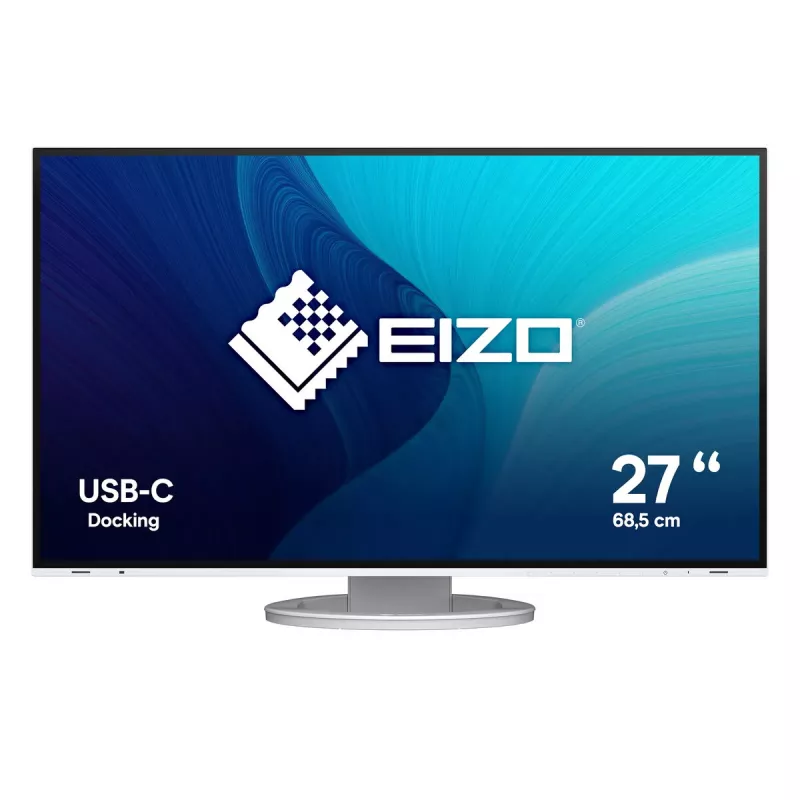
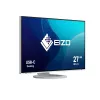
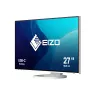
EIZO FlexScan EV2781-WT computermonitor 68,6 cm (27 inch) 2560 x 1440 pixels Quad HD LCD wit

EIZO FlexScan EV2781-WT computermonitor 68,6 cm (27 inch) 2560 x 1440 pixels Quad HD LCD wit
456,98 €
The 27-inch EV2781 is a WQHD (2560 x 1440 pixel) monitor equipped with USB Type-C for improving productivity and comfort at the office or at home.Streamlined Connection with USB Type-CThe monitor is equipped with a USB Type-C® connection that allows users to display video, playback audio, transmit U... Lees meer
Voorraad Niet op voorraadGeen voorraad Code 331840 Merk EIZO Model EV2781-WT Garantie 2 jaar

Bezorging & retourneren

The 27-inch EV2781 is a WQHD (2560 x 1440 pixel) monitor equipped with USB Type-C for improving productivity and comfort at the office or at home.

Streamlined Connection with USB Type-C
The monitor is equipped with a USB Type-C® connection that allows users to display video, playback audio, transmit USB signals, and supply power to connected devices. This convenient multi-purpose connectivity makes it faster and easier to connect a laptop when moving between workstations or when working away from the office.

70 Watt Power Delivery
The 70 watt power delivery via USB Type-C reliably charges small desktop PCs and laptops. This eliminates the need for a laptop's bulky power supply unit, freeing up space in your bag and on the desk.

Directly Connect Peripherals
While many modern laptops are designed to be thin and more portable, they often have limited connectivity options for peripherals. Connecting to the monitor via USB Type-C gives access to a hub with four USB Type-A ports for easily connecting an external keyboard, mouse, or web camera.

A Better Working Experience
Workstyles are becoming more diverse with trends in open-plan offices, where employees do not have fixed desk assignments and use the workspace areas interchangeably, BYOD (bring your own device) meeting rooms where participants connect their own laptops, and telecommuting or working from home. The monitor offers features to enhance productivity in these environments, as well as provide comfort and convenience.

High Resolution for Efficient Multi-Tasking
With its 27-inch WQHD (2560 x 1440 pixel) resolution, the EV2781 offers 1.8 times more space than conventional Full HD (1920 x 1080 pixel) monitors. You can easily display multiple windows on the screen for efficient multi-tasking.

Make the Most of Your Meetings
The monitor’s Picture-by-Picture (PbyP) capability helps to streamline your presentations and save valuable meeting time by removing the need to switch input sources. This convenient function makes it possible to compare data with a coworker side-by-side, as well as share information from multiple sources during presentations.

Versatile Stand for Optimal Positioning
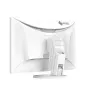
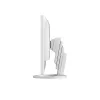
The stand has a wide adjustment range, featuring height adjustment, tilt and swivel. This allows you to set the monitor to the perfect position, whether sitting or standing at your desk.

Comfortably Fits in Modest Workspaces
A laptop can fit comfortably under the monitor with the stand set to its maximum height of 176.6 mm. This allows you to take advantage of a compact, multi-screen configuration without taking up valuable desk space.

Portrait Mode for Vertical Viewing
The versatile stand allows you to rotate the monitor to portrait mode for reading long text documents or vertically optimized webpages and applications.

Connectivity and Flexibility
The monitor is equipped with USB Type-C, DisplayPort, and HDMI video inputs. This is useful in hotdesking environments or shared workspaces where a range of devices are frequently connected.

Streamlined Mouse Operation
The Mouse Point Utility function of EIZO's free Screen InStyle software provides an easy-to-see visual indicator that helps you quickly locate the cursor. It also allows you to move the cursor freely between monitors without the barrier typical of conventional multi-monitor setups.

One-Touch Multi-Monitor Management
With Screen InStyle, you can control multiple connected monitors with a single touch. Powering on/off or changing the color mode of any one monitor will automatically carry out the same action on all connected monitors, saving you the hassle of needing to do so on each monitor individually.

Aesthetically Pleasing Design
A monitor's aesthetic can go a long way in creating a more comfortable atmosphere. The monitor's minimalistic design and its ergonomic functions allow it to fit naturally in your work environment, whether you are at home or in the office.

Bezels that are Barely There
The monitor implements a virtually frameless design for a minimalistic aesthetic that is pleasing in any environment.

Color Coordination
In addition to sleek black, the cabinet is available in white for a color option that keeps your workspace feeling bright. Furthermore, EIZO provides white cables to match the cabinet for full color coordination.

Free Up Your Workspace with a Stand Bracket
The PCSK-03 is a VESA-compliant bracket for easily mounting a client terminal such as a thin client or mini PC to the back of the monitor. The space the client terminal previously occupied is now freed up so you can make better use of your desktop. You can adjust the monitor's stand freely even with the client terminal attached.

Say Goodbye to Tired Eyes
The monitor is equipped with functions to help users concentrate on work by keeping their eyes comfortable throughout the day.

Auto Brightness Control
To prevent eye fatigue, a brightness sensor called Auto EcoView detects the changes in the ambient brightness that occurs throughout the day and automatically adjusts the screen to the ideal brightness level.

Clear View from All Angles
The monitor uses an LED-backlit IPS (in-plane switching) LCD panel with 178° viewing angle that minimizes color shift and contrast changes when viewing the screen at an angle. This means that two people sitting at the one computer can easily see the screen with high image quality.

Reduce Blue Light by 80%
Printing work-related documents is becoming less common due to the increase in home offices, telecommuting, and stricter security measures. Paper Mode reduces the amount of blue light emitted by the monitor, helping to prevent eye fatigue when reading digital documents. When used in conjunction with the Auto EcoView dimming function, blue light is reduced by as much as 80%.

Flicker-Free Viewing
Due to the way brightness is controlled on LED backlights, a small number of people perceive flicker on their screen which causes eye fatigue. The monitor utilizes a hybrid solution to regulate brightness and make flicker unperceivable without any drawbacks like compromising color stability – even on low brightness settings.

Minimum Brightness of 1 cd/m2
In a dimly-lit work environment, a monitor with low brightness settings is more comfortable to use. With its LED backlight, the monitor is adjustable to approximately 1 cd/m² which is less than 1% of the maximum.

Glare Reduction
The panel is treated with an anti-glare coating to reduce screen reflections caused by ambient lightning. This makes the screen easier to see and helps reduce eye fatigue.

Certified for Eye Care
FlexScan monitors are certified by TÜV Rheinland to have low blue light and be flicker-free.

Commitment to Quality
EIZO manufacturers its products at its own facilities to allow close control over production quality and ensure each monitor is built to last.

Integrated Approach
Each FlexScan monitor is developed, manufactured, and quality-control tested in-house at EIZO's own factory to ensure every product is built to last.

Exceptional Image Reproduction
The monitor converts the data from an 8-bit input signal and selects the optimal gradations for smooth image display. Furthermore, each monitor is individually measured and adjusted at the factory prior to shipping for exceptional image quality out of the box.

Zero Bright Pixels
EIZO guarantees its FlexScan monitors will be free from bright sub-pixels for six months from the date of purchase.

Care for the Environment and You
Achieving a sustainable society where we do no harm to the environment nor waste precious resources is an important initiative for businesses and communities. FlexScan Sustainable Monitors are at the forefront of EIZO's efforts to contribute to this sustainable future.

Conserve to Preserve
EV2781 is made of more than 60% recycled plastic. This cuts down on the amount of plastic waste going into the environment, conserves resources, and promotes reuse of materials for preserving our natural ecosystems.

Cushioning Environmental Impact
EV2781 is moving away from using plastic and styrofoam in the packaging to reduce environmental impact. The monitors are safely packed using molded pulp, which is made from recycled cardboard and newspaper, and cables are wrapped in environmentally friendly pulp sheet instead of plastic bags.

Collective Environmental Consciousness
EIZO offers corporate customers an option for collective packaging, where multiple monitors can be packed together in a single box. We can also leave out any unneeded stands or cables. This reduces the amount of packaging materials used, improves loading efficiency, and significantly reduces unpacking and installation time, leading to less overall waste.

Effortlessly Save on Power Consumption
The Auto EcoView function automatically adjusts the screen’s brightness according to changes in the ambient lighting. The EcoView Optimizer 2 function fine-tunes the balance between brightness and gain according to the content displayed on the screen. These proprietary EcoView technologies cut power consumption by as much as 50%* compared to displaying at maximum brightness.

Certified Sustainable
The monitor is certified by major comprehensive sustainability standards such as TCO Certified Generation 9, EPEAT, and EnergyStar. Organizations concerned with ESG (environmental, social, and governance) investments or SDGs can assuredly procure the monitor to meet required guidelines.

Our Contribution to SDGs
As part of its sustainability initiatives, EIZO is contributing towards the United Nations' Sustainable Development Goals (SDGs).

Environmentally Friendly
FlexScan are environmentally friendly monitors made using recycled plastics and without using any paints. They are designed to promote energy efficiency for reduced power consumption and greenhouse gas emissions, and are supported by a responsible after-service recycling system.

Higher Work Efficiency
FlexScan monitors implement numerous innovative technologies and software that aim to improve work efficiency and contribute to the reduction of eye fatigue.

How to use

Connect a laptop or small PC to the monitor using the USB Type-C cable to transmit video and audio, access the monitor’s USB hub, and charge the device with up to 70 W power delivery. Alternatively, use DisplayPort or HDMI inputs for video sources. Adjust the stand for comfortable viewing height, tilt, swivel or rotate the screen to portrait mode when needed. Use the monitor’s Picture-by-Picture function to display inputs side-by-side, and install EIZO Screen InStyle software to enable mouse pointer utilities and centralized multi-monitor control.

Recommendations

For reduced eye fatigue, enable Auto EcoView so the monitor automatically adjusts brightness to ambient light, and use Paper Mode when reading long documents. When using multiple monitors, install Screen InStyle to synchronize power and color mode settings across displays and to enable seamless cursor movement between screens.

Belangrijkste kenmerken
  • Office workstations and hotdesking
  • Home offices and remote work
  • Multitasking and data comparison (PbyP)
  • Users who need USB-C docking with power delivery
  • Environments requiring ergonomic positioning and portrait mode
  • Display: 27-inch IPS LCD, LED backlight
  • Resolution: 2560 x 1440 (WQHD)
  • Aspect ratio: 16:9
  • Brightness (typical): 350 cd/m²; Minimum ≈1 cd/m²
  • Contrast ratio (typical): 1000:1
  • Response time: 5 ms
  • Pixel pitch: 0.233 x 0.233 mm
  • Inputs: USB Type-C (with 70 W PD), DisplayPort, HDMI
  • Integrated USB hub: 4 × USB Type-A
  • Speakers: built-in
  • Ergonomics: height/tilt/swivel/rotate (portrait)
  • VESA mounting: supported
  • Color / Model: White (EV2781-WT)
  • Energy: Energy efficiency class D (SDR); 17 kWh/1000 h (SDR)
Specificaties
Aantal DisplayPorts
1
Aantal HDMI-poorten
1
Aantal kleuren display
16.7 million colours
Aantal luidsprekers
2
Aantal upstreampoorten
1
Aantal USB Type-A-downstreampoorten
4
Aantal USB Type-C-upstreampoorten
1
AC-ingangsfrequentie
50/60 Hz
AC-ingangsspanning
100 - 240 V
AMD FreeSync
No
Antireflectiescherm
Yes
Automatische helderheidsregeling
Yes
Bedrijfstemperatuur (T-T)
5 - 35 °C
Beeld-naast-beeld (PbP)
Yes
Beelddiagonaal
68.6 cm (27")
Beelddiagonaal (metrisch)
68.5 cm
Beeldschermhelderheid (typisch)
350 cd/m²
Beeldschermresolutie
2560 x 1440 pixels
Beeldschermtechnologie
LCD
Bitdiepte look-uptabel (LUT)
14
Breedte (met standaard)
611 mm
Breedte (zonder standaard)
611 mm
Certificering
CE, CB, TÜV/GS, TÜV/Ergonomics (including ISO 9241-307), TCO Certified Generation 9, EPEAT 2018 (US), TÜV/Blue Low Light Content, TÜV/Flicker Free, RCM, cTÜVus, FCC-B, CAN ICES-3 (B), TÜV/S, PSE, VCCI-B, EPA ENERGY STAR, RoHS, WEEE, China RoHS, CCC, EAC
Conformiteitscertificaten
CB, CCC, CE, China RoHS, EAC, Federal Communications Commission (FCC), ICES, PSE, RCM, RoHS, cTUVus, VCCI, WEEE
Contrastverhouding (typisch)
1000:1
Diepte (met standaard)
230 mm
Diepte (zonder standaard)
56 mm
Draaibaar
Yes
Draaibaar
Yes
Duurzaamheidscertificaten
ENERGY STAR, EPEAT Climate +, EPEAT Gold, TCO
Duurzaamheidsconformiteit
Yes
Energie-efficiëntieklasse (SDR)
D
Energie-efficiëntieschaal
A to G
Energieverbruik (SDR) per 1000 uur
17 kWh
Flikkervrije technologie
Yes
Garantieperiode
5 year(s)
Geharmoniseerd Systeem (HS)-code
85285210
Gewicht (met standaard)
8.5 kg
Gewicht (zonder standaard)
5.7 kg
HD-type
Quad HD
HDCP
Yes
HDMI
Yes
Hoogte (met standaard)
369 mm
Hoogte (zonder standaard)
357 mm
Hoogteverstelling
Yes
Horizontaal scanbereik
31 - 89 kHz
Ingebouwde camera
No
Ingebouwde luidspreker(s)
Yes
Ingebouwde USB-hub
Yes
Kabels inbegrepen
AC, USB Type-C to USB Type-C
Kantelhoekbereik
-5 - 35°
Kantelverstelling
Yes
Kijkhoek, horizontaal
178°
Kijkhoek, verticaal
178°
Kleur voet
White
Kleurbereikstandaard
sRGB
Koptelefoonaansluiting
3.5 mm
Koptelefoonuitgang
Yes
Koptelefoonuitgangen
1
Led-achtergrondverlichting
Yes
Low Blue Light-technologie
Yes
Marktpositionering
Office
Maximale verversingssnelheid
60 Hz
Montage-interface paneel
100 x 100 mm
Native beeldverhouding
16:9
NVIDIA G-SYNC
No
On Screen Display (OSD)
Yes
Ondersteunde grafische resoluties
640 x 480 (VGA), 720 x 400, 800 x 600 (SVGA), 1024 x 768 (XGA), 1600 x 1200 (UXGA), 1680 x 1050 (WSXGA+), 1920 x 1080 (HD 1080), 1920 x 1200 (WUXGA), 2560 x 1440, 1280 x 1024 (SXGA)
Opslagtemperatuur (T-T)
-20 - 60 °C
OSD-talen
German, English, Spanish, French, Italian, Swedish
Paneeltype
IPS
Pivothoek
-90 - 90°
Pixelafstand
0.233 x 0.233 mm
Pixeldichtheid
109 ppi
Productkleur
White
Relatieve luchtvochtigheid bij opslag (H-H)
10 - 90%
Relatieve luchtvochtigheid tijdens gebruik (H-H)
20 - 80%
Responstijd
5 ms
RMS-vermogen
2 W
Schermvorm
Flat
Sleuf voor kabelslot
Yes
Snelstartgids
Yes
Standaard inbegrepen
Yes
Stroomverbruik (max.)
153 W
Stroomverbruik (stand-by)
0.5 W
Stroomverbruik (typisch)
18 W
Touchscreen
No
Type achtergrondverlichting
W-LED
Type sleuf voor kabelslot
Kensington
Type USB-upstreampoort
USB Type-C
USB Power Delivery (USB PD)
Yes
USB Power Delivery tot
70 W
USB Type-C DisplayPort Alternate Mode
Yes
USB-hubversie
3.2 Gen 1 (3.1 Gen 1)
Verstelbare hoogte (max.)
17.7 cm
Verticaal scanbereik
59 - 61 Hz
VESA-bevestiging
Yes
Zichtbaar formaat, horizontaal
59.7 cm
Zichtbaar formaat, verticaal
33.6 cm
Zwenkhoekbereik
0 - 344°

Energielabel

Document openen
Energielabel

Document

Document openen
Prijsverloop van de afgelopen 6 maanden
EIZO FlexScan EV2781-WT computermonitor 68,6 cm (27 inch) 2560 x 1440 pixels Quad HD LCD wit
Actueel
456,98 €
Laagste
396,65 €
Hoogste
596,15 €
Wijziging 24 uur
+1,64 €   +0%
Week
+59,02 €   +15%
Maand
+59,33 €   +15%

Populaire producten in deze categorie

Hoi, ik ben de AI-assistent van DistriNode. Ik help je graag met het vinden van producten, het vergelijken van opties, het maken van offerte-PDF's of het openen van supportaanvragen.