
Account Contact
Je winkelwagen
Verzending via DPD & FedEx
Hulp nodig? Vraag het de AI

Hama MC-100 muis office rechtshandig USB Type-A optisch 1000 DPI

Hama MC-100 muis office rechtshandig USB Type-A optisch 1000 DPI
16,24 €
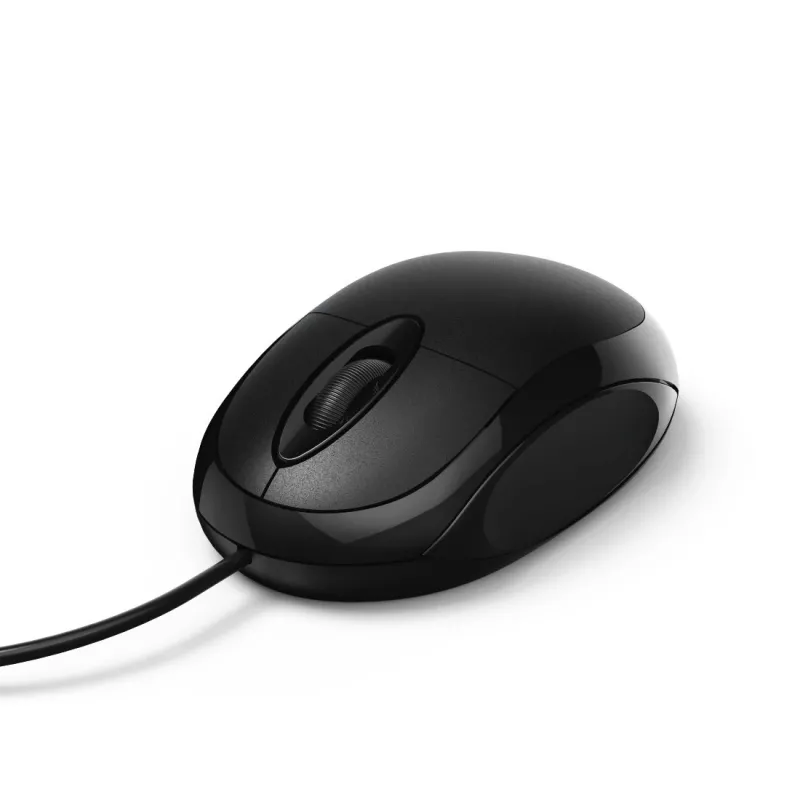
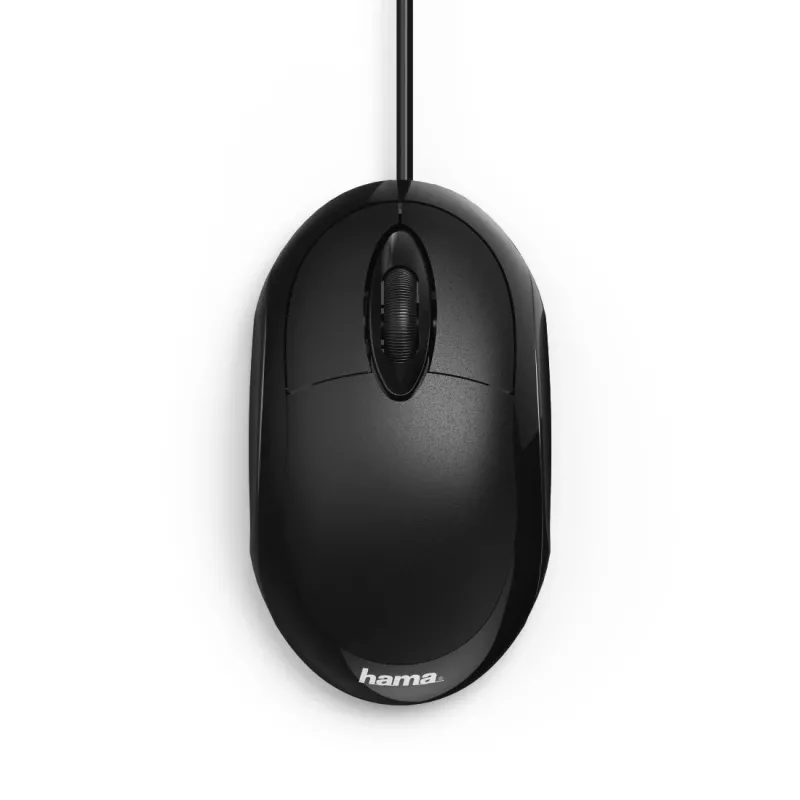
The Hama MC-100 USB Type-A Optical Right-hand 1000 DPI is a wired optical mouse designed for right-handed users. It connects via a USB Type-A plug and offers a 1000 DPI optical sensor, three pressed buttons and a scroll wheel for standard navigation. The ergonomic shape and compact dimensions make i... Lees meer
Voorraad Niet op voorraadGeen voorraad Code 1504123 Merk HAMA Model 00182600 Garantie 2 jaar

Bezorging & retourneren

The Hama MC-100 USB Type-A Optical Right-hand 1000 DPI is a wired optical mouse designed for right-handed users. It connects via a USB Type-A plug and offers a 1000 DPI optical sensor, three pressed buttons and a scroll wheel for standard navigation. The ergonomic shape and compact dimensions make it suitable for office desks and home workstations, while the black finish provides a neutral, professional appearance.

Advantages

The mouse combines a simple plug-and-play USB Type-A connection with an optical sensor tuned to 1000 DPI for reliable pointer accuracy in everyday office tasks. Its three-button layout and tactile scroll wheel support efficient document navigation and web browsing. The right-hand form factor and ergonomic contours help reduce strain during prolonged use, and the low-maintenance wired design eliminates the need for batteries.

Suitable for

Key specifications

How to use

Connect the mouse to any available USB Type-A port on your computer; the device is recognized automatically by modern operating systems without additional drivers. Place it on a flat, non-reflective surface for best optical tracking. Use the left and right buttons for standard click and selection actions and the scroll wheel to move through documents and web pages. Adjust pointer speed and button settings in your operating system’s mouse control panel if needed.

Recommendations

For optimal performance, use the mouse on a suitable mouse pad or a matte desk surface, keep the optical sensor area free of dust, and avoid reflective or glass surfaces that can interfere with tracking. If you experience pointer sensitivity issues, review the operating system pointer speed settings or try a different USB port.

Belangrijkste kenmerken
  • Office productivity tasks: word processing, spreadsheets, email
  • Web browsing and online research
  • Basic photo viewing and simple image editing
  • Home computer setups and small workstations
  • Form factor: right-hand ergonomic design
  • Interface: USB Type-A wired connection
  • Sensor type: optical
  • Resolution: 1000 DPI
  • Buttons: 3 pressed buttons plus scroll wheel
  • Scroll type: wheel
  • Colour: black
Specificaties
Aanbevolen gebruik
PC/Laptop
Aantal knoppen
3
Apparaatinterface
USB Type-A
Bewegingsresolutie
1000 DPI
Breedte
55 mm
Diepte
100 mm
Doel
Office
Hoogte
33 mm
Productkleur
Black
Technologie voor bewegingsdetectie
Optical
Type knoppen
Pressed buttons
Type scroll
Wheel
Vormfactor
Right-hand
Prijsverloop is nog niet beschikbaar
We zijn nog bezig met het verzamelen van voldoende dagelijkse prijsgegevens voor dit product.

Populaire producten in deze categorie

Hoi, ik ben de AI-assistent van DistriNode. Ik help je graag met het vinden van producten, het vergelijken van opties, het maken van offerte-PDF's of het openen van supportaanvragen.