Account Contact
Je winkelwagen
Verzending via DPD & FedEx
Hulp nodig? Vraag het de AI

iiyama ProLite XUB2797HSN-B2 computermonitor 68,6 cm (27 inch) 1920 x 1080 pixel Full HD LED zwart

iiyama ProLite XUB2797HSN-B2 computermonitor 68,6 cm (27 inch) 1920 x 1080 pixel Full HD LED zwart
36 mnd.
iiyama ProLite XUB2797HSN-B2 computermonitor 68,6 cm (27 inch) 1920 x 1080 pixel Full HD LED zwart
225,82 €
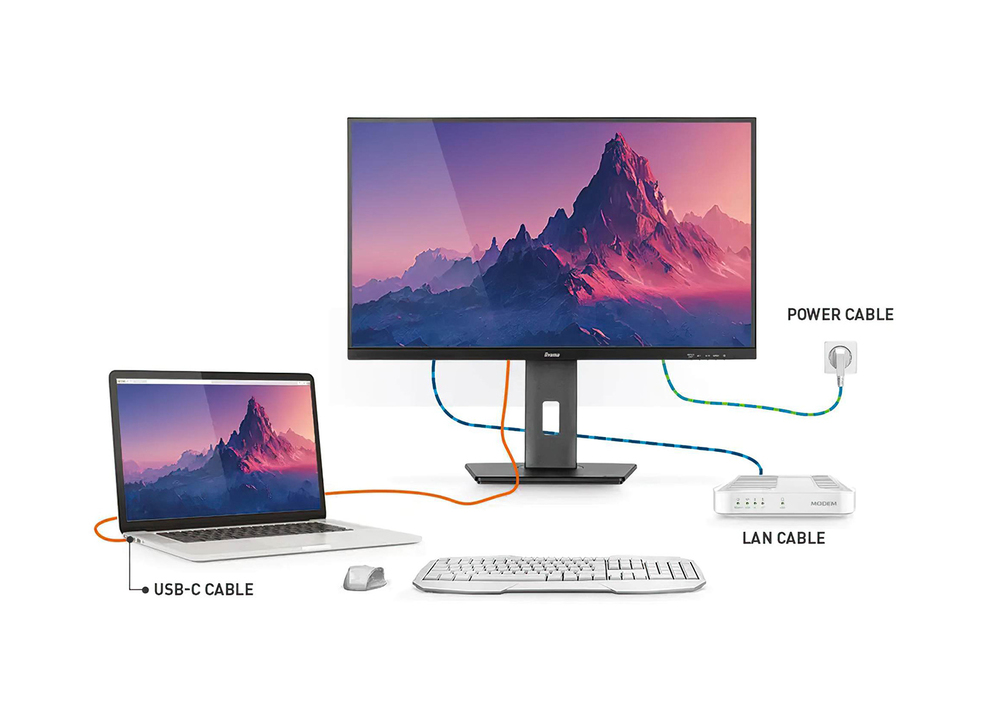
Equipped with a USB-C dock connector, the XUB2797HSN allows you to simplify your workspace by using a single cable to both send signal from your notebook to your monitor and power and charge the notebook from the monitor. Additionally, if your monitor is connected to the Internet with a LAN cable, y... Lees meer
Voorraad Niet op voorraadGeen voorraad Code 4307 Merk IIYAMA Model XUB2797HSN-B2 Garantie 3 jaar

Bezorging & retourneren

Equipped with a USB-C dock connector, the XUB2797HSN allows you to simplify your workspace by using a single cable to both send signal from your notebook to your monitor and power and charge the notebook from the monitor. Additionally, if your monitor is connected to the Internet with a LAN cable, your notebook will automatically be connected to the network as well. Thanks to a DisplayPort output you can easily extend your desktop by creating a double-monitor set-up. Supplied with a 150mm height-adjustable stand featuring pivot and swivel functions, the XUB2797HSN allows you to easily adjust the screen position to your preferences. Available also without USB-C dock: XUB2797QSU-B2 .
USB-C Dock

USB-C Dock

The dock allows you to connect your laptop with a single cable to the monitor to both make sure it is charged and connected to a wired network and signal from the laptop is sent to the monitor. A second monitor can be connected to the DisplayPort (MST) output to create a multi-monitor set-up. With additional USB-ports, your mouse, keyboard or webcam can also be connected to the monitor. All thanks to a single cable connecting your laptop* to the USB C dock in the monitor. *Functions vary depending on your laptop USB-C support.

IPS Technology

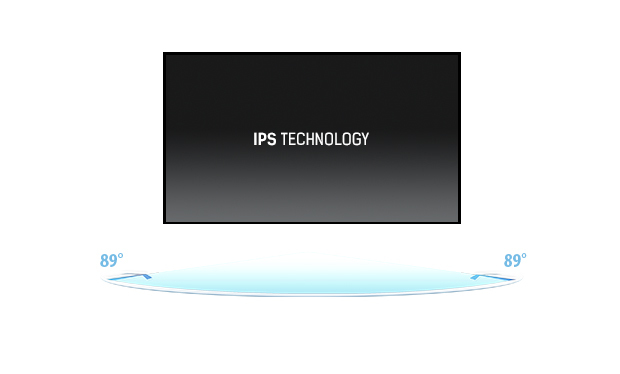
IPS displays are best known for wide viewing angles and natural, highly accurate colours. They are especially suited for colour-critical applications.
IPS Technology
Flicker-free + Blue light

Flicker-free + Blue light

The ultimate solution for the comfort and health of your eyes. Flicker-free monitors with the blue light reducer function substantially reduce the strain and fatigue caused by flickering and blue light emittance of regular monitors.

HAS (150mm) + Pivot (rotation both sides)
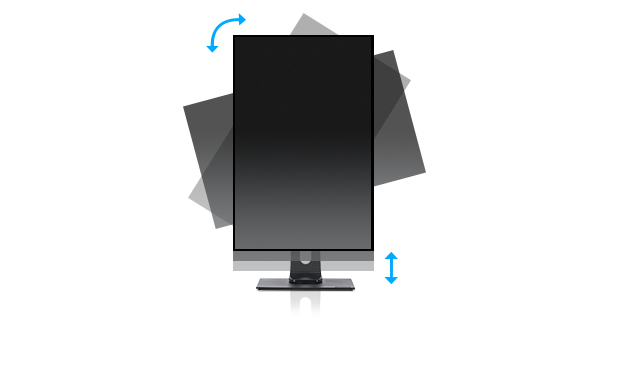
With a height adjustable stand you will create an ergonomic work posture and position that meets all health and safety requirements. This will not only prevent any health issues but will also increase your productivity. The pivot function allows the screen to rotate from landscape to portrait orientation. This functionality can be useful if the application requires more height than width.
HAS (150mm) + Pivot (rotation both sides)
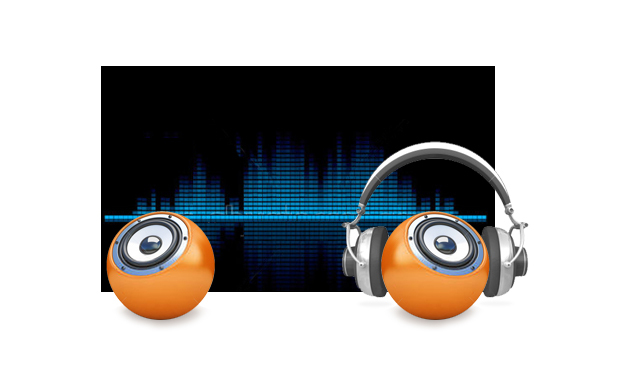
Speakers and headphones

Speakers and headphones

Playing with friends? Use the integrated high-quality speakers. Don’t want to disturb anybody? Plug your headset into the headphone socket and turn the volume up.

How to use

Place the monitor on a stable surface or mount it using a VESA-compatible arm or bracket. Connect the display to your computer using the available video input (check the device ports) and plug in the power cable. Use the on-screen display (OSD) menu to adjust brightness, contrast, colour presets and input selection. Connect peripherals to the built-in USB 3.2 Gen 1 hub and adjust the stand height to an ergonomic position to reduce neck and eye strain. For audio, enable the integrated speakers in the operating system sound settings or connect external speakers or headphones if preferred.

Recommendations

For sustained comfortable use, position the top of the screen at or slightly below eye level and maintain an arm’s length viewing distance. Reduce eye fatigue by lowering display brightness in dim environments and enabling blue light reduction or a warm colour preset when working for extended periods. If precise colour work is required, consider hardware or software calibration and use a controlled lighting environment.

Belangrijkste kenmerken
  • Office work: documents, spreadsheets and web browsing
  • Home computing and multimedia playback
  • Light photo and graphic work where accurate colours and wide viewing angles are useful
  • Multi-monitor setups and shared workstations
  • General-purpose gaming and fast-paced video content
  • Display diagonal: 27"
  • Resolution: 1920 x 1080 (Full HD)
  • Panel type: IPS
  • Display technology: LED backlight
  • Response time: 1 ms
  • Typical brightness: 300 cd/m²
  • Contrast ratio (typical): 1000:1
  • Viewing angles: 178° / 178° (H/V)
  • Matte (anti-glare) screen surface
  • Built-in speakers
  • Built-in USB hub (USB 3.2 Gen 1)
  • Height-adjustable stand and VESA mounting support
  • Screen shape: flat
  • Product colour: black
  • Energy efficiency class (SDR): E; energy consumption (SDR) per 1000 hours: 22 kWh
Specificaties
Aantal DisplayPort-uitgangen
1
Aantal DisplayPorts
1
Aantal downstreampoorten
4
Aantal HDMI-poorten
1
Aantal kleuren display
16.7 million colours
Aantal luidsprekers
2
Aantal USB Type-C-upstreampoorten
1
AC-ingangsfrequentie
50/60 Hz
AC-ingangsspanning
100 - 240 V
AMD FreeSync
Yes
Bedieningselementen
picture adjust (brightness, contrast, Eco, ACR, OD, MBR, AdaptiveSync), colour settings (i-Style colour, blue light reducer, colour temp., user preset), OSD (OSD H. position, OSD V. position, OSD rotate, OSD time), language, recall, miscellanous 1 (sharp and soft, video mode adjust, opening logo, RGB range), miscellaneous 2 (USB BC, MST, USB, LED, display information, MAC address), input select, audio settings (volume, mute)
Bedieningspaneel
Power, Menu, Adjustment/Volume, Adjustment/Shortcut Menu, Input/Exit
Beelddiagonaal
68.6 cm (27")
Beelddiagonaal (metrisch)
68.5 cm
Beeldschermhelderheid (typisch)
300 cd/m²
Beeldschermoppervlak
Matt
Beeldschermresolutie
1920 x 1080 pixels
Beeldschermtechnologie
LED
Breedte
611.5 mm
Breedte (met standaard)
611.5 mm
Breedte (zonder standaard)
611.5 mm
Breedte verpakking
679 mm
Conformiteitscertificaten
CE, EAC, PSE, REACH, RoHS, TÜV mark, UKCA, VCCI, WEEE
Contrastverhouding (dynamisch)
80000000:1
Contrastverhouding (typisch)
1000:1
DDC/CI
Yes
Diepte
209.5 mm
Diepte (met standaard)
209.5 mm
Diepte (zonder standaard)
209.5 mm
Diepte verpakking
130 mm
Draaibaar
Yes
Draaibaar
Yes
Duurzaamheidscertificaten
ErP, TCO
Energie-efficiëntieklasse (HDR)
Not available
Energie-efficiëntieklasse (SDR)
E
Energie-efficiëntieschaal
A to G
Energieverbruik (SDR) per 1000 uur
21.6 kWh
Ethernet LAN
Yes
Ethernet LAN (RJ-45)-poorten
1
Fabrieksgarantie
5 years (for details and eligible countries please check the Warranty section of our website)
Flikkervrije technologie
Yes
Garantieperiode
5 year(s)
Gewicht
6 kg
Gewicht (met standaard)
6 kg
Gewicht verpakking
8.7 kg
HD-type
Full HD
HDCP
Yes
HDMI
Yes
HDMI-versie
1.4
Hoogte (met standaard)
550.5 mm
Hoogte (zonder standaard)
400.5 mm
Hoogte verpakking
427 mm
Hoogteverstelling
Yes
Horizontaal scanbereik
30 - 110 kHz
Ingebouwde camera
No
Ingebouwde luidspreker(s)
Yes
Ingebouwde USB-hub
Yes
Inhoud verpakking
quick start guide, safety guide
Kabelmanagement
Yes
Kabels inbegrepen
AC, HDMI, USB Type-C
Kantelhoekbereik
5 - 23°
Kantelverstelling
Yes
Kijkhoek, horizontaal
178°
Kijkhoek, verticaal
178°
Kleurbereikstandaard
NTSC, sRGB
Koptelefoonuitgang
Yes
Low Blue Light-technologie
Yes
Marktpositionering
Business
Maximale verversingssnelheid
100 Hz
Montage-interface paneel
100 x 100 mm
Native beeldverhouding
16:9
NTSC-dekking (typisch)
72%
On Screen Display (OSD)
Yes
OSD-talen
Czech, German, English, Spanish, French, Italian, Japanese, Dutch, Polish, Russian
Paneeltype
IPS
Pivothoek
0 - 90°
Pixelafstand
0.311 x 0.311 mm
Productkleur
Black
Responstijd
1 ms
Responstijd (MPRT)
1 ms
RMS-vermogen
4 W
Schermvorm
Flat
Sleuf voor kabelslot
Yes
sRGB-dekking (typisch)
99%
Stroomverbruik (stand-by)
0.4 W
Stroomverbruik (typisch)
22 W
Stroomverbruik (uit)
0.3 W
Touchscreen
No
Type sleuf voor kabelslot
Kensington
Type USB-upstreampoort
USB Type-C
Type verpakking
Box
Type voeding
Internal
USB Power Delivery (USB PD)
Yes
USB Power Delivery tot
65 W
USB-hubversie
3.2 Gen 1 (3.1 Gen 1)
Versie DisplayPort-uitgang
1.2
Verstelbare hoogte (max.)
15 cm
VESA Adaptive Sync-ondersteuning
Yes
VESA-bevestiging
Yes
Zichtbaar formaat, horizontaal
59.8 cm
Zichtbaar formaat, verticaal
33.6 cm
Zwenkhoekbereik
-60 - 60°

Energielabel

Document openen

Handleiding

Document openen

Document

Document openen

Document

Document openen

Energielabel

Document openen
Prijsverloop van de afgelopen 6 maanden
iiyama ProLite XUB2797HSN-B2 computermonitor 68,6 cm (27 inch) 1920 x 1080 pixel Full HD LED zwart
Actueel
225,82 €
Laagste
223,28 €
Hoogste
403,84 €
Wijziging 24 uur
-2,85 €   -1%
Week
-81,13 €   -26%
Maand
-81,13 €   -26%

Populaire producten in deze categorie

Verkoper: UAB KUR LT · Laisvės pr. 125A, LT-06118 Vilnius, Litouwen · Bedrijfsnummer 303192950 · Btw-nummer LT100008198612 · Verzending vanuit de EU (Litouwen)
Hoi, ik ben de AI-assistent van DistriNode. Ik help je graag met het vinden van producten, het vergelijken van opties, het maken van offerte-PDF's of het openen van supportaanvragen.