
Account Contact
Je winkelwagen
Verzending via DPD & FedEx
Hulp nodig? Vraag het de AI

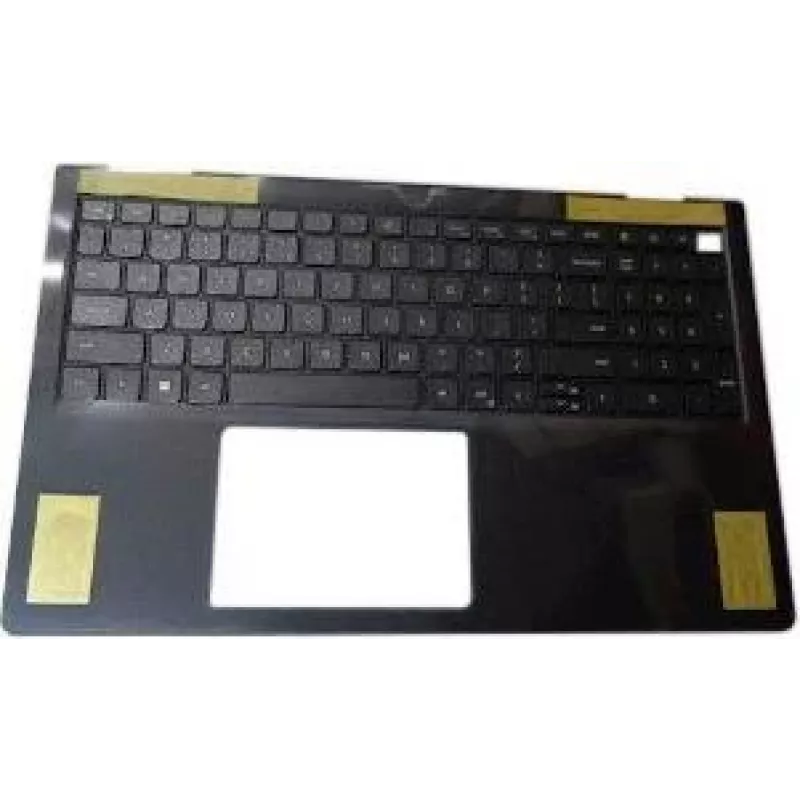
Interne Dell RRN0C — Dell interne component RRN0C

Interne Dell RRN0C — Dell interne component RRN0C
96,39 €
Internal Dell RRN0C — Dell internal component RRN0C is a genuine Dell internal component designed as a replacement or spare part for compatible Dell systems. It restores original functionality in systems where the corresponding internal part has failed or requires replacement. The component is inten... Lees meer
Voorraad Niet op voorraadGeen voorraad Code 1502588 Merk DELL Model RRN0C Garantie 2 jaar

Bezorging & retourneren

Internal Dell RRN0C — Dell internal component RRN0C is a genuine Dell internal component designed as a replacement or spare part for compatible Dell systems. It restores original functionality in systems where the corresponding internal part has failed or requires replacement. The component is intended for use by technicians, IT departments and service personnel performing repairs, upgrades or inventory maintenance in business and service environments.

Advantages

The component provides original-manufacturer compatibility and fit, reducing the risk of installation issues when replacing the equivalent part in supported Dell systems. Using a genuine Dell component helps maintain system stability and can simplify troubleshooting because it matches the hardware and firmware expectations of Dell-approved configurations. As a spare part, it allows faster repair turnaround and reduces system downtime in operational environments.

Suitable for

  • Repairing compatible Dell systems that require the specific internal component
  • Routine maintenance and spare-parts inventory for IT and service teams
  • Hardware upgrades and component replacements in business or lab environments

Key specifications

  • Manufacturer: Dell
  • Type: Internal replacement component for compatible Dell systems
  • Compatibility: Intended for use in systems specified by Dell as supporting this internal component
  • Use case: Replacement, spare part, or service repair component

How to use

Power down the target Dell system and follow Dell's service manual or official instructions for safe handling and component replacement. Ground yourself to prevent electrostatic discharge and remove any power sources and batteries as directed by the system guide. Remove the failed or existing component according to the service steps, install the Internal Dell RRN0C in the appropriate slot or mounting point, secure any fasteners, and reconnect power. After installation, power up the system and verify through system diagnostics or BIOS/UEFI that the component is recognized and functioning as expected.

Recommendations

Use only in systems that Dell lists as compatible for this internal component, and refer to official Dell documentation for disassembly and installation procedures. If unsure about compatibility or installation, consult a qualified technician or Dell support to avoid damage to the system or the component.

Belangrijkste kenmerken
  • Repairing compatible Dell systems that require the specific internal component
  • Routine maintenance and spare-parts inventory for IT and service teams
  • Hardware upgrades and component replacements in business or lab environments
  • Manufacturer: Dell
  • Type: Internal replacement component for compatible Dell systems
  • Compatibility: Intended for use in systems specified by Dell as supporting this internal component
  • Use case: Replacement, spare part, or service repair component
Prijsverloop is nog niet beschikbaar
We zijn nog bezig met het verzamelen van voldoende dagelijkse prijsgegevens voor dit product.

Populaire producten in deze categorie

Hoi, ik ben de AI-assistent van DistriNode. Ik help je graag met het vinden van producten, het vergelijken van opties, het maken van offerte-PDF's of het openen van supportaanvragen.