
Account Contact
Je winkelwagen
Verzending via DPD & FedEx
Hulp nodig? Vraag het de AI

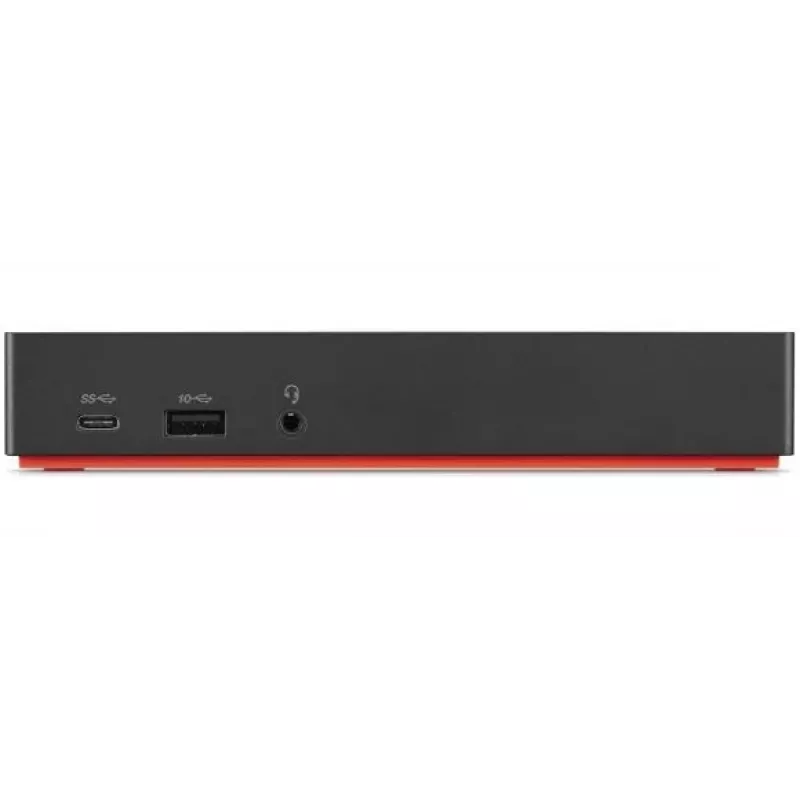
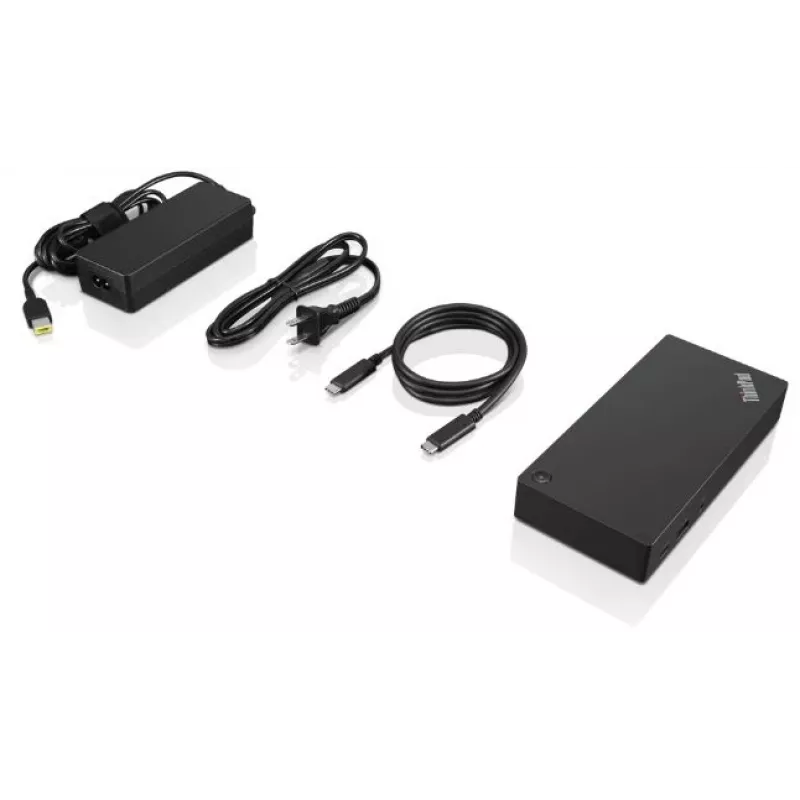
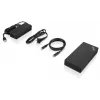
Lenovo ThinkPad USB-C Dock Gen 2, bedraad, USB 3.2 Gen 1 (3.1 Gen 1) Type-C, zwart

Lenovo ThinkPad USB-C Dock Gen 2, bedraad, USB 3.2 Gen 1 (3.1 Gen 1) Type-C, zwart
525,23 €
The Lenovo ThinkPad USB-C Dock Gen 2 (40AS) is a universal one-cable docking solution that expands a compatible notebook's connectivity via a USB-C connection. The dock supports 4K Ultra HD displays or multiple 1080p monitors, supplies wired Gigabit Ethernet, provides audio via a 3.5 mm jack, and of... Lees meer
Voorraad Niet op voorraadGeen voorraad Code 2395292 Merk LENOVO Model 40AS0090UK Garantie 2 jaar

Bezorging & retourneren

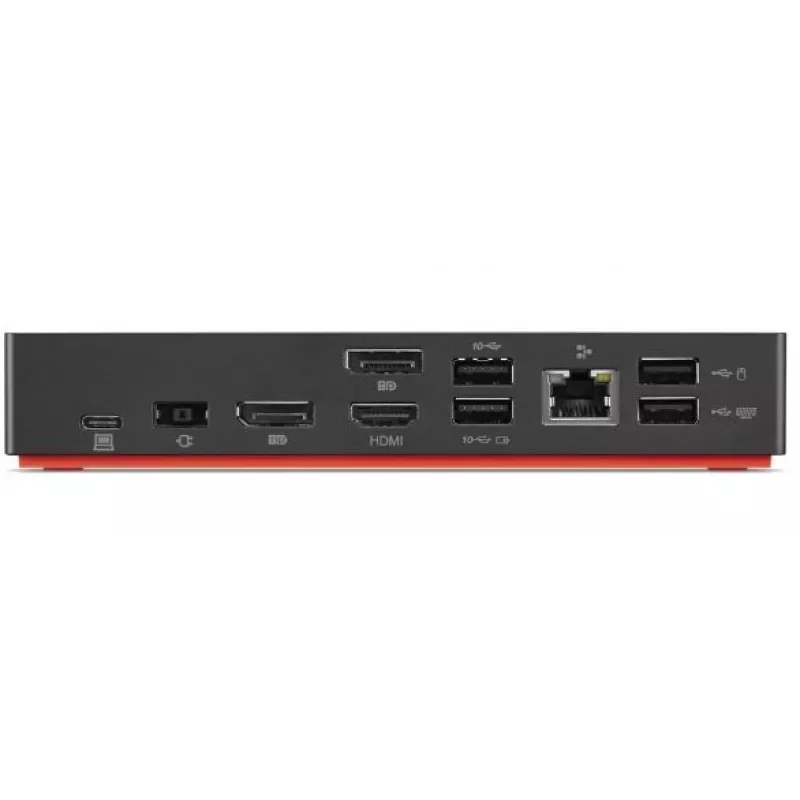
The Lenovo ThinkPad USB-C Dock Gen 2 (40AS) is a universal one-cable docking solution that expands a compatible notebook's connectivity via a USB-C connection. The dock supports 4K Ultra HD displays or multiple 1080p monitors, supplies wired Gigabit Ethernet, provides audio via a 3.5 mm jack, and offers several USB-A ports for legacy peripherals while also enabling rapid charging of connected mobile devices.

Advantages

This wired USB-C dock consolidates power delivery, video output and peripheral connectivity into a single cable, reducing desktop clutter. With USB 3.2 Gen 1 data rates (up to 10 Gbit/s) on Type-A ports, HDMI 4K output and Gigabit Ethernet (10/100/1000 Mbit/s), it supports high-resolution displays, fast data transfer and reliable wired networking in one compact, black unit weighing approximately 0.325 kg.

Suitable for

  • Office workstations that require multiple displays and wired networking
  • Home offices where a single-cable docking experience is preferred
  • Users with legacy USB-A peripherals such as keyboards, mice and external drives
  • Presentations or meeting rooms needing HDMI 4K output

Key specifications

  • Interface: USB-C (wired)
  • USB ports: 3 × USB 3.2 Gen 1 (Type-A), 2 × USB 2.0
  • Video output: 1 × HDMI supporting up to 4K Ultra HD or multiple 1080p displays
  • Audio: 3.5 mm headphone jack
  • Ethernet: 1 × RJ-45, 10/100/1000 Mbit/s
  • Compatibility: Windows 10 and Windows 7
  • Power: AC input 100–240 V
  • Colour and weight: Black, approx. 0.325 kg

How to use

Connect the dock to a compatible notebook using the supplied USB-C cable. Attach displays to the HDMI port and connect wired networks via the RJ-45 Ethernet port. Plug keyboards, mice or external drives into the available USB-A ports and connect headphones to the 3.5 mm jack. Ensure the dock is connected to AC power (100–240 V) for device charging and full functionality.

Recommendations

For optimal display performance when using 4K output, use high-quality HDMI cables and confirm your notebook's USB-C port supports video output and the required power delivery. Keep firmware and drivers updated on the host system for best compatibility.
Belangrijkste kenmerken
  • Office workstations that require multiple displays and wired networking
  • Home offices where a single-cable docking experience is preferred
  • Users with legacy USB-A peripherals such as keyboards, mice and external drives
  • Presentations or meeting rooms needing HDMI 4K output
  • Interface: USB-C (wired)
  • USB ports: 3 × USB 3.2 Gen 1 (Type-A), 2 × USB 2.0
  • Video output: 1 × HDMI supporting up to 4K Ultra HD or multiple 1080p displays
  • Audio: 3.5 mm headphone jack
  • Ethernet: 1 × RJ-45, 10/100/1000 Mbit/s
  • Compatibility: Windows 10 and Windows 7
  • Power: AC input 100–240 V
  • Colour and weight: Black, approx. 0.325 kg
Specificaties
Aantal DisplayPorts
2
Aantal HDMI-poorten
1
Aantal ondersteunde beeldschermen
3
Aantal per verpakking
1 pc(s)
Aantal USB 2.0-poorten
2
Aantal USB 3.2 Gen 1 (3.1 Gen 1) Type-A-poorten
3
Aantal USB 3.2 Gen 1 (3.1 Gen 1) Type-C-poorten
1
Aantal USB 3.2 Gen 2 (3.1 Gen 2) Type-C-poorten
1
AC-ingangsfrequentie
50 - 60 Hz
AC-ingangsspanning
100 - 240 V
Bedrijfstemperatuur (T-T)
0 - 35 °C
Breedte
171 mm
Breedte verpakking
210 mm
Certificering
FCC/ICES, CE, KCC, RCM, BSMI, VCCI, CB, cULus, EAC, TUV- Mark, Serbia Kvalitet, LoA, Israel SII, Ukraine DoC, NOM
Compatibiliteit
ThinkPad T490 (20N2, 20N3, 20Q9, 20QH), ThinkPad T590 (20N4, 20N5), ThinkPad X280 (20KE,20KF), ThinkPad T480 (20L5,20L6), ThinkPad X1 Carbon 6th (20KH, 20KG), ThinkPad X270 (20HM, 20HN, 20K5, 20K6), ThinkPad T480s (20L7,20L8)
Diepte
80 mm
Diepte verpakking
158 mm
Ethernet LAN
Yes
Ethernet LAN (RJ-45)-poorten
1
Ethernet-LAN-snelheden
10,100,1000 Mbit/s
Gecombineerde koptelefoon-/microfoonaansluiting
Yes
Geharmoniseerd Systeem (HS)-code
84733020
Gewicht
325 g
Gewicht verpakking
960 g
Handleiding
Yes
HD-type
4K Ultra HD
HDMI-versie
2.0
Hoogte
30.8 mm
Hoogte verpakking
75 mm
Hostinterface
USB 3.2 Gen 1 (3.1 Gen 1) Type-C
Ingebouwde kaartlezer
No
Kabels inbegrepen
AC, USB Type-C
Koptelefoonaansluiting
3.5 mm
Koptelefoonuitgangen
0
Maximale digitale resolutie
3840 x 2160 pixels
Merkcompatibiliteit
Lenovo
Microfooningang
No
Ondersteunde Windows-besturingssystemen
Windows 10, Windows 7
Overdrachtssnelheid
10 Gbit/s
Plug and Play
Yes
Productkleur
Black
Relatieve luchtvochtigheid tijdens gebruik (H-H)
20 - 95%
Sleuf voor kabelslot
Yes
Type stroombron
DC
Verbindingstechnologie
Wired
Voeding
90 W
Voedingsadapter inbegrepen
Yes
Wake-on-LAN-gereed
Yes

Handleiding

Document openen
Prijsverloop is nog niet beschikbaar
We zijn nog bezig met het verzamelen van voldoende dagelijkse prijsgegevens voor dit product.

Populaire producten in deze categorie

Verkoper: UAB KUR LT · Laisvės pr. 125A, LT-06118 Vilnius, Litouwen · Bedrijfsnummer 303192950 · Btw-nummer LT100008198612 · Verzending vanuit de EU (Litouwen)
Hoi, ik ben de AI-assistent van DistriNode. Ik help je graag met het vinden van producten, het vergelijken van opties, het maken van offerte-PDF's of het openen van supportaanvragen.