Account Contact
Je winkelwagen
Verzending via DPD & FedEx
Hulp nodig? Vraag het de AI

Canon PIXMA G3590 Inkjetprinter A4 4800 x 1200 DPI WLAN

Canon PIXMA G3590 Inkjetprinter A4 4800 x 1200 DPI WLAN
369,68 €
Canon PIXMA G3590Enjoy low-cost, high-quality documents and photos and fast two-sided prints with this easy to use, refillable and Wi-Fi-equipped 3-in-1 home printer.Fast, high-quality two-sided prints. Huge savingsMake huge savings on home printing, print two-sided documents quickly and print wirel... Lees meer
Voorraad 3 Code 2358508 Merk Canon Model 6706C006 Garantie 2 jaar

Bezorging & retourneren

Verwachte bezorgdatum maandag, oktober 26
Je blijft op de hoogte via ons uitgebreide trackingsysteem
Betaalopties
BetaalkaartVisaMastercardPayPalApple PayGoogle PayBankoverschrijving
Canon PIXMA G3590

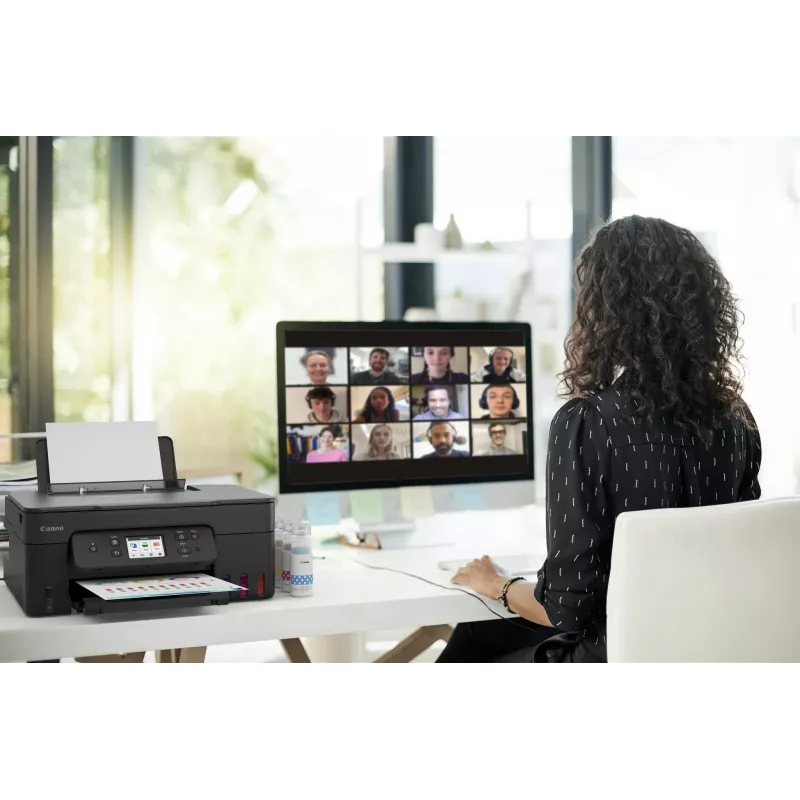
Enjoy low-cost, high-quality documents and photos and fast two-sided prints with this easy to use, refillable and Wi-Fi-equipped 3-in-1 home printer.

Fast, high-quality two-sided prints. Huge savings
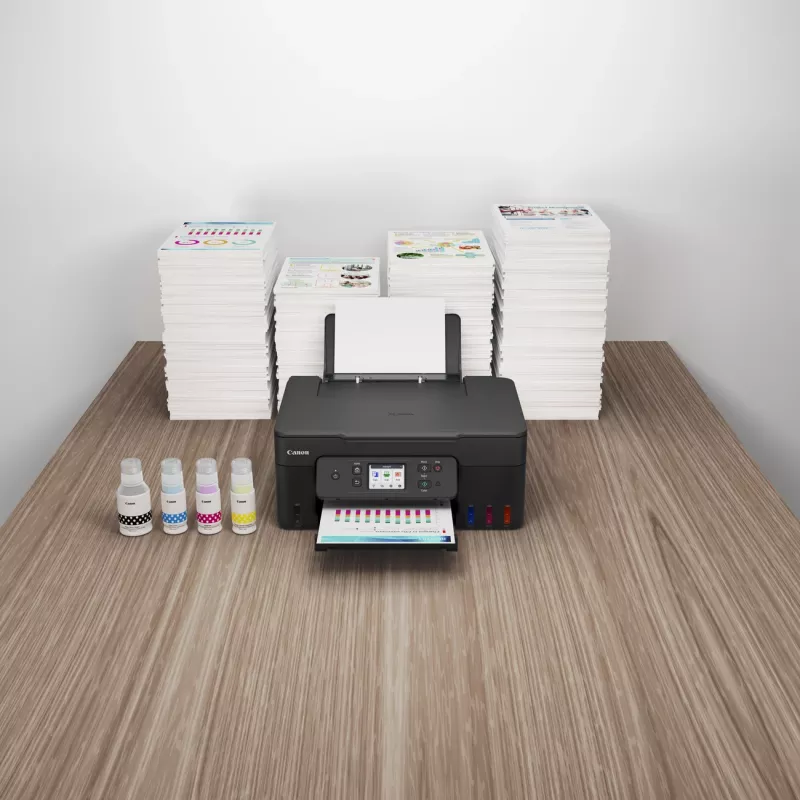
Make huge savings on home printing, print two-sided documents quickly and print wirelessly with ease with this highly efficient MegaTank printer. Thanks to its refillable ink tanks, a single set of ink bottles can deliver up to 8.100 prints1, making running costs refreshingly low compared to cartridge-based printers.

Ultra-low running costs
Make huge savings over the printer’s lifetime thanks to refillable high-yield ink tanks. Print 6.000 pages from a black ink bottle (7.600 in Economy) and 7.700 pages from a set of colour ink bottles (8,100 in Economy)

Fast, high-quality results
Both documents and photos look fantastic, thanks to pigment black ink and dye-based colour inks. And they arrive quickly too, with print speeds of 11.0 ipm (mono) and 6.0 ipm (colour) and automatic duplex printing

Simple operation
Easy, straightforward day-to-day use thanks to a tilting 2.7” colour LCD touch screen, user-friendly Switch UI menu and single-action print head installation

Wireless connectivity
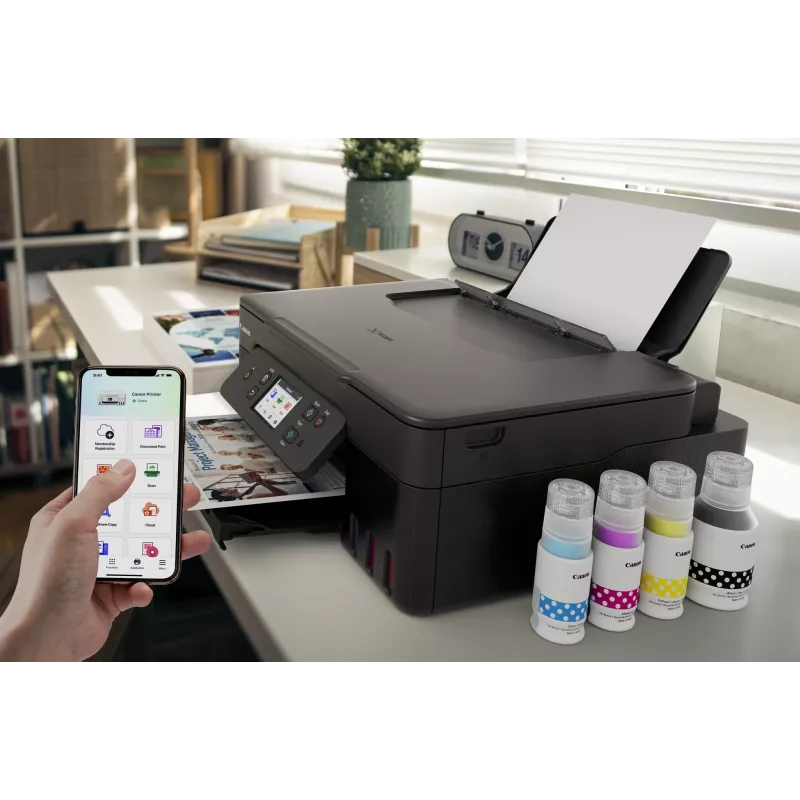
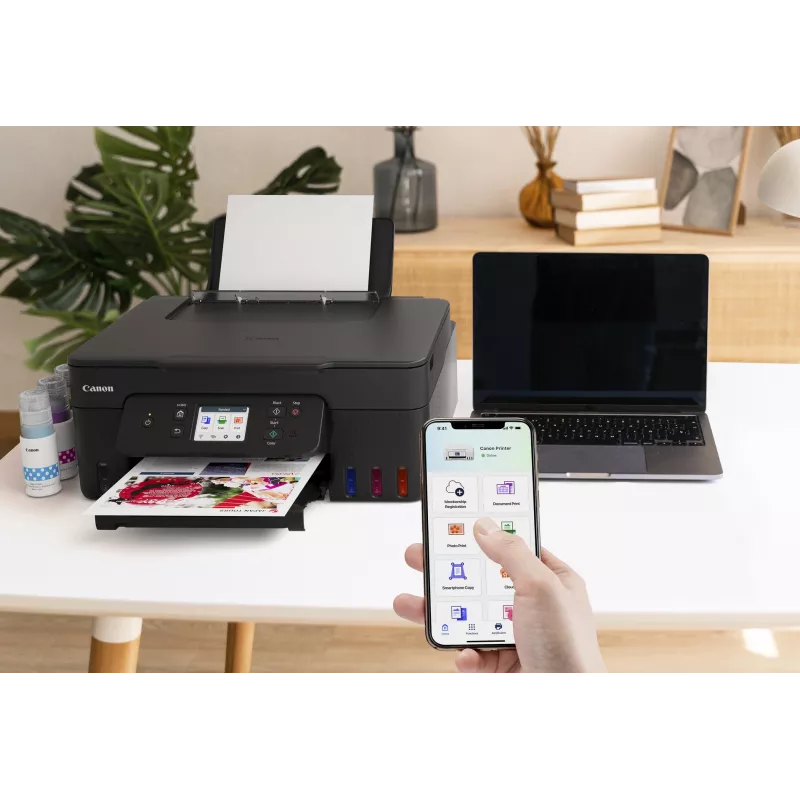
Print seamlessly from a range of devices with Wi-Fi connectivity and support for PIXMA Cloud Link (now with no login requirement), Canon PRINT app, Apple AirPrint and more. Scan documents to your smartphone in seconds with a simple QR code.

Easy at-home maintenance
Keep downtime to a minimum thanks to the user-replaceable maintenance cartridge and mechanical ID no-squeeze ink bottles

Work with more media
Get creative at home with the ability to print on magnetic, iron-on and matte photo paper

How to use

Install the included ink bottles into the refillable tanks following the manufacturer’s filling instructions and connect the device to power. Use the setup software or the printer control panel to connect the PIXMA G3590 to the local Wi‑Fi network or attach via USB for direct printing. Load paper into the input tray, select print settings from your computer or mobile app, and initiate printing. Use the flatbed scanner lid to place documents or photos for scanning or copying and follow the on-screen or software prompts to select resolution and file format.

Recommendations

For reliable long-term operation, use genuine Canon inks and refill only when indicated by the tank levels. Choose appropriate paper types for photos versus documents, and perform periodic nozzle checks and print-head maintenance via the device utilities to preserve print quality.
11.0 ipm / 6.0 ipm

11.0 ipm / 6.0 ipm

Fast print speeds for increased productivity

2.7” tilting colour LCD touch screen

Tilting colour touch display for greater usability
2.7” tilting colour LCD touch screen
High quality printing

High quality printing

Sharp print resolution for high quality photos and documents

3-in-1 printer

Print, scan and copy with a single device
3-in-1 printer
Automatic duplex printing

Automatic duplex printing

Print two-sided documents with ease

100-sheet capacity

Large-capacity rear tray for volume printing
100-sheet capacity
Wi-Fi

Wi-Fi

Connect wirelessly to your computer or smart device

Mac, Windows and Chrome

Works with all major computer operating systems
Mac, Windows and Chrome
Belangrijkste kenmerken
  • Home offices needing economical daily document printing
  • Small businesses producing invoices, reports and marketing flyers
  • Students and home users printing homework, presentations and photos
  • Users who require wireless printing from smartphones and tablets
  • Function: Print, scan, copy
  • Printing technology: Inkjet
  • Ink system: Integrated refillable ink tanks (high-capacity)
  • Connectivity: Wi‑Fi for wireless and mobile printing; USB local connection
  • Colour capability: Colour and black-and-white printing
  • Scanner type: Flatbed scanner suitable for documents and photos
  • Recommended use: Home and small office
  • Physical design: Compact footprint for limited workspace
Specificaties
Aangepaste mediabreedte
55 - 216 mm
Aangepaste medialengte
89 - 1200 mm
Aantal printcartridges
4
AC-ingangsfrequentie
50/60 Hz
AC-ingangsspanning
100 - 240 V
Afdrukkleuren
Black, Cyan, Magenta, Yellow
Bedrijfstemperatuur (T-T)
5 - 35 °C
Beelddiagonaal
6.86 cm (2.7")
Beheerprotocollen
SNMP, HTTP, TCP/IP (IPv4/IPv6)
Beveiligingsalgoritmen
SNMP
Bluetooth
Yes
Breedte
416 mm
Cartridge(s) inbegrepen
Yes
Diepte
555 mm
Direct printen
Yes
Display
LCD
Dubbelzijdig kopiëren
No
Dubbelzijdig printen
Yes
Dubbelzijdig scannen
No
Duplexfuncties
Print
Energy Star typisch elektriciteitsverbruik (TEC)
0.22 kWh/week
Enveloppenformaten
C5, Com-10, DL
Faxen
No
Formaten ISO A-serie (A0...A9)
A4, A5, A6
Fotopapierformaten
10x15,13x18,18x25,20x25
Geluidsdrukniveau (printen)
49 dB
Gewicht
6.5 kg
Grijswaardendiepte invoer
16 bit
Grijswaardendiepte uitvoer
8 bit
Handleiding
Yes
Hoogte
268 mm
Ingebouwd display
Yes
Inktanksysteem
Yes
ISO B-formaten (B0...B9)
B5
Kabels inbegrepen
AC
Kleurdiepte invoer
16 bit
Kleurdiepte uitvoer
8 bit
Kleurendisplay
Yes
Kopieerformaat aanpassen
25 - 400%
Kopiëren
Colour copying
Land van herkomst
Vietnam
Marktpositionering
Home & office
Maximaal aantal kopieën
99 copies
Maximaal afdrukformaat
216 x 1200 mm
Maximaal papierformaat ISO A-serie
A4
Maximale resolutie
4800 x 1200 DPI
Mediaformaten randloos printen
10x15, 13x18, 20x25, A4, Letter
Mediagewicht papierlade
64 - 105 g/m²
Mediatypen papierlade
Envelopes, Glossy paper, High resolution paper, Iron-On Transfers, Matte paper, Photo paper, Plain paper, Semi-glossy paper
Meegeleverde cartridgecapaciteit (CMY)
7700 pages
Meegeleverde cartridgecapaciteit (zuinige modus, CMY)
8100 pages
Meegeleverde cartridgecapaciteit (zuinige modus, zwart)
7600 pages
Meegeleverde cartridgecapaciteit (zwart)
6000 pages
Meegeleverde software
Printer Driver, IJ Printer Assistant Tool
Modus dubbelzijdig kopiëren
Auto
Modus dubbelzijdig printen
Auto
Modus dubbelzijdig scannen
Manual
N-in-1-kopieerfunctie
Yes
N-in-1-kopieerfunctie (N=)
2, 4
Netsnoer inbegrepen
Yes
Niet-ISO-afdrukformaten
Executive, Legal, Letter
Ondersteunde Mac-besturingssystemen
Mac OS X 10.15 Catalina, Mac OS X 10.15.3 Catalina, Mac OS X 10.2 Jaguar, Mac OS X 10.3 Panther, Mac OS X 10.4 Tiger, Mac OS X 10.5 Leopard, Mac OS X 10.6 Snow Leopard, Mac OS X 10.7 Lion, Mac OS X 10.8 Mountain Lion, Mac OS X 10.9 Mavericks, Mac OS X 11.0 Big Sur, Mac OS X 12.0 Monterey
Ondersteunde mobiele besturingssystemen
Android, iOS
Ondersteunde netwerkprotocollen (IPv4)
Y
Ondersteunde netwerkprotocollen (IPv6)
Y
Ondersteunde serverbesturingssystemen
Windows Server 2008 R2, Windows Server 2012 R2, Windows Server 2016, Windows Server 2019, Windows Server 2022
Ondersteunde Windows-besturingssystemen
Windows 10, Windows 11, Windows 8.1
Optische scanresolutie
600 x 1200 DPI
Overige ondersteunde besturingssystemen
ChromeOS
Printen
Colour printing
Printsnelheid (ISO/IEC 24734) kleur
6 ipm
Printsnelheid (ISO/IEC 24734) zwart-wit
11 ipm
Printtechnologie
Inkjet
Productkleur
Black
Randloos printen
Yes
Relatieve luchtvochtigheid tijdens gebruik (H-H)
10 - 90%
Scannen
Colour scanning
Scannen naar
Cloud
Scannertype
Flatbed scanner
Scantechnologie
CIS
Stroomverbruik (kopiëren)
18 W
Stroomverbruik (stand-by)
1.5 W
Stroomverbruik (uit)
0.1 W
Technologieën voor mobiel printen
Apple AirPrint, Mopria Print Service, PIXMA Cloud Link
Tijd tot eerste kopie (kleur, normaal)
23 s
Totaal aantal invoerladen
1
Totale invoercapaciteit
100 sheets
USB-poort
Yes
USB-poort
USB Type-B
Vervangende cartridges
GI-51 PGBK, GI-51 C, GI-51 M, GI-51 Y
Wi-Fi Direct
Yes
Wifi
Yes
Wifi-standaarden
802.11a, 802.11b, 802.11g, Wi-Fi 4 (802.11n), Wi-Fi 5 (802.11ac)
Zuinig printen
Yes

Handleiding

Document openen
Prijsverloop van de afgelopen 6 maanden
Canon PIXMA G3590 Inkjetprinter A4 4800 x 1200 DPI WLAN
Actueel
369,68 €
Laagste
353,27 €
Hoogste
463,21 €
Wijziging 24 uur
+16,40 €   +5%
Week
+15,84 €   +4%
Maand
—   

Populaire producten in deze categorie

Hoi, ik ben de AI-assistent van DistriNode. Ik help je graag met het vinden van producten, het vergelijken van opties, het maken van offerte-PDF's of het openen van supportaanvragen.