

Account Contact
Je winkelwagen
Verzending via DPD & FedEx
Hulp nodig? Vraag het de AI

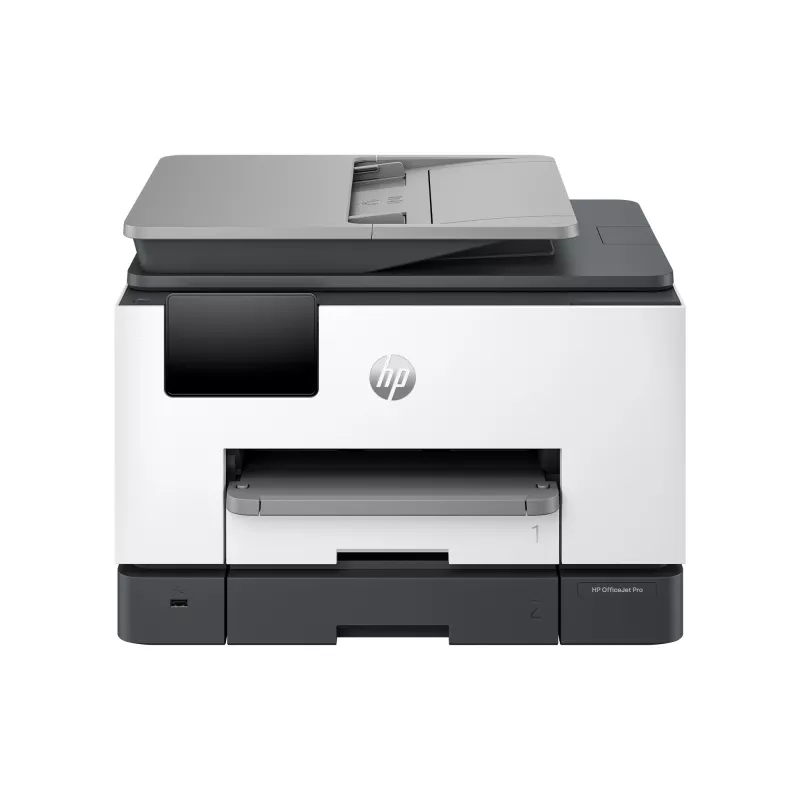
HP OfficeJet Pro 9130b draadloze all-in-one kleurenprinter, dubbelzijdig printen; kopiëren, scannen

HP OfficeJet Pro 9130b draadloze all-in-one kleurenprinter, dubbelzijdig printen; kopiëren, scannen
391,56 €
PDF
PDF
Voorraad 7 Code 3837 Model 4U561B Garantie 2 jaar

Bezorging & retourneren

Verwachte bezorgdatum donderdag 19 november
Je blijft op de hoogte via ons uitgebreide trackingsysteem
Betaalopties
BetaalkaartVisaMastercardPayPalApple PayGoogle PayBankoverschrijving

Stel een vraag – de AI-assistent antwoordt direct.

Omschrijving

Manage printing like a Pro. The professional colour inkjet printer for distributed offices/hybrid workforce from the World’s #1 Printer Company, paired with our best technology to help manage it all. This streamlines work into any network with extra performance features.[1,2].

Dynamic security enabled printer Certain HP printers are intended to work only with cartridges that have a new or reused HP chip or electronic circuitry. These printers use dynamic security measures to block cartridges using a non-HP chip or electronic circuitry. Periodic firmware updates will maintain the effectiveness of these measures and block cartridges that previously worked. Reused HP chips and electronic circuitry enable the use of reused, remanufactured, and refilled cartridges.

Deploy. Integrate. Customise with ease.

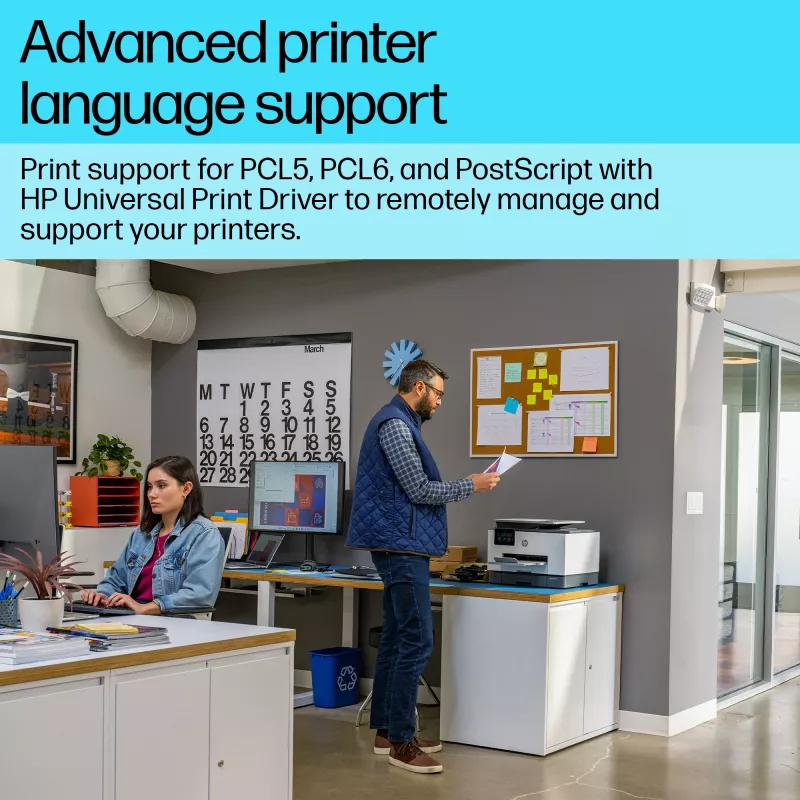
Easily deploy, integrate, and set up your fleet of printers across multiple locations.Seamlessly integrate into any network with HP Universal Print Driver and Page Description Language support.Customise and manage your fleet however you need with easy, remote management and enhanced feature control.

Empower your business with a productivity powerhouse

Always ready for high volumes, get an HP OfficeJet Pro printer equipped with two 250-page input trays.Avoid waiting by the printer with an automatic document feeder enabling single-pass, double-sided scanning.Speed up your printing with a fast inkjet printer - up to 25 pages per minute (PPM).[4]Quickly navigate your printer with a 4.3” large colour touchscreen and a phone-like user interface.

Our best technology to help manage it all[2]

Stay connected with our most reliable Wi-Fi® - dual-band, self-healing - that automatically reconnects.[2]Easily configure, troubleshoot, and manage networks and devices with HP Web Jetadmin.[2]Help keep your networks protected from cyberthreats with HP Wolf Pro Security.[2]

Driving innovation with 40% recycled plastic[5]

Choose printers made with at least 40% recycled plastic.[5]For every page you print, HP protects, restores and manages forests in equal measure.[6]Recycle your Original HP ink cartridges after use for free with the HP Planet Partners program.[7]

How to use

Connect the printer to your office network following the supplied setup guide or your IT policies. Enroll the device in your management console if available to enable centralized monitoring and firmware updates. Use cartridges that include a new or reused HP chip or compatible electronic circuitry to ensure continuous operation; be aware that firmware updates can change cartridge compatibility over time.

Recommendations

To maintain reliable operation, install official or supported remanufactured cartridges with HP chips and ensure periodic firmware updates are applied through your IT management process.

Belangrijkste kenmerken
  • Wireless; Print from phone or tablet; Automatic document feeder; Two-sided printing; Two-sided scanning; Scan to email; Scan to pdf; Fax; Front USB flash drive port; Touchscreen
  • Print, copy, scan, fax
  • Print speed up to 25 ppm (black) and 19 ppm (color)
  • 1200 x 1200 rendered dpi
  • Thermal inkjet Colour printing
  • 4800 x 1200 DPI
  • Printing colours: Black, Cyan, Magenta, Yellow
  • A4 25 ppm
  • Colour copying Colour scanning Colour faxing
  • Mopria Print Service, Apple AirPrint
  • Direct printing
  • USB port Wi-Fi Ethernet LAN Bluetooth
  • Internal memory: 512 MB Built-in processor
  • 11.8 kg

Specificaties

Specificaties
Aanbevolen bedrijfstemperatuurbereik (T-T)
15 - 32 °C
Aanbevolen luchtvochtigheid bij gebruik
25 - 75%
Aanbevolen systeemvereisten
Windows 10; 11; 32-bit or 64-bit; 2 GB HD; Internet Required; Internet Explorer or Edge. Apple macOS v11 Big Sur; macOS v12 Monterey; macOS v13 Ventura; 2 GB HD; Internet required; Internet Explorer or Edge.
Aanbevolen werkcyclus
0 - 2000 pages per month
Aangepaste mediaformaten
Tray 1: 76.2 x 127 to 215.9 x 355.6 mm. Tray 2: N/A
Aantal gebruikers
5 user(s)
Aantal printcartridges
4
Aantal printkoppen
4
Aantal USB 2.0-poorten
2
AC-ingangsfrequentie
50/60 Hz
AC-ingangsspanning
100 - 240 V
Afdrukkleuren
Black, Cyan, Magenta, Yellow
Afmetingen pallet (B x D x H)
1219 x 1016 x 2590 mm
Afmetingen pallet (B x D x H) (inch)
1219.2 x 1016 x 2590.8 mm (48 x 40 x 102")
All-in-one multitasking
Yes
Automatisch opnieuw kiezen
Yes
Automatisch verkleinen
Yes
Automatische aanpassingsfunctie
Yes
Automatische documentinvoer (ADF)
Yes
Bedieningstype
Touch
Bedrijfshoogte
0 - 3000 m
Bedrijfstemperatuur (T-T)
5 - 40 °C
Beveiligingsalgoritmen
SSL/TLS, WPA2-Enterprise, HTTPS
Bluetooth
Yes
Boekjes printen
Yes
Breedte verpakking
496 mm
Brutogewicht pallet
466 kg
Cartridge(s) inbegrepen
Yes
Certificering
CISPR 32:2015 / EN 55032:2015 Class B; CISPR 24:2010 / EN 55024:2010; CISPR 35:2016 / EN 55035:2017+A11:2020; EN 61000-3-2:2014 / IEC 61000-3-2:2014; EN 61000-3-3:2013 / IEC 61000-3-3:2013; EN 301 489-1 V2.2.3; EN 301 489-17 V3.2.4; FCC CFR 47 Part 15 Class B ICES-003, Issue 7; Class B VCCI V-3:2015
CO2-uitstoot, einde levensduur (kg CO2e)
5
CO2-uitstoot, logistiek (kg CO2e)
4
CO2-uitstoot, productie (kg CO2e)
72
Compatibele besturingssystemen
Windows 11; Windows 10; Windows Server; macOS 11 Big Sur; macOS 12 Monterey; macOS 13 Ventura; macOS 14 Sonoma; Linux; Chrome OS
Diepte verpakking
377 mm
Digitale verzender
Yes
Direct printen
Yes
Display
CGD
Dubbelzijdig faxen
Yes
Dubbelzijdig printen
Yes
Duplexfuncties
Print, Fax
Duurzaamheidscertificaten
EPEAT
Elektromagnetische compatibiliteit
CISPR 32:2015 / EN 55032:2015 Class B; CISPR 24:2010 / EN 55024:2010; CISPR 35:2016 / EN 55035:2017+A11:2020; EN 61000-3-2:2014 / IEC 61000-3-2:2014; EN 61000-3-3:2013 / IEC 61000-3-3:2013; EN 301 489-1 V2.2.3; EN 301 489-17 V3.2.4; FCC CFR 47 Part 15 Class B ICES-003, Issue 7; Class B VCCI V-3:2015
Enveloppenformaten
C5, C6
Enveloppeninvoer
No
Ethernet LAN
Yes
Fabrieksgarantie
Standard one-year HP commercial hardware warranty. Three-year HP commercial hardware warranty after registration within 60 days of purchase (see www.hp.com/eu/3yearwarranty). Warranty and support options vary by product, country and local legal requirements.
Fax doorsturen
Yes
Faxen
Colour faxing
Faxgeheugen
100 pages
Faxresolutie (kleur)
200 x 200 DPI
Faxresolutie (zwart)
300 x 300 DPI
Faxverzendsnelheid
4 sec/page
Formaten ISO A-serie (A0...A9)
A4, A5, A6
Fotopapierformaten
10x15,13x18 cm
Fotopapierformaten (inch)
8.5x13"
Geluidsvermogensniveau (printen)
7 dB
Gewicht
11.8 kg
Gewicht verpakking
14.8 kg
Grijstinten
256
Hoogte buiten bedrijf
0 - 4500 m
Hoogte verpakking
489 mm
HP Auto-On/Auto-Off
Yes
HP Dynamic Security
Yes
HP GTIN (EAN/UPC)
198828196262, 197029469427
HP GTIN (EAN/UPC) met opties
(623) 198828196262; (687) 197029469427
HP-beveiligingstools
SSL/TLS (HTTPS); IPP over TLS; WPA2-Enterprise; WPA2-Personal; WPA3; Certificates configuration; Password protect EWS; Signed firmware
HP-segment
Small medium business
ID-kaart kopiëren
Yes
Ingebouwd display
Yes
Ingebouwde processor
Yes
Inhoud van de doos
HP OfficeJet Pro 9130b All-in-One Printer; HP 937 Setup Black Ink Cartridge (~800 pages); HP 937 Setup Cyan Ink Cartridge (~420 pages); HP 937 Setup Magenta Ink Cartridge (~420 pages); HP 937 Setup Yellow Ink Cartridge (~420 pages). Regulatory Flyer; Ink Caution Flyer; Power Cord; Setup Poster; Reference Guide. [Actual yield varies considerably based on content of printed pages and other factors. For details, see https://www.hp.com/go/learnaboutsupplies]
Intern geheugen
512 MB
Invoercapaciteit automatische documentinvoer (ADF)
35 sheets
Invoercapaciteit multifunctionele lade
250 sheets
ISO C-formaten (C0...C9)
C5, C6
JIS B-formaten (B0...B9)
B5
Kleurdiepte invoer
24 bit
Kleurendisplay
Yes
Kleurnaam
Cement
Kopieerformaat aanpassen
25 - 400%
Kopieersnelheid (kleur, concept, A4)
22 cpm
Kopieersnelheid (kleur, normale kwaliteit, A4)
22 cpm
Kopieersnelheid (zwart, concept, A4)
33 cpm
Kopieersnelheid (zwart, normale kwaliteit, A4)
33 cpm
Kopiëren
Colour copying
Lagen per pallet
5 pc(s)
Land van herkomst
Thailand
Maximaal aantal invoerladen
2
Maximaal aantal kopieën
99 copies
Maximaal afdrukformaat
216 x 356 mm
Maximaal intern geheugen
512 MB
Maximaal papierformaat ISO A-serie
A4
Maximaal scanbereik
216 x 297 mm
Maximale invoercapaciteit
500 sheets
Maximale resolutie
4800 x 1200 DPI
Maximale scanresolutie
1200 x 1200 DPI
Maximale uitvoercapaciteit
100 sheets
Maximale werkcyclus
30000 pages per month
Mediaformaten randloos printen
A4, Letter
Mediagewicht papierlade
60 - 280 g/m²
Mediatypen papierlade
Plain paper, Glossy paper, Photo paper, Recycled paper, Matte paper, Lightweight paper
Meegeleverde cartridgecapaciteit (CMY)
420 pages
Meegeleverde cartridgecapaciteit (zwart)
800 pages
Meegeleverde software
HP Printer Software
Modemsnelheid
33.6 Kbit/s
Modus dubbelzijdig printen
Auto
Multifunctionele lade
Yes
Niet-ISO-afdrukformaten
Hagaki card
Omdozen per palletlaag
6 pc(s)
Ondersteunde afbeeldingsformaten
BMP, JPEG, JPG, PNG, TIFF
Ondersteunde documentformaten
PDF, RTF
Ondersteunde Mac-besturingssystemen
Mac OS X 11.0 Big Sur, Mac OS X 12.0 Monterey, Mac OS X 13.0 Ventura, Mac OS X 14.0 Sonoma, MacOS
Ondersteunde Windows-besturingssystemen
Windows 10, Windows 11
Opslagtemperatuur (T-T)
-40 - 60 °C
Optische scanresolutie
1200 x 1200 DPI
Overige ondersteunde besturingssystemen
ChromeOS
Paginabeschrijvingstalen
PDF, PCL 5, PCL 6
Printen
Colour printing
Printresolutie kleur
4800 x 1200 DPI
Printresolutie zwart
1200 x 1200 DPI
Printsnelheid (ISO/IEC 24734) kleur
19 ppm
Printsnelheid (ISO/IEC 24734) zwart
25 ppm
Printsnelheid (kleur, conceptkwaliteit, A4/US Letter)
39 ppm
Printsnelheid (kleur, normale kwaliteit, A4/US Letter)
19 ppm
Printsnelheid (zwart, conceptkwaliteit, A4/US Letter)
39 ppm
Printsnelheid (zwart, normale kwaliteit, A4/US Letter)
25 ppm
Printtechnologie
Thermal inkjet
Producten per pallet
30 pc(s)
Randloos printen
Yes
Relatieve luchtvochtigheid tijdens gebruik (H-H)
20 - 80%
Scandrivers
TWAIN
Scannen
Colour scanning
Scannen naar
Software
Scannertype
Flatbed scanner
Scantechnologie
CIS
Stroomverbruik (gereed)
5.58 W
Stroomverbruik (slaapstand)
1.22 W
Stroomverbruik (uit)
0.14 W
Technologieën voor mobiel printen
Mopria Print Service, Apple AirPrint
Tijd tot eerste pagina (kleur, normaal)
13 s
Tijd tot eerste pagina (zwart, normaal)
12 s
Totaal aantal invoerladen
2
Totale CO2-uitstoot, exclusief gebruiksfase (kg CO2e)
4
Totale CO2-voetafdruk (kg CO2e)
80
Totale invoercapaciteit
500 sheets
Totale uitvoercapaciteit
100 sheets
Uitgesteld faxen
Yes
UNSPSC-code
43212110
URL Algemene Productveiligheidsverordening (GPSR)
https://support.hp.com/gb-en/product/setup-user-guides/hp-officejet-pro-9130b-all-in-one-series/model/2101420718?sku=4U561B
USB-poort
Yes
Vervangende cartridges
HP 937 Setup Black Ink Cartridge (~800 pages); HP 937 Setup Cyan Ink Cartridge (~420 pages); HP 937 Setup Magenta Ink Cartridge (~420 pages); HP 937 Setup Yellow Ink Cartridge (~420 pages). [Actual yield varies considerably based on content of printed pages and other factors. For details, see https://www.hp.com/go/learnaboutsupplies]
Watermerken printen
Yes
Wi-Fi Direct
Yes
Wifi
Yes
Wifi-standaarden
Wi-Fi 5 (802.11ac), Wi-Fi 4 (802.11n), 802.11g, 802.11b, 802.11a

Document

Document openen
Prijsverloop van de afgelopen 6 maanden
HP OfficeJet Pro 9130b draadloze all-in-one kleurenprinter, dubbelzijdig printen; kopiëren, scannen
Actueel
391,56 €
Laagste
321,07 €
Hoogste
391,56 €
Wijziging 24 uur
0,00 €   0%
Week
0,00 €   0%
Maand
+28,37 €   +8%

Review schrijven

Beoordeling *
Je naam wordt openbaar getoond – je mag ook een bijnaam gebruiken. We nodigen kopers uit om reviews te schrijven. We controleren reviews vóór plaatsing en plaatsen ook kritische reviews.

Meer HP producten in deze categorie

12

Populaire producten in deze categorie

5
Verkoper: UAB KUR LT · Laisvės pr. 125A, LT-06118 Vilnius, Litouwen · Bedrijfsnummer 303192950 · Btw-nummer LT100008198612 · Verzending vanuit de EU (Litouwen)
WhatsApp
Messenger
Hoi, ik ben de AI-assistent van DistriNode. Ik help je graag met het vinden van producten, het vergelijken van opties, het maken van offerte-PDF's of het openen van supportaanvragen.
Alle categorieën