Account Contact
Je winkelwagen
Verzending via DPD & FedEx
Hulp nodig? Vraag het de AI

iiyama ProLite T2755QSC-B1 computermonitor 68,6 cm (27") 2560 x 1440 pixels Quad HD LCD-touchscreen zwart

iiyama ProLite T2755QSC-B1 computermonitor 68,6 cm (27
iiyama ProLite T2755QSC-B1 computermonitor 68,6 cm (27") 2560 x 1440 pixels Quad HD LCD-touchscreen zwart
465,29 €
The ProLite T2755QSC with its WQHD (2560x1440) resolution and IPS panel technology offers exceptional colors and wide viewing angles. The Optical Bonded Projective Capacitive (PCAP) 10-point touch technology ensures a seamless and accurate touch response and a lower light reflection, in addition, th... Lees meer
Voorraad 5 Code 124046 Merk IIYAMA Model T2755QSC-B1 Garantie 2 jaar

Bezorging & retourneren

Verwachte bezorgdatum dinsdag 27 oktober
Je blijft op de hoogte via ons uitgebreide trackingsysteem
Betaalopties
BetaalkaartVisaMastercardPayPalApple PayGoogle PayBankoverschrijving
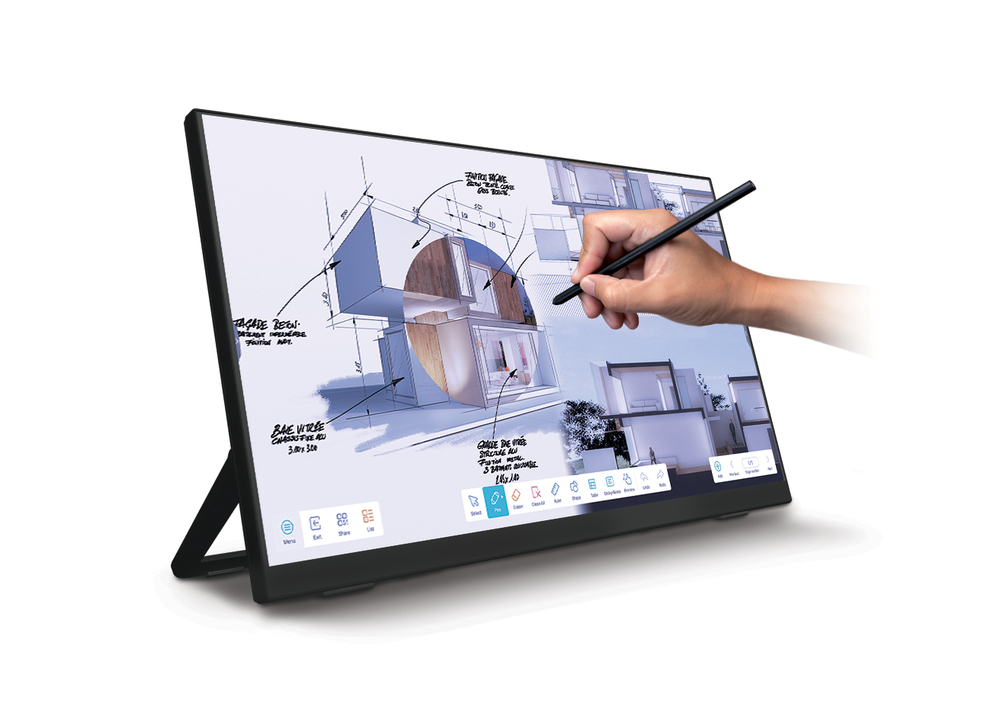
The ProLite T2755QSC with its WQHD (2560x1440) resolution and IPS panel technology offers exceptional colors and wide viewing angles. The Optical Bonded Projective Capacitive (PCAP) 10-point touch technology ensures a seamless and accurate touch response and a lower light reflection, in addition, the display is protected against humidity and potential moisture development. A special anti-fingerprint coating ensures a smoother touch and less resistance in the swipe. It makes the screen less static and susceptible to dirt, dust and fingerprints. The monitor supports MPP2.0 (Microsoft Pen Protocol) technology, which is used in digital pens and styluses for use with compatible devices. The pen or stylus can interact with the ProLite T2755QSC, allowing users to write, draw, and navigate on the screen. It is very precise and supports tilt functionality, meaning the users can adjust the thickness and angle of their lines by tilting the pen, providing a more natural and intuitive writing and drawing experience. Its flexible stand can be positioned at several angles creating a comfortable and ergonomic user experience. A perfect choice for a vast array of creative applications.
MPP2.0 Support

MPP2.0 Support

Microsoft Pen Protocol (MPP) is a technology used in digital pens and styluses for use with compatible devices. The protocol enables the pen or stylus to interact with the device, allowing users to write, draw, and navigate on the screen. The 2.0 version is more responsive to the user's touch giving a more precise control when writing or drawing on the screen. It also supports tilt functionality, which allows the pen to detect the angle at which it is held, meaning the users can adjust the thickness and angle of their lines by tilting the pen, providing a more natural and intuitive writing and drawing experience.

Optical bonded PCAP

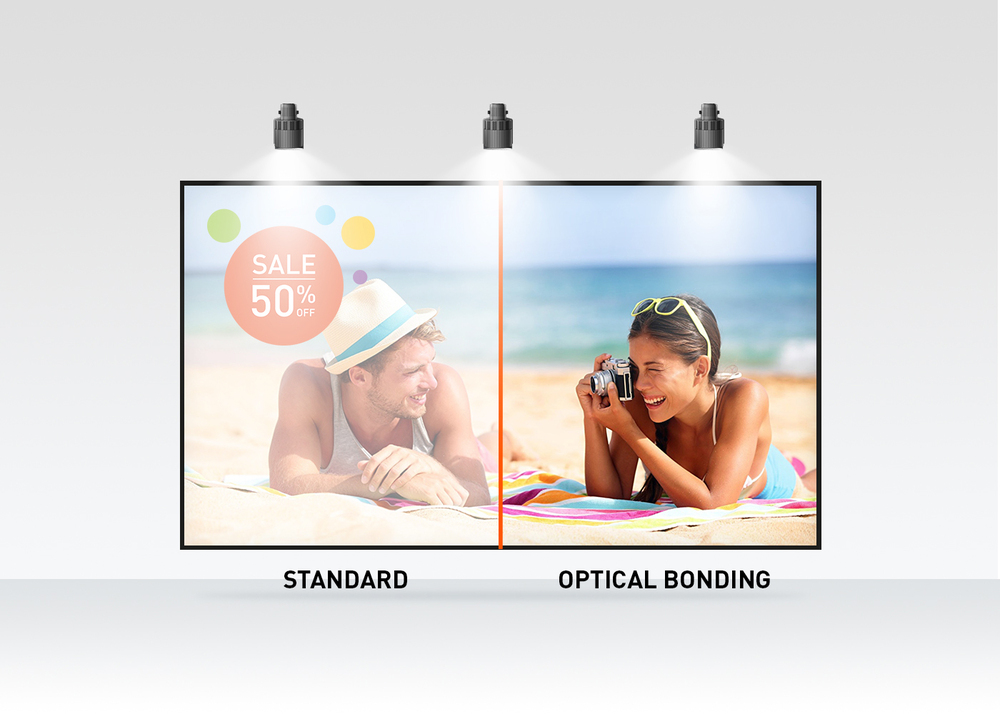
The optical bonded projective capacitive (PCAP) touch technology reduces the air gap between the touch layer and the display making the touch response more accurate. It improves also the visual quality by reducing reflections and glare. In addition the display is protected against dust and potential moisture development.
Optical bonded PCAP
IPS Technology

IPS Technology

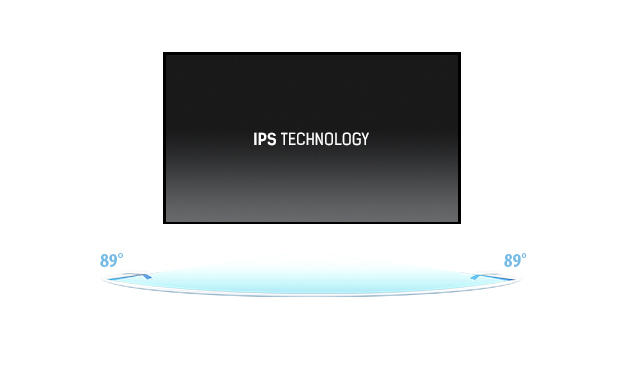
IPS displays are best known for wide viewing angles and natural, highly accurate colours. They are especially suited for colour-critical applications.

QHD

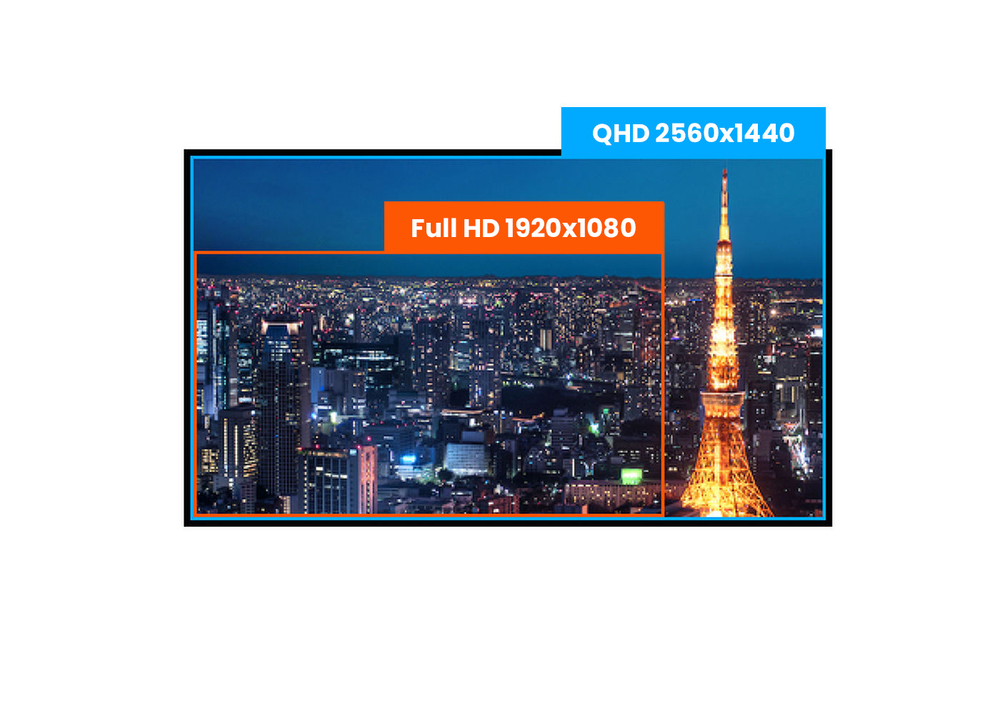
With true QHD 2560 x 1440p resolution your monitor is ready to display high definition images. This means you can accommodate more information on your screen, i.e. over 76% more in comparison to a 1920 x 1080 monitor.
QHD
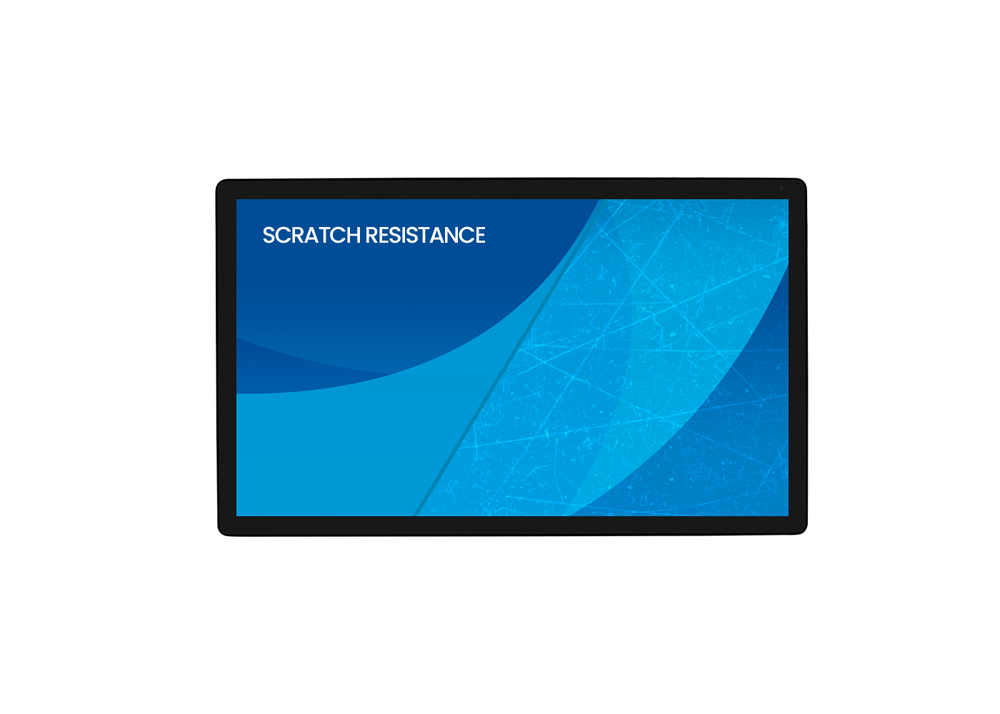
Scratch resistance

Scratch resistance

Scratch resistance is a critical requirement for touch solutions deployed in commercial, educational, and industrial environments. A protective glass overlay covering the screen provides enhanced durability, ensuring reliable touch performance over time. The touch functionality remains fully operational and unaffected.

How to use

Place the monitor on a stable surface or mount it using a compatible VESA bracket. Connect the display to a computer or media source via the supported video input (check source device for compatibility), then connect peripherals to the built-in USB 3.2 Gen 1 hub as needed. Calibrate touch settings and display preferences in the host operating system or monitor on-screen menu if available. Adjust brightness and contrast to match ambient light and intended use.

Recommendations

For reliable touch performance, keep the screen surface clean and avoid using sharp objects. When mounting, ensure sufficient ventilation around the monitor and route USB and video cables to avoid strain. For extended daily use, set a comfortable brightness level and enable power-saving features where appropriate to reduce energy consumption.

Belangrijkste kenmerken
  • Interactive kiosks and point-of-sale terminals
  • Meeting rooms and collaborative workspaces
  • Education and training environments
  • Design preview and image editing with QHD detail
  • General desktop use requiring touch input
  • Display diagonal: 27"
  • Display resolution: 2560 x 1440 (QHD)
  • Panel type: IPS (LCD)
  • Response time: 5 ms
  • Brightness (typical): 360 cd/m²
  • Contrast ratio (typical): 1000:1
  • Pixel pitch: 0.233 x 0.233 mm
  • Screen shape: Flat
  • Built-in USB hub: USB 3.2 Gen 1
  • Built-in speakers: Yes
  • VESA mounting compatible
  • Product colour: Black
  • Energy efficiency class (SDR): D
  • Energy consumption (SDR) per 1000 hours: 17 kWh
Specificaties
Aanraakmethode
stylus, finger, glove (latex)
Aantal DisplayPorts
1
Aantal downstreampoorten
2
Aantal gelijktijdige aanraakpunten
10
Aantal HDMI-poorten
1
Aantal kleuren display
16.7 million colours
Aantal luidsprekers
2
Aantal OSD-talen
10
Aantal USB Type-A-downstreampoorten
2
Aantal USB-poorten
2
AC-ingangsfrequentie
50/60 Hz
AC-ingangsspanning
100 - 240 V
Actief beeldschermoppervlak (B x H)
597 x 336 mm
AMD FreeSync
No
Bedieningselementen
Picture adjust (brightness, contrast, i-Style Colour, adv. contrast, ECO, OverDrive, X-Res technology), colour settings (gamma, RGB range, color temp.), image settings (video mode adjust, blue light reducer, sharp and soft), OSD (horizontal pos., vertical pos., OSD time, OSD background, language, display information), extra (reset, DDC/CI, signal select, volume, mute, opening logo, led, touch switch)
Bedieningspaneel
Press/enter, right/volume, left/eco/exit, up/signal select, down, power
Beelddiagonaal
68.6 cm (27")
Beelddiagonaal (metrisch)
68.4 cm
Beeldschermhelderheid
360 cd/m²
Beeldschermhelderheid (piek)
400 cd/m²
Beeldschermhelderheid (typisch)
400 cd/m²
Beeldschermresolutie
2560 x 1440 pixels
Beeldschermtechnologie
LCD
Breedte
614 mm
Breedte (met standaard)
614 mm
Breedte verpakking
710 mm
Certificering
CE, TÜV-Bauart, EAC, RoHS support, ErP, WEEE, REACH, UKCA
Compatibele besturingssystemen
All iiyama monitors are Plug & Play and compatible with Windows and Linux. For details regarding the supported OS for the touch models, please refer to the driver instruction file available in the downloads section.
Conformiteitscertificaten
CE, cTUVus, EAC, REACH, RoHS, TÜV mark, UKCA, WEEE
Contrastverhouding (typisch)
1000:1
Diepte
49 mm
Diepte (met standaard)
49 mm
Diepte verpakking
130 mm
Duurzaamheidscertificaten
ErP
Energie-efficiëntieklasse (HDR)
Not available
Energie-efficiëntieklasse (SDR)
D
Energie-efficiëntieschaal
A to G
Energieverbruik (SDR) per 1000 uur
17.2 kWh
Flikkervrije technologie
Yes
Gemiddelde tijd tussen storingen (MTBF)
50000 h
Gewicht
5.8 kg
Gewicht (met standaard)
5.8 kg
Gewicht verpakking
7.3 kg
Handpalmherkenning
Yes
HD-type
Quad HD
HDCP
Yes
HDMI
Yes
Helderheid
360 cd/m²
Hoogte
364.5 mm
Hoogte (met standaard)
364.5 mm
Hoogte verpakking
460 mm
Horizontaal scanbereik
30 - 100 kHz
Ingebouwde camera
No
Ingebouwde luidspreker(s)
Yes
Ingebouwde USB-hub
Yes
Inhoud verpakking
spiral tube
Kabels inbegrepen
AC, USB, HDMI
Kantelhoekbereik
15 - 70°
Kantelverstelling
Yes
Kijkhoek, horizontaal
178°
Kijkhoek, verticaal
178°
Kleur voorframe
Black
Kleurdiepte
8 bit
Koptelefoonuitgang
Yes
Low Blue Light-technologie
Yes
Marktpositionering
Business
Maximale verversingssnelheid
75 Hz
Meetmethode responstijd
GTG (Gray to Gray)
Montage-interface paneel
100 x 100 mm
Native beeldverhouding
16:9
NVIDIA G-SYNC
No
On Screen Display (OSD)
Yes
Oppervlaktehardheid
7H
OSD-talen
German, English, Spanish, French, Italian, Japanese, Dutch, Polish, Portuguese, Russian
Paneeltype
IPS
Pixelafstand
0.233 x 0.233 mm
Plug and Play
Yes
Positioneringsnauwkeurigheid
2 mm
Productkleur
Black
Responstijd
5 ms
RMS-vermogen
2 W
Schermvorm
Flat
Sleuf voor kabelslot
Yes
Snelstartgids
Yes
Stroomverbruik (stand-by)
0.5 W
Stroomverbruik (typisch)
35 W
Stroomverbruik (uit)
0.3 W
Touchscreen
Yes
Touchscreen-technologie
Projected capacitive system
Type sleuf voor kabelslot
Kensington
Type voeding
Internal
USB Power Delivery (USB PD)
Yes
USB-hubversie
3.2 Gen 1 (3.1 Gen 1)
USB-touchpoort
Yes
VESA-bevestiging
Yes
Zichtbaar formaat, horizontaal
59.7 cm
Zichtbaar formaat, verticaal
33.6 cm

Document

Document openen

Energielabel

Document openen

Handleiding

Document openen

Document

Document openen

Document

Document openen

Document

Document openen

Energielabel

Document openen
Prijsverloop van de afgelopen 6 maanden
iiyama ProLite T2755QSC-B1 computermonitor 68,6 cm (27") 2560 x 1440 pixels Quad HD LCD-touchscreen zwart
Actueel
465,29 €
Laagste
456,24 €
Hoogste
663,22 €
Wijziging 24 uur
+9,05 €   +2%
Week
+4,43 €   +1%
Maand
-12,98 €   -3%

Populaire producten in deze categorie

Verkoper: UAB KUR LT · Laisvės pr. 125A, LT-06118 Vilnius, Litouwen · Bedrijfsnummer 303192950 · Btw-nummer LT100008198612 · Verzending vanuit de EU (Litouwen)
Hoi, ik ben de AI-assistent van DistriNode. Ik help je graag met het vinden van producten, het vergelijken van opties, het maken van offerte-PDF's of het openen van supportaanvragen.
Alle categorieën