
Account Contact
Je winkelwagen
Verzending via DPD & FedEx
Hulp nodig? Vraag het de AI

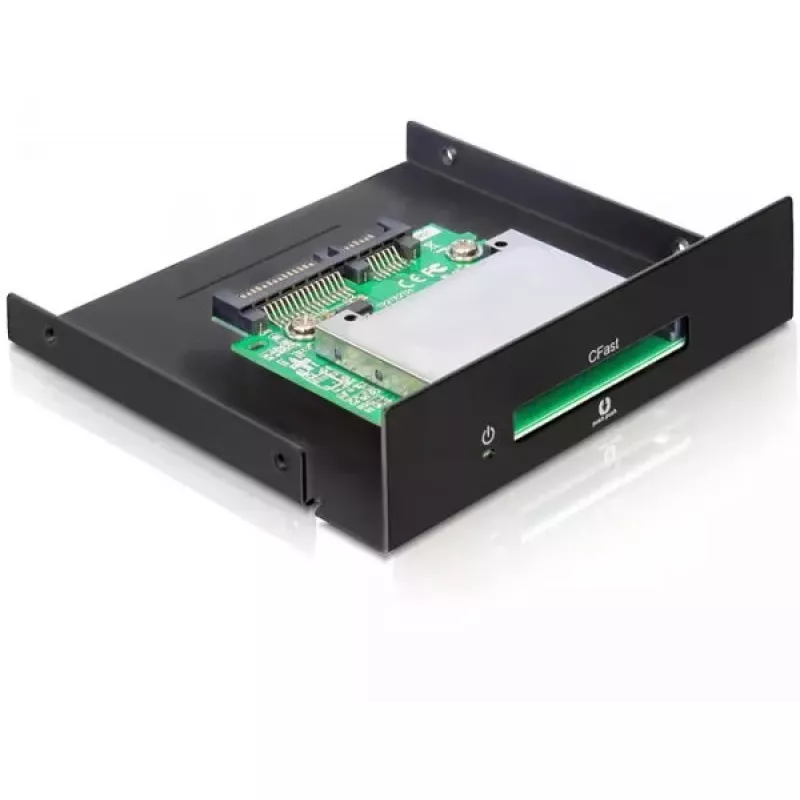
Interne kaartlezer DeLOCK 91680

Interne kaartlezer DeLOCK 91680
58,65 €
The DeLOCK 91680 internal card reader accepts CFast Type I and II memory cards and installs into a 3.5" bay or a standard/low-profile PCI slot in your PC. It connects to a free 22-pin SATA port on the motherboard and provides the CFast card as additional storage that can be used like a hard drive, i... Lees meer
Voorraad 100 Code 1740515 Merk DELOCK Model 91680 Garantie 2 jaar

Bezorging & retourneren

Verwachte bezorgdatum dinsdag, oktober 13
Je blijft op de hoogte via ons uitgebreide trackingsysteem
Betaalopties
BetaalkaartVisaMastercardPayPalApple PayGoogle PayBankoverschrijving

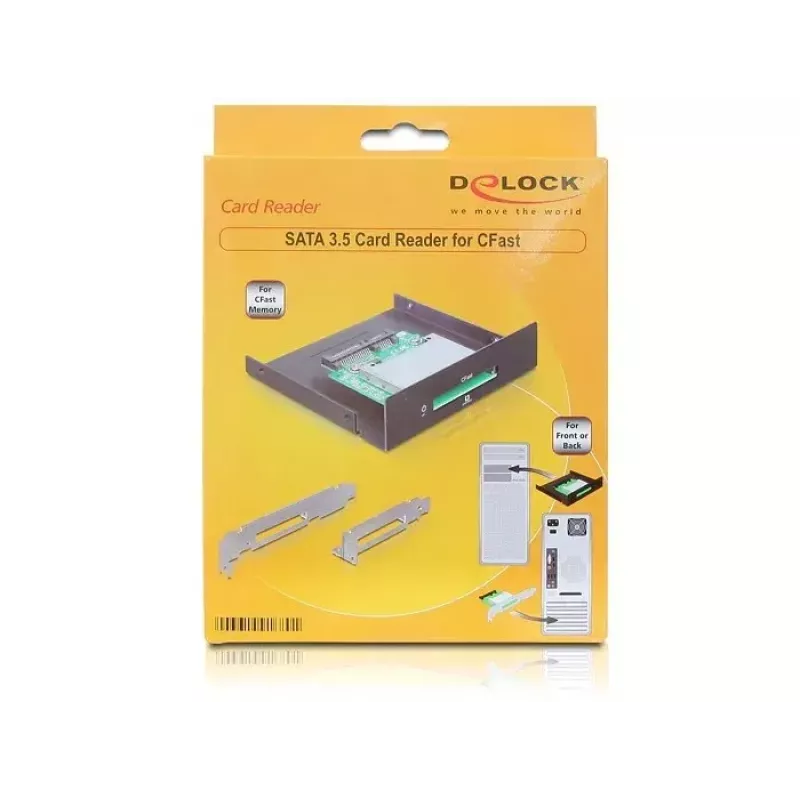
The DeLOCK 91680 internal card reader accepts CFast Type I and II memory cards and installs into a 3.5" bay or a standard/low-profile PCI slot in your PC. It connects to a free 22-pin SATA port on the motherboard and provides the CFast card as additional storage that can be used like a hard drive, including for booting an operating system.

Advantages

The card reader supports CFast Type I and II cards up to 64 GB and exposes a 22-pin SATA data and power connector for direct motherboard connection. Its form factor allows installation in a 3.5" bay or in full-height or low-profile PCI slots, offering flexible mounting options while enabling bootable use of the inserted CFast card.

Suitable for

Key specifications

How to use

Mount the DeLOCK 91680 into a free 3.5" bay or secure it in a PCI/low-profile PCI slot according to your case and bracket configuration. Connect the on-board 22-pin SATA male connector to an available SATA port on the motherboard for data and power. Insert a compatible CFast Type I or II card into the reader; the card will be recognized by the operating system as removable storage and can be accessed through the file manager. To use the card as a boot device, install the operating system on the CFast card following your OS installation procedure and select the card as the boot device in BIOS/UEFI.

Recommendations

Ensure your motherboard has an available 22-pin SATA port and verify operating system support for CFast cards. Back up important data before formatting or installing an OS on the CFast card. Use a compatible CFast card within the supported maximum capacity (up to 64 GB) for reliable operation.
Belangrijkste kenmerken
  • Photographers and videographers needing fast access to CFast media
  • Systems requiring additional removable storage or a bootable media
  • PC builds where internal installation in a 3.5" bay or PCI slot is preferred
  • Supported card types: CFast Type I / Type II
  • Maximum card capacity supported: up to 64 GB
  • Interface on board: 22-pin SATA data and power connector (male)
  • Installation: 3.5" bay, standard PCI slot or low-profile PCI slot
  • Bootable: Yes
  • Compatibility note: Works with common desktop operating systems (e.g., Windows, macOS, Linux) subject to driver/support)
Specificaties
Aantal slots
1
Compatibele besturingssystemen
Windows ME/2000/XP/Vista/7 Mac OS 10.1.3 Linux 10.2
Compatibele producten
CFast
Geharmoniseerd Systeem (HS)-code
84719000
Intern
Yes
Prijsverloop van de afgelopen 6 maanden
Interne kaartlezer DeLOCK 91680
Actueel
58,65 €
Laagste
54,26 €
Hoogste
58,65 €
Wijziging 24 uur
+1,01 €   +2%
Week
+1,36 €   +2%
Maand
+1,19 €   +2%

Populaire producten in deze categorie

Hoi, ik ben de AI-assistent van DistriNode. Ik help je graag met het vinden van producten, het vergelijken van opties, het maken van offerte-PDF's of het openen van supportaanvragen.