
Account Contact
Je winkelwagen
Verzending via DPD & FedEx
Hulp nodig? Vraag het de AI

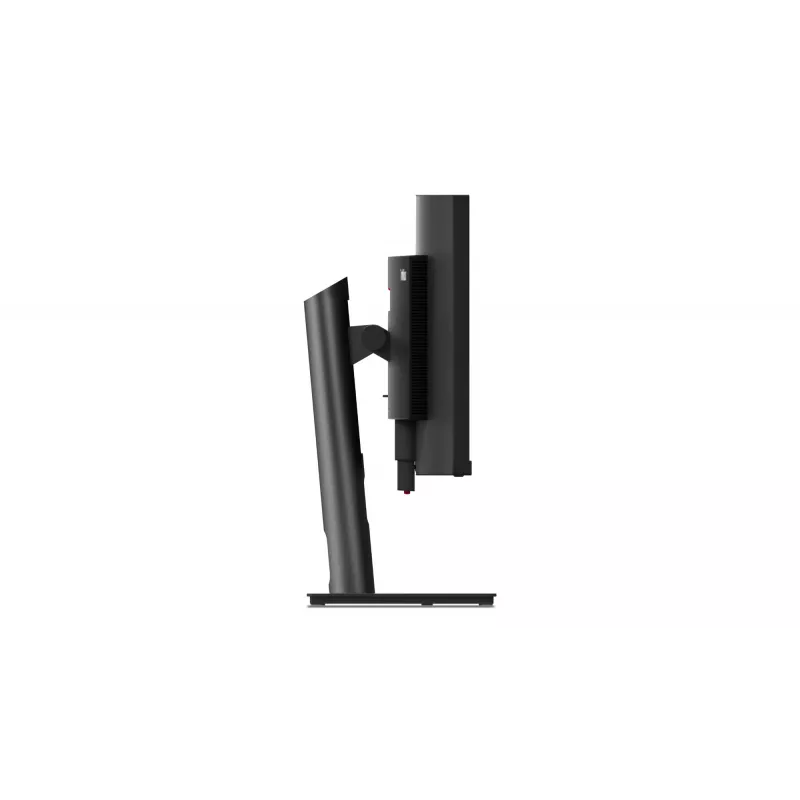
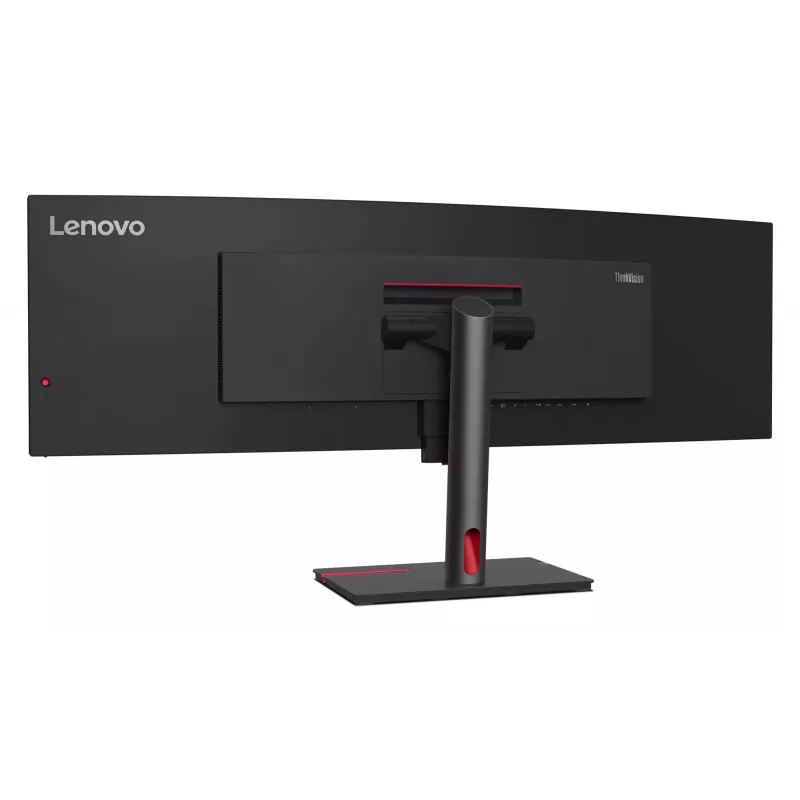
Monitor Lenovo ThinkVision P49w-30 49 inch DQHD LED 5120 x 1440

Monitor Lenovo ThinkVision P49w-30 49 inch DQHD LED 5120 x 1440
36 mnd.
Monitor Lenovo ThinkVision P49w-30 49 inch DQHD LED 5120 x 1440
1.441,53 €
The Lenovo ThinkVision P49w-30 49" DQHD LED monitor delivers a wide 32:9 workspace with Dual QHD 5120 x 1440 resolution and an IPS panel that provides wide 178° viewing angles, deep blacks and vivid colors. The curved 49‑inch screen and 2000:1 contrast ratio are designed for extensive multitasking a... Lees meer
Voorraad 50 Code 7683 Merk LENOVO Model 63DBRAT1EU Garantie 3 jaar

Bezorging & retourneren

Verwachte bezorgdatum donderdag, oktober 22
Je blijft op de hoogte via ons uitgebreide trackingsysteem
Betaalopties
BetaalkaartVisaMastercardPayPalApple PayGoogle PayBankoverschrijving

The Lenovo ThinkVision P49w-30 49" DQHD LED monitor delivers a wide 32:9 workspace with Dual QHD 5120 x 1440 resolution and an IPS panel that provides wide 178° viewing angles, deep blacks and vivid colors. The curved 49‑inch screen and 2000:1 contrast ratio are designed for extensive multitasking and clear visuals, while built‑in speakers, a USB hub and VESA mounting make the monitor suitable for desk setups that require connectivity and ergonomic adjustment.

Advantages

The monitor offers a large 49‑inch curved display with Dual QHD resolution for expanded screen real estate, an IPS (In‑Plane Switching) panel for consistent color and wide viewing angles, and 98% DCI‑P3 coverage with Avg. Delta E <2 for accurate color reproduction. Connectivity includes 13 ports with two Thunderbolt 4 ports (up to 40 Gbps), an Ethernet port for Intel vPro remote access, a built‑in USB 3.2 Gen 1 hub and one USB‑C downstream port. Additional features include Lenovo True Split for displaying content from two PCs, an eKVM/KVM switch for switching between systems, integrated 5W stereo speakers and compatibility with the MC60 webcam.

Suitable for

  • Financial analysts and traders who need wide desktop space for multiple charts and applications
  • Content creators and designers requiring broad color coverage and accurate color rendering
  • Power users and developers who run multiple virtual machines or multitask across applications
  • Office environments that benefit from KVM switching and Ethernet / vPro remote management

Key specifications

  • Display diagonal: 49"
  • Resolution: 5120 x 1440 (Dual QHD)
  • Aspect ratio: 32:9
  • Panel type: IPS (In‑Plane Switching)
  • Brightness (typical): 350 cd/m²
  • Contrast ratio (typical): 2000:1
  • Response time: 6 ms
  • Color coverage: 98% DCI‑P3, Avg. Delta E <2
  • Pixel pitch: 0.234 x 0.234 mm
  • Built‑in speakers: 2 × 5W
  • Ports: 13 total, including 2 × Thunderbolt 4 (40 Gbps) and Ethernet
  • Built‑in USB hub: Yes (USB 3.2 Gen 1)
  • VESA mounting: Yes
  • Screen shape: Curved
  • Product color: Black

How to use

Place the monitor on a stable desk or mount it using VESA brackets. Connect your primary PC via Thunderbolt 4 or USB‑C for video, data and power where supported; use the additional ports to attach a second PC, peripherals and network via the built‑in Ethernet. Use Lenovo True Split (PBP) to display content from two sources side by side and switch between connected systems with the eKVM/KVM switch without extra drivers. Adjust height and tilt for ergonomic viewing and configure display settings in your operating system or the monitor OSD for color, brightness and input selection.

Recommendations

For best results in color‑critical work, calibrate the monitor with a hardware colorimeter and ensure your workflow uses color‑managed applications. When using two PCs, route peripherals through the monitor’s USB hub to simplify switching and use Thunderbolt 4 connections for the highest data throughput.

How to use

Place the monitor on a stable desk or mount it using VESA brackets. Connect your primary PC via Thunderbolt 4 or USB‑C for video, data and power where supported; use the additional ports to attach a second PC, peripherals and network via the built‑in Ethernet. Use Lenovo True Split (PBP) to display content from two sources side by side and switch between connected systems with the eKVM/KVM switch without extra drivers. Adjust height and tilt for ergonomic viewing and configure display settings in your operating system or the monitor OSD for color, brightness and input selection.

Recommendations

For best results in color‑critical work, calibrate the monitor with a hardware colorimeter and ensure your workflow uses color‑managed applications. When using two PCs, route peripherals through the monitor’s USB hub to simplify switching and use Thunderbolt 4 connections for the highest data throughput.

Belangrijkste kenmerken
  • Financial analysts and traders who need wide desktop space for multiple charts and applications
  • Content creators and designers requiring broad color coverage and accurate color rendering
  • Power users and developers who run multiple virtual machines or multitask across applications
  • Office environments that benefit from KVM switching and Ethernet / vPro remote management
  • Display diagonal: 49"
  • Resolution: 5120 x 1440 (Dual QHD)
  • Aspect ratio: 32:9
  • Panel type: IPS (In‑Plane Switching)
  • Brightness (typical): 350 cd/m²
  • Contrast ratio (typical): 2000:1
  • Response time: 6 ms
  • Color coverage: 98% DCI‑P3, Avg. Delta E
  • Pixel pitch: 0.234 x 0.234 mm
  • Built‑in speakers: 2 × 5W
  • Ports: 13 total, including 2 × Thunderbolt 4 (40 Gbps) and Ethernet
  • Built‑in USB hub: Yes (USB 3.2 Gen 1)
  • VESA mounting: Yes
  • Screen shape: Curved
  • Product color: Black
Specificaties
Aantal DisplayPort-uitgangen
0
Aantal DisplayPorts
1
Aantal HDMI-poorten
2
Aantal kleuren display
1.07 billion colours
Aantal luidsprekers
2
Aantal Thunderbolt 4-poorten
2
Aantal upstreampoorten
2
Aantal USB Type-A-downstreampoorten
4
Aantal USB Type-B-upstreampoorten
1
Aantal USB Type-C-downstreampoorten
1
Aantal VGA (D-Sub)-poorten
0
AC-ingangsfrequentie
50/60 Hz
AC-ingangsspanning
100 - 240 V
Afneembare standaard
Yes
AMD FreeSync
No
Antireflectiescherm
Yes
Audio-uitgang
Yes
Beelddiagonaal
124.5 cm (49")
Beeldschermhelderheid (typisch)
350 cd/m²
Beeldschermresolutie
5120 x 1440 pixels
Beeldschermtechnologie
LED
Breedte (met standaard)
1215.1 mm
Breedte (zonder standaard)
1215.1 mm
Breedte verpakking
1310 mm
Certificering
ENERGY STAR® Certified, TCO 9.0, TCO edge 2.0, EPEAT™ Gold, RoHS Eyesafe® Display 2.0, TÜV Low Blue Light (Hardware solution), TÜV Rheinland® Eye Comfort
Compatibele besturingssystemen
Windows 10, Windows 11
Contrastverhouding (dynamisch)
3000000:1
Contrastverhouding (typisch)
2000:1
Diepte (met standaard)
253.9 mm
Diepte (zonder standaard)
110.4 mm
Diepte verpakking
282 mm
DisplayPort-versie
1.4
Draaibaar
No
Draaibaar
Yes
Energie-efficiëntieklasse (HDR)
G
Energie-efficiëntieklasse (SDR)
G
Energie-efficiëntieschaal
A to G
Energieverbruik (HDR) per 1000 uur
82 kWh
Energieverbruik (SDR) per 1000 uur
45 kWh
Ethernet LAN
Yes
Gewicht (met standaard)
15.8 kg
Gewicht (zonder standaard)
11.1 kg
Gewicht verpakking
23.3 kg
HD-type
DQHD
HDMI
Yes
HDMI-versie
2.1
Hoogte (met standaard)
576.3 mm
Hoogte (zonder standaard)
370.1 mm
Hoogte verpakking
525 mm
Hoogteverstelling
Yes
Ingebouwde camera
No
Ingebouwde KVM-switch
Yes
Ingebouwde luidspreker(s)
Yes
Ingebouwde microfoon
No
Ingebouwde USB-hub
Yes
Kabelmanagement
Yes
Kabels inbegrepen
AC, DisplayPort, Thunderbolt, USB Type-A to USB Type-B
Kantelhoekbereik
-5 - 23.5°
Kantelverstelling
Yes
Kijkhoek, horizontaal
178°
Kijkhoek, verticaal
178°
Kleur voet
Black
Kleur voorframe
Black
Kleurbereik
98%
Kleurbereikstandaard
DCI-P3
Kleurdiepte
10 bit
Kleurnaam
Raven Black
Koptelefoonaansluiting
3.5 mm
Koptelefoonuitgang
Yes
Koptelefoonuitgangen
1
Led-achtergrondverlichting
Yes
Lengte DisplayPort-kabel
1.8 m
Lengte stroomkabel
1.8 m
Low Blue Light-technologie
Yes
Maximale verversingssnelheid
60 Hz
Montage-interface paneel
100 x 100,100 x 200 mm
Native beeldverhouding
32:9
NVIDIA G-SYNC
No
On Screen Display (OSD)
Yes
Paneeltype
IPS
Pixelafstand
0.234 x 0.234 mm
Pixeldichtheid
109 ppi
Productkleur
Black
Randbreedte (boven)
2.1 mm
Randbreedte (onder)
1.97 cm
Randbreedte (zijkant)
2.1 mm
Responstijd
6 ms
Responstijd (snel)
4 ms
RMS-vermogen
10 W
Schermkromming
3800R
Schermvorm
Curved
Sleuf voor kabelslot
Yes
Snelstartgids
Yes
Standaard inbegrepen
Yes
Stroomverbruik (max.)
265 W
Stroomverbruik (stand-by)
0.5 W
Stroomverbruik (typisch)
58 W
Stroomverbruik (uit)
0.5 W
Touchscreen
No
Type achtergrondverlichting
W-LED
Type sleuf voor kabelslot
Kensington
Type voeding
Internal
USB Power Delivery (USB PD)
Yes
USB Power Delivery tot
100 W
USB Type-C DisplayPort Alternate Mode
No
USB-hubversie
3.2 Gen 1 (3.1 Gen 1)
Verstelbare hoogte (max.)
15.5 cm
VESA-bevestiging
Yes
Zichtbaar formaat, horizontaal
119.8 cm
Zichtbaar formaat, verticaal
33.7 cm
Zwenkhoekbereik
-45 - 45°

Energielabel

Document openen

Handleiding

Document openen

Document

Document openen
Prijsverloop van de afgelopen 6 maanden
Monitor Lenovo ThinkVision P49w-30 49 inch DQHD LED 5120 x 1440
Actueel
1.441,53 €
Laagste
1.413,26 €
Hoogste
2.678,06 €
Wijziging 24 uur
+25,78 €   +2%
Week
+18,19 €   +1%
Maand
+10,18 €   +1%

Onafhankelijke reviews van techmedia

monitornerds.comPaolo

Eindoordeel: The Lenovo ThinkVision P49w-30 is an excellent choice for a high-end workstation that requires functionality and great image quality. The IPS Black panel is tuned to be accurate out of the box, and it offers a contrast ratio that most IPS alternatives wil...

Pluspunten
  • Fantastic Colors and Contrast
  • Crisp and Clear Screen
  • Plenty of Connectivity Options
  • USB-C Thunderbolt 4 Connectivity
Minpunten
  • Expensive
  • Big and Heavy
  • Built for Webcam, but Not Included
Lees de volledige review op monitornerds.com →

Populaire producten in deze categorie

Verkoper: UAB KUR LT · Laisvės pr. 125A, LT-06118 Vilnius, Litouwen · Bedrijfsnummer 303192950 · Btw-nummer LT100008198612 · Verzending vanuit de EU (Litouwen)
Hoi, ik ben de AI-assistent van DistriNode. Ik help je graag met het vinden van producten, het vergelijken van opties, het maken van offerte-PDF's of het openen van supportaanvragen.