
Account Contact
Je winkelwagen
Verzending via DPD & FedEx
Hulp nodig? Vraag het de AI

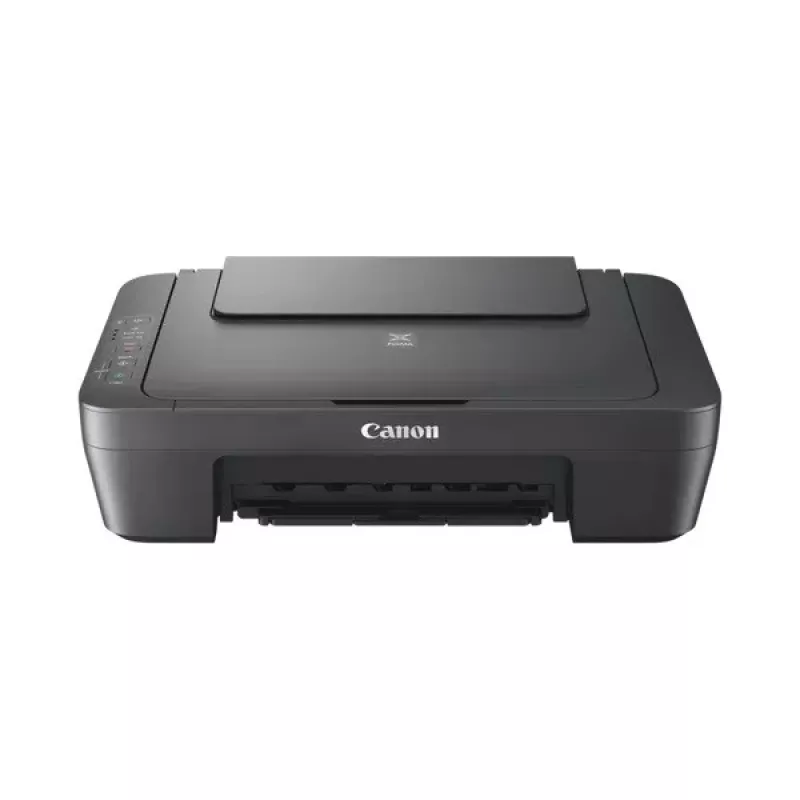
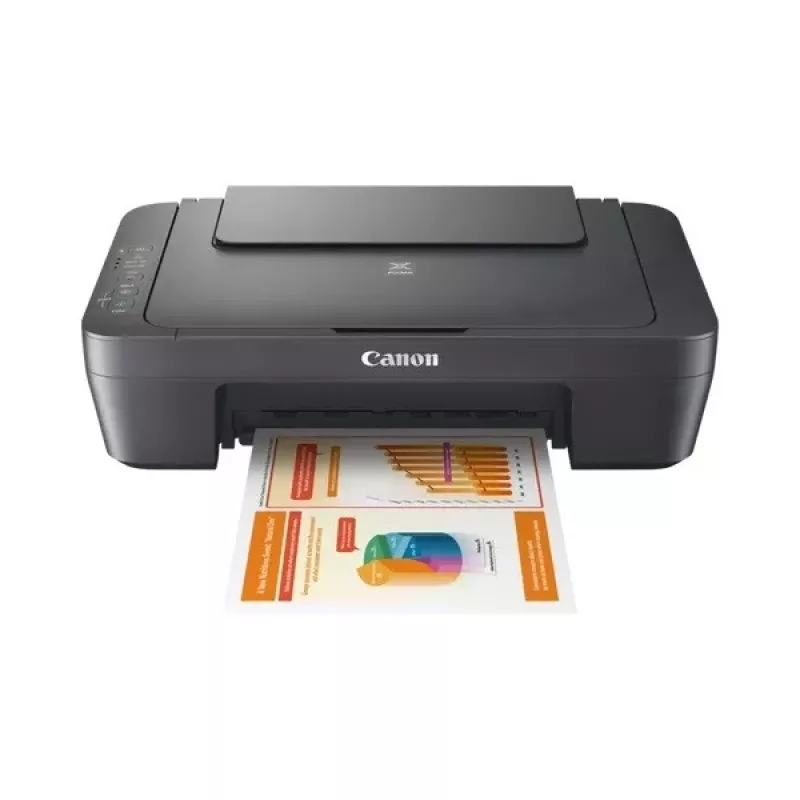
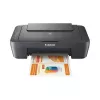
Multifunctioneel apparaat Canon PIXMA MG2556S inkjet kleurendruk

Multifunctioneel apparaat Canon PIXMA MG2556S inkjet kleurendruk
54,22 €
The Canon PIXMA MG2556S is a compact inkjet All‑In‑One device combining colour printing, scanning and copying in a slim grey housing. Designed for everyday home and small office use, it supports A4 paper, offers colour output with a maximum print resolution of 4800 x 600 dpi and an optical scan reso... Lees meer
Voorraad 5 Code 29343 Merk Canon Model 0727C076 Garantie 2 jaar

Bezorging & retourneren

Verwachte bezorgdatum dinsdag, oktober 20
Je blijft op de hoogte via ons uitgebreide trackingsysteem
Betaalopties
BetaalkaartVisaMastercardPayPalApple PayGoogle PayBankoverschrijving

The Canon PIXMA MG2556S is a compact inkjet All‑In‑One device combining colour printing, scanning and copying in a slim grey housing. Designed for everyday home and small office use, it supports A4 paper, offers colour output with a maximum print resolution of 4800 x 600 dpi and an optical scan resolution of 600 x 1200 dpi. The unit includes automatic duplex printing and provides straightforward operation for routine document and photo tasks.

Advantages

The PIXMA MG2556S delivers colour printing, scanning and copying in a single compact device that saves desk space. It produces high-resolution prints up to 4800 x 600 dpi and scans at an optical resolution of 600 x 1200 dpi. With support for A4 paper and built-in duplex print functionality, it handles standard home and small office jobs without extra network connectivity requirements.

Suitable for

  • Home users needing an everyday colour printer, scanner and copier
  • Students and home offices printing documents and photos on A4
  • Small households requiring occasional duplex printing

Key specifications

  • Print technology: Inkjet
  • Printing: Colour printing
  • Maximum print resolution: 4800 x 600 dpi
  • Copying: Colour copying
  • Scanning: Colour scanning
  • Optical scanning resolution: 600 x 1200 dpi
  • Maximum paper size: A4
  • Duplex functions: Print (automatic duplex)
  • Ethernet LAN: No
  • Wi‑Fi: No
  • Weight: 3.5 kg
  • Product colour: Grey

How to use

Install the device on a flat, stable surface and connect it to a power outlet. Load A4 paper into the input tray according to the user guide markings. Install the recommended Canon ink cartridges and the driver software on a connected computer using the supplied CD or Canon’s support website. Use the printer control panel or the installed driver to select print, scan or copy functions and adjust basic settings such as paper size and print quality.

Recommendations

For consistent print quality, use genuine Canon inks and perform periodic printhead cleaning via the maintenance menu. Keep the device in a dust‑free environment and avoid placing it near direct heat sources. If duplex printing is used frequently, check paper weight recommendations in the manual to prevent jams.
Belangrijkste kenmerken
  • Home users needing an everyday colour printer, scanner and copier
  • Students and home offices printing documents and photos on A4
  • Small households requiring occasional duplex printing
  • Print technology: Inkjet
  • Printing: Colour printing
  • Maximum print resolution: 4800 x 600 dpi
  • Copying: Colour copying
  • Scanning: Colour scanning
  • Optical scanning resolution: 600 x 1200 dpi
  • Maximum paper size: A4
  • Duplex functions: Print (automatic duplex)
  • Ethernet LAN: No
  • Wi‑Fi: No
  • Weight: 3.5 kg
  • Product colour: Grey
Specificaties
Aantal printcartridges
2
AC-ingangsfrequentie
50/60 Hz
AC-ingangsspanning
100 - 240 V
Afdrukkleuren
Black, Cyan, Magenta, Yellow
Bedrijfstemperatuur (T-T)
5 - 35 °C
Breedte
426 mm
Cartridge(s) inbegrepen
Yes
Diepte
306 mm
Dubbelzijdig printen
Yes
Duplexfuncties
Print
Enveloppenformaten
Com-10, DL
Ethernet LAN
No
Faxen
No
Formaten ISO A-serie (A0...A9)
A4, A5
Fotopapierformaten
10x15,13x18 cm
Gewicht
3.5 kg
Grijswaardendiepte invoer
16 bit
Grijswaardendiepte uitvoer
8 bit
Hoogte
145 mm
Ingebouwd display
No
ISO B-formaten (B0...B9)
B5
Kleurdiepte invoer
48 bit
Kleurdiepte uitvoer
24 bit
Kopiëren
Colour copying
Marktpositionering
Home & office
Maximaal aantal kopieën
21 copies
Maximaal papierformaat ISO A-serie
A4
Maximaal scanbereik
216 x 297 mm
Maximale resolutie
4800 x 600 DPI
Mediagewicht papierlade
64 - 105 g/m²
Mediatypen papierlade
Envelopes, Photo paper, Plain paper
Modus dubbelzijdig printen
Manual
Niet-ISO-afdrukformaten
Legal, Letter
Ondersteunde Mac-besturingssystemen
Mac OS X 10.14 Mojave, Mac OS X 10.7.5 Lion
Ondersteunde Windows-besturingssystemen
Windows 10, Windows 11, Windows 8, Windows 8.1, Windows Vista, Windows XP
Optische scanresolutie
600 x 1200 DPI
Printen
Colour printing
Printsnelheid (ISO/IEC 24734) kleur
4 ipm
Printsnelheid (ISO/IEC 24734) zwart-wit
8 ipm
Printtechnologie
Inkjet
Productkleur
Grey
Scannen
Colour scanning
Scannertype
Flatbed scanner
Scantechnologie
CIS
Stroomverbruik (kopiëren)
9 W
Stroomverbruik (stand-by)
1 W
Stroomverbruik (uit)
0.4 W
Totaal aantal invoerladen
1
Totale invoercapaciteit
60 sheets
USB-poort
Yes
USB-poort
USB Type-B
Wifi
No

Handleiding

Document openen
Prijsverloop van de afgelopen 6 maanden
Multifunctioneel apparaat Canon PIXMA MG2556S inkjet kleurendruk
Actueel
54,22 €
Laagste
53,49 €
Hoogste
56,57 €
Wijziging 24 uur
+0,51 €   +1%
Week
-0,84 €   -2%
Maand
-0,53 €   -1%

Populaire producten in deze categorie

Hoi, ik ben de AI-assistent van DistriNode. Ik help je graag met het vinden van producten, het vergelijken van opties, het maken van offerte-PDF's of het openen van supportaanvragen.