Account Contact
Je winkelwagen
Verzending via DPD & FedEx
Hulp nodig? Vraag het de AI

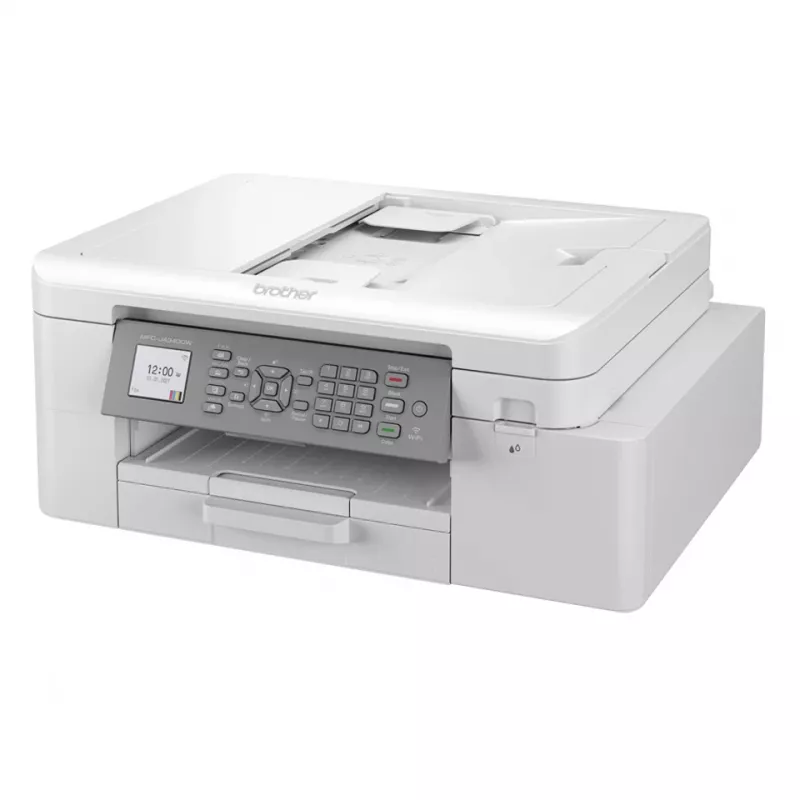
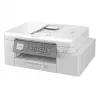
Brother MFC-J4335DWRE1 inkjet A4 1200 x 4800 DPI Wi-Fi

Brother MFC-J4335DWRE1 inkjet A4 1200 x 4800 DPI Wi-Fi
251,55 €
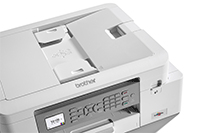
The MFC-J4335DW is a supremely powerful, yet compact and stylish device offering high quality print, copy, scan and fax functionality. Amongst many professional features you can enjoy a wide range of connectivity options and multitask easier with the 2-sheet automatic document feeder. You can even p... Lees meer
Voorraad Niet op voorraadGeen voorraad Code 118547 Merk BROTHER Model MFC-J4335DW Garantie 2 jaar

Bezorging & retourneren

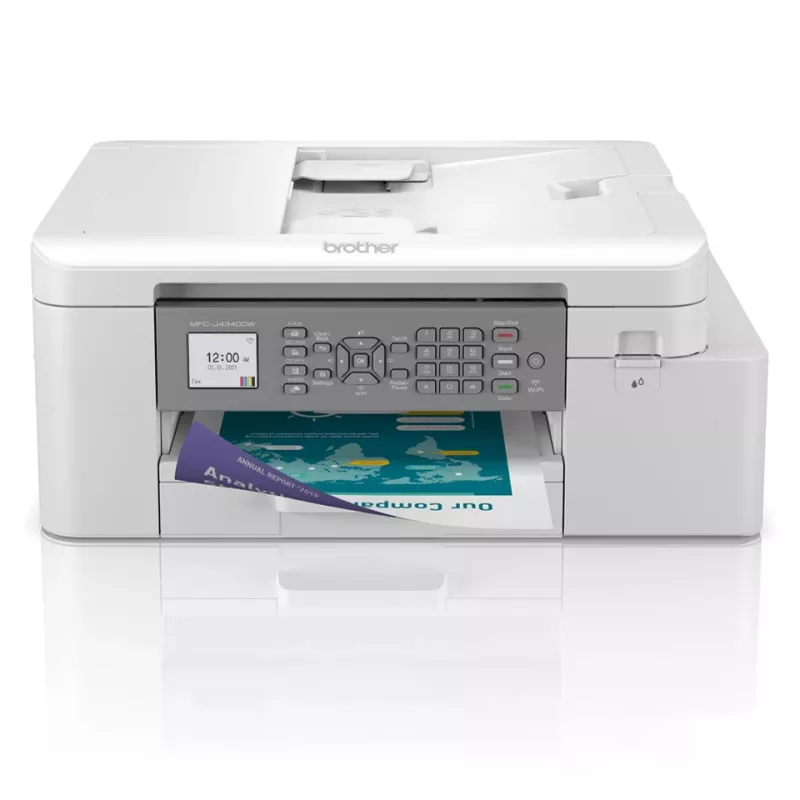
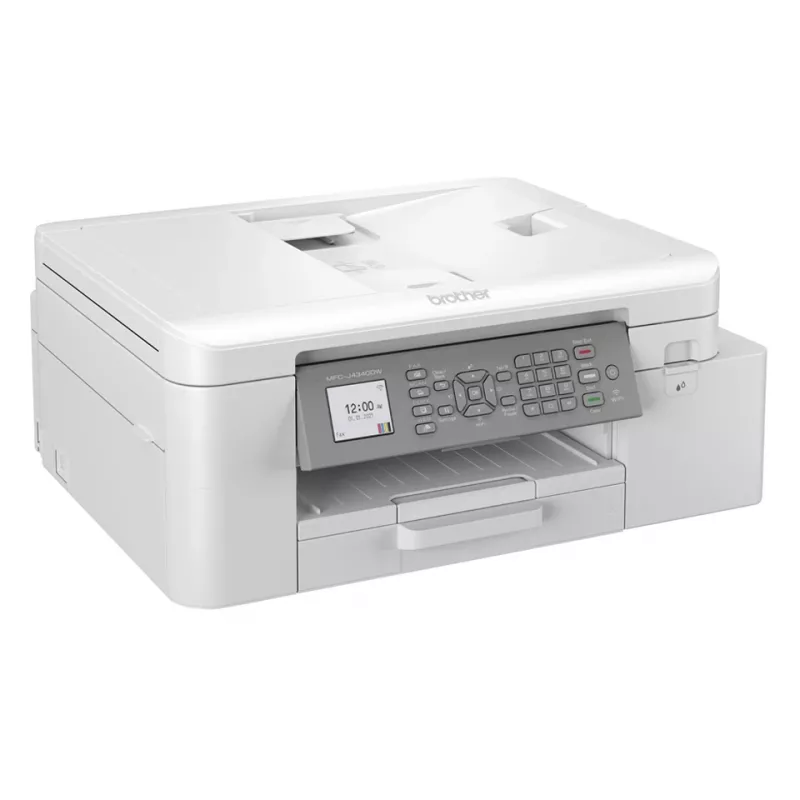
The MFC-J4335DW is a supremely powerful, yet compact and stylish device offering high quality print, copy, scan and fax functionality. Amongst many professional features you can enjoy a wide range of connectivity options and multitask easier with the 2-sheet automatic document feeder. You can even print more without interruption with standard yield inks that print up to 3000 pages black and 1500 pages in colour*. Combining a truly multifunctional device and a compact but robust shell - the MFC-J4335DW is the perfect home office business partner.Calculated in accordance is ISO/IEC 24711
Let the device do the work

Let the device do the work

If you’re working on large documents, these multifunction devices allow you to focus on your work whilst they take care of processing and printing your documents. Whether it’s printing double sided automatically, thus saving the environment and paper, or using the automatic document feeder for multipage scanning it’s sure to improve your efficiency.

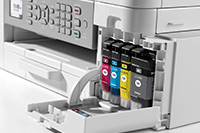
Keep on top of your ink useage, quickly and easily

We’ve reengineered our ink cartridges to hold more ink and created an internal ink storage tank that delivers more pages of uninterrupted printing without sacrificing the compact, desktop size. Also, thanks to the page gauge feature you can check remaining ink levels on your LCD display to help avoid interrupted printing.
Keep on top of your ink useage, quickly and easily
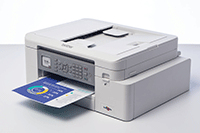
Professional print quality from the comfort of your home

Professional print quality from the comfort of your home

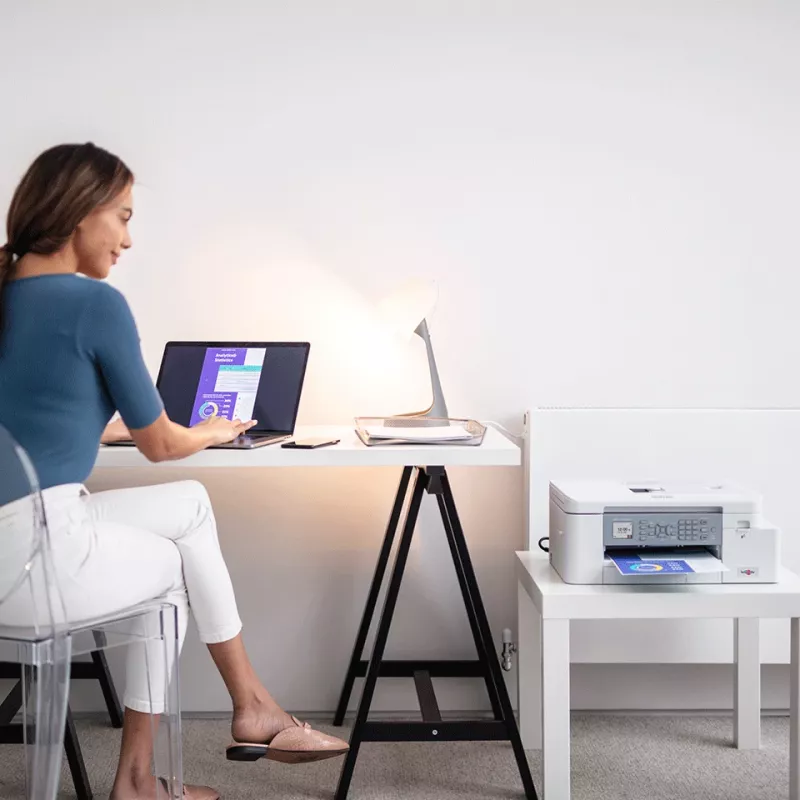
Your workplace may be at home but that should not mean print quality should be compromised. With the MFC-J4335DW you can expect print quality of the highest order, at quick, hassle-free speeds.

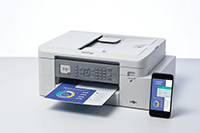
Work connected, always

You don’t just need to be sat at your desk, or even near the printer to use the MFC-J4335DW. With the range of connectivity options available, you can print anywhere in your home or office – and even from your mobile phone. By downloading the Brother Mobile Connect app you can access an array of features – from sending print jobs, to checking your ink levels and ordering replacement supplies when necessary.
Work connected, always
Scanning technology to improve work flow, even when working remotely

Scanning technology to improve work flow, even when working remotely

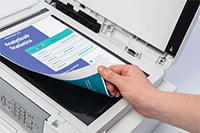
As a multifunction device this machines does so much more than print. The scanning opportunities available for example can significantly enhance your productivity from home. You can scan in colour or mono at high speeds to several destinations to boost workflow:ImageFileOCREmail

How to use

Place the Brother MFC-J4335DWRE1 on a stable, level surface near a power outlet and within range of your wireless network. Install ink cartridges and load A4 paper in the tray according to the user manual. Use the printer driver or Brother mobile app to configure Wi‑Fi settings and add the device to your computer or mobile device. For copying and scanning, use the flatbed or automatic feeder (if available) and select required resolution and colour settings from the control panel or software. Enable duplex printing in print settings when two-sided output is needed.

Recommendations

For consistent print quality, use genuine Brother ink cartridges and perform periodic printhead cleaning as instructed in the manual. Store paper in a dry environment to avoid jams, and keep the device firmware and drivers up to date for best compatibility with operating systems and mobile devices.

Belangrijkste kenmerken
  • Print, copy, scan & fax functionality
  • Wireless / mobile connectivity
  • 20 sheet automatic document feeder
  • Print speeds: 20 / 19ipm mono/colour
  • 4.5cm LCD colour display
  • Standard yield inks: BK 3000 pages, CMY 1500 pages*
  • Home & office Inkjet Colour printing
  • 1200 x 4800 DPI
  • Printing colours: Black, Cyan, Magenta, Yellow
  • A4
  • Colour copying Colour scanning
  • Apple AirPrint, Brother iPrint & Scan, Mopria Print Service
  • Direct printing
  • USB port Wi-Fi
  • Internal memory: 128 MB
  • 8.73 kg
Specificaties
Aanbevolen werkcyclus
250 - 2000 pages per month
Aantal printcartridges
4
Afdrukkleuren
Black, Cyan, Magenta, Yellow
Automatische documentinvoer (ADF)
Yes
Beelddiagonaal
4.57 cm (1.8")
Beschikbaarheid reserveonderdelen
5 year(s)
Breedte
434.9 mm
Breedte verpakking
495 mm
Brutogewicht pallet
243.3 kg
Brutohoogte pallet
16.5 cm
Diepte
178.3 mm
Diepte verpakking
242 mm
Direct printen
Yes
Display
LCD
Dubbelzijdig faxen
No
Dubbelzijdig kopiëren
No
Dubbelzijdig printen
Yes
Dubbelzijdig scannen
No
Duplexfuncties
Print
Duurzaamheidscertificaten
Blue Angel
Enveloppenformaten
DL
Ethernet LAN
No
Faxgeheugen
170 pages
Formaten ISO A-serie (A0...A9)
A4, A5
Geharmoniseerd Systeem (HS)-code
84433100
Geluidsdrukniveau (printen)
53 dB
Gewicht
8.73 kg
Gewicht verpakking
10 kg
Handmatige invoer
Yes
Hoogte
361.8 mm
Hoogte verpakking
455 mm
Ingebouwd display
Yes
Intern geheugen
128 MB
Invoercapaciteit automatische documentinvoer (ADF)
20 sheets
Kopieerformaat aanpassen
25 - 400%
Kopiëren
Colour copying
Lagen per pallet
3 pc(s)
Land van herkomst
Philippines
Marktpositionering
Home & office
Maximaal papierformaat ISO A-serie
A4
Maximale kopieerresolutie
1200 x 600 DPI
Maximale resolutie
1200 x 4800 DPI
Maximale scanresolutie
19200 x 19200 DPI
Maximale werkcyclus
30000 pages per month
Mediagewicht papierlade
64 - 220 g/m²
Mediatypen papierlade
Envelopes, Glossy paper, Plain paper, Recycled paper
Modemsnelheid
14.4 Kbit/s
Modus dubbelzijdig printen
Auto
N-in-1-kopieerfunctie
Yes
N-in-1-kopieerfunctie (N=)
2, 4
Near Field Communication (NFC)
No
Niet-ISO-afdrukformaten
Executive, Legal, Letter
Omdozen per pallet
21 pc(s)
Omdozen per palletlaag
7 pc(s)
Ondersteunde afbeeldingsformaten
JPEG, JPG
Ondersteunde documentformaten
PDF
Ondersteunde Mac-besturingssystemen
Mac OS X 10.11 El Capitan, Mac OS X 10.14 Mojave, Mac OS X 10.15 Catalina
Ondersteunde serverbesturingssystemen
Windows Server 2008, Windows Server 2008 R2, Windows Server 2012, Windows Server 2012 R2, Windows Server 2016
Ondersteunde Windows-besturingssystemen
Windows 10, Windows 7, Windows 8, Windows 8.1
Optische scanresolutie
1200 x 2400 DPI
Optische scanresolutie (ADF)
1200 x 600 DPI
Pallettype
800 x 1200 mm
Printen
Colour printing
Printresolutie kleur
1200 x 600 DPI
Printresolutie zwart
1200 x 1200 DPI
Printtechnologie
Inkjet
Producten per pallet
21 pc(s)
Productkleur
White
Scandrivers
TWAIN
Scannen
Colour scanning
Scannen naar
Cloud, E-mail, File, OCR, PC
Scannertype
Flatbed & ADF scanner
Scansnelheid (kleur)
7 ppm
Scansnelheid (zwart)
17 ppm
Stroomverbruik (gemiddeld gebruik)
21 W
Stroomverbruik (gereed)
3.5 W
Stroomverbruik (slaapstand)
1.2 W
Stroomverbruik (uit)
0.2 W
Technologieën voor mobiel printen
Apple AirPrint, Brother iPrint & Scan, Mopria Print Service
Totale invoercapaciteit
150 sheets
Totale uitvoercapaciteit
100 sheets
USB-poort
Yes
Wifi
Yes
Wifi-standaarden
802.11b, 802.11g, Wi-Fi 4 (802.11n)
Prijsverloop is nog niet beschikbaar
We zijn nog bezig met het verzamelen van voldoende dagelijkse prijsgegevens voor dit product.

Onafhankelijke reviews van techmedia

appleinsider.comAmber
7/10

“Brother's MFC-J4335DW all-in-one printer keeps things simple and affordable enough for casual printing, with trade-offs you'll want to know about before buying. It's 2025, and we're still, somehow, printing.”

Lees de volledige review op appleinsider.com →
rtings.comDagobiet
8.2/10

“The Brother MFC-J4335DW is an all-in-one color inkjet printer. It uses a four-cartridge system and is compatible with Brother's LC406 ink cartridges. It has USB and Wi-Fi connectivity, supports Apple AirPrint and Mopria Print Service, and works with…”

Pluspunten
  • Feels very well built, with easy access to paper jams
  • High page yields and low cost-per-print
  • Automatic document feeder
  • Produces very detailed photos
  • Produces sharp documents
Minpunten
  • Narrow color range and mediocre color accuracy
  • Grainy photos
  • Vertical bands when printing photos on 4" x 6" paper
  • Small input tray
Lees de volledige review op rtings.com →
pcmag.com
8/10

“Who doesn't want to reduce the number of machines around the house or the office that they need to keep fed, watered, filled, and powered up? (Pets and plants are enough of a commitment.) Any printer, by definition, can of course print.”

Lees de volledige review op pcmag.com →
pcmag.comWilliam
8/10

“Over the years, countless pundits (including this author) have predicted that, sooner rather than later, most of the world's workforce would be working from home. The dream?”

Lees de volledige review op pcmag.com →

Populaire producten in deze categorie

Hoi, ik ben de AI-assistent van DistriNode. Ik help je graag met het vinden van producten, het vergelijken van opties, het maken van offerte-PDF's of het openen van supportaanvragen.