


Account Contact
Je winkelwagen
Verzending via DPD & FedEx
Hulp nodig? Vraag het de AI

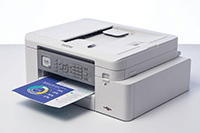
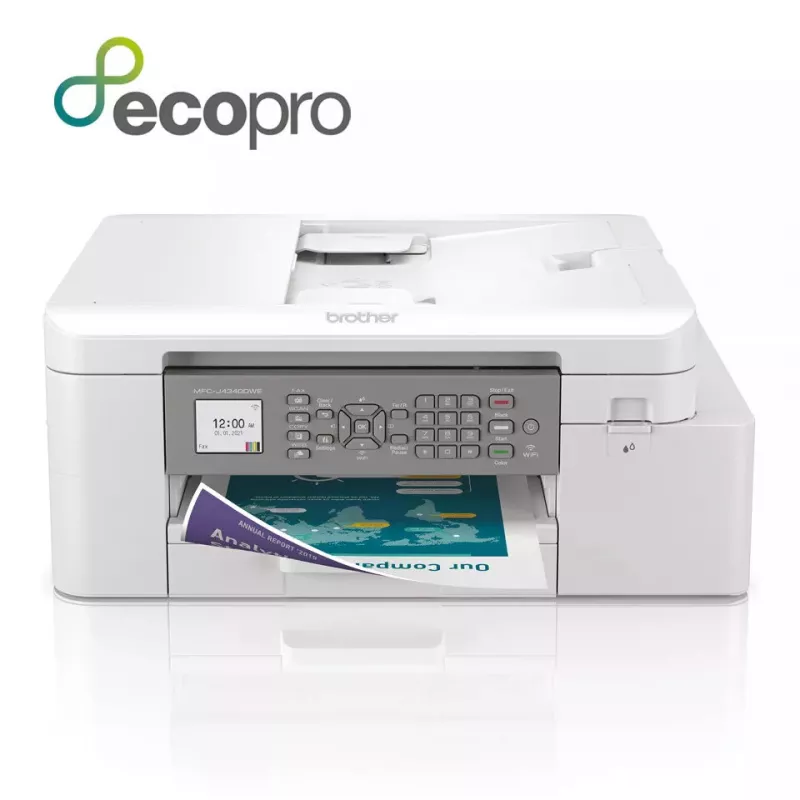
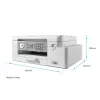
Brother MFC-J4340DWE multifunctionele printer inkjet A4 1200 x 4800 DPI Wi-Fi

Brother MFC-J4340DWE multifunctionele printer inkjet A4 1200 x 4800 DPI Wi-Fi
529,63 €
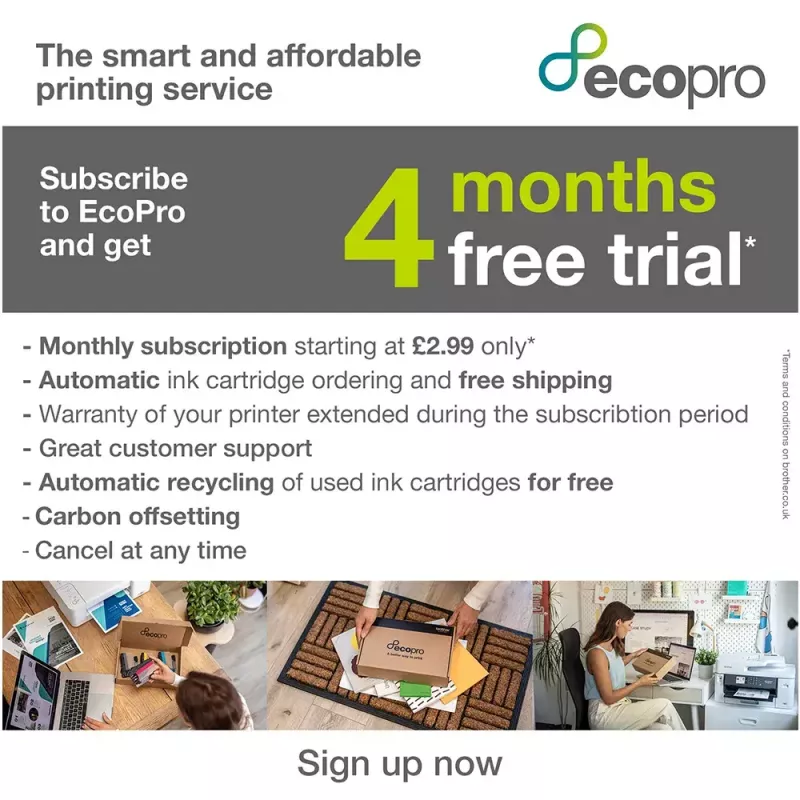
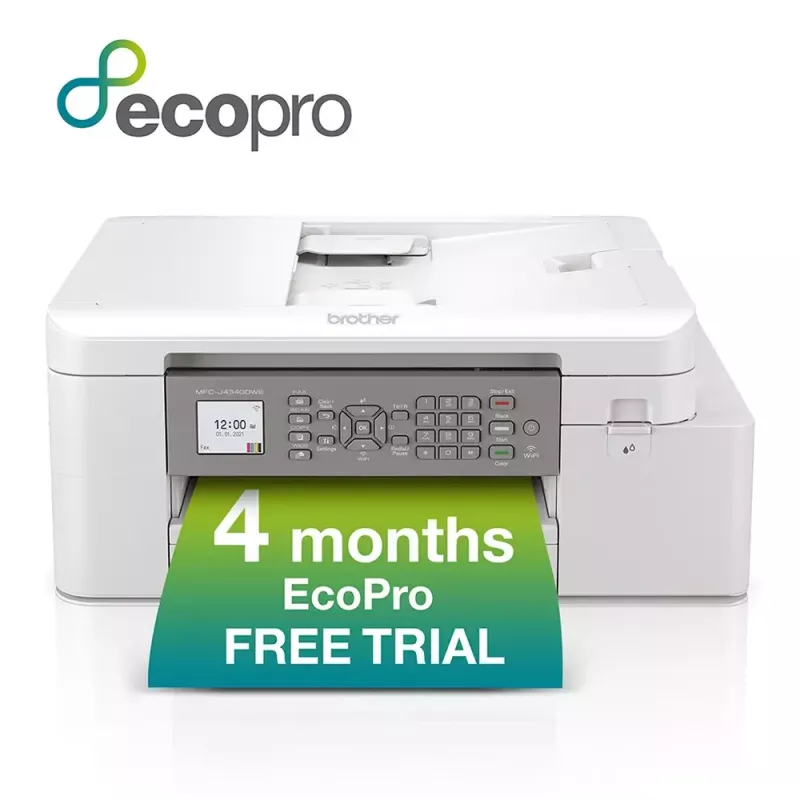
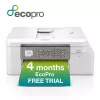
Available at Argos!Purchase the MFC-J4340DWE and receive:A powerful device with print, copy, scan and fax functionality, as well as a wide range of connectivity optionsA FREE 4 month EcoPro subscription trialAutomatic FREE delivery of Brother original ink suppliesA lifetime warranty support for your... Lees meer
Voorraad 5 Code 31195 Merk BROTHER Model MFC-J4340DWE Garantie 2 jaar

Bezorging & retourneren

Verwachte bezorgdatum dinsdag, oktober 20
Je blijft op de hoogte via ons uitgebreide trackingsysteem
Betaalopties
BetaalkaartVisaMastercardPayPalApple PayGoogle PayBankoverschrijving
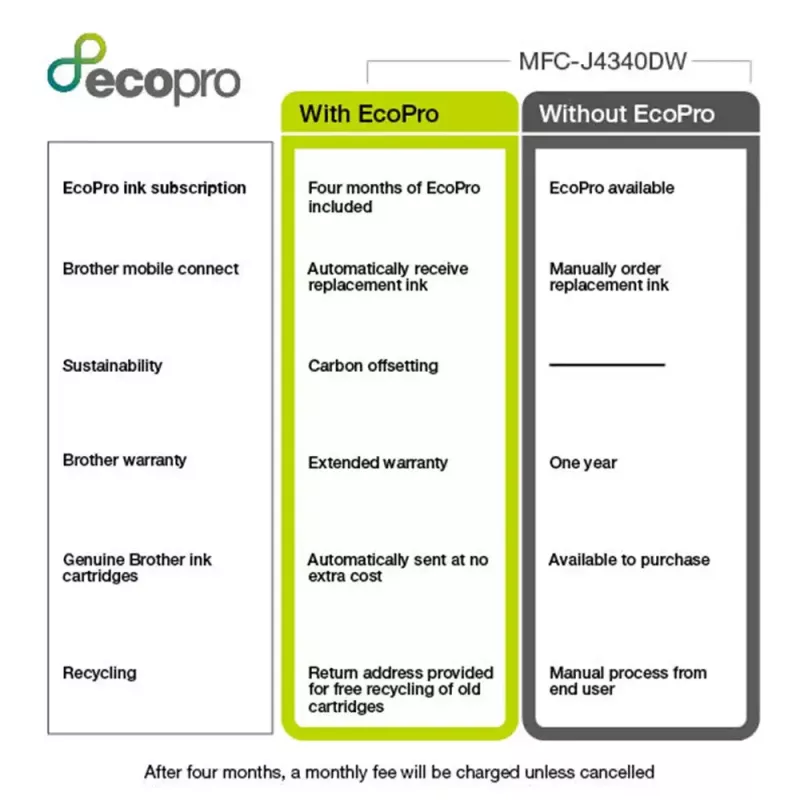
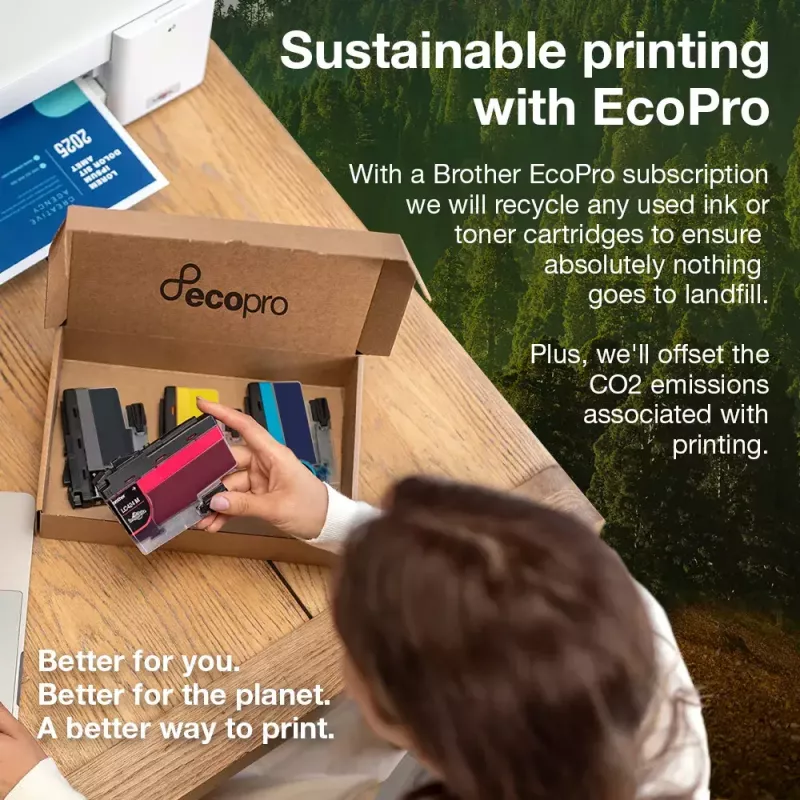
Available at Argos!Purchase the MFC-J4340DWE and receive:A powerful device with print, copy, scan and fax functionality, as well as a wide range of connectivity optionsA FREE 4 month EcoPro subscription trialAutomatic FREE delivery of Brother original ink suppliesA lifetime warranty support for your printerNow you will never run out of ink with a straight forward ink delivery subscription.Recycle your empty ink cartridges for FREE, responsibly protecting the environment. Brother has a zero waste to landfill policy for empty cartridges returned and for every Brother supply returned to us we donate to our rainforest-saving charity partner Cool Earth. By recycling, you're protecting the environment and supporting the rainforest with Cool Earth. Better for you, better for the planet, a better way to print.
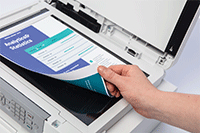
Scanning technology to improve work flow, even when working remotely

Scanning technology to improve work flow, even when working remotely

As a multifunction device this machines does so much more than print. The scanning opportunities available for example can significantly enhance your productivity from home. You can scan in colour or mono at high speeds to several destinations to boost workflow:ImageFileOCREmail

Professional print quality and efficiency from the comfort of your home

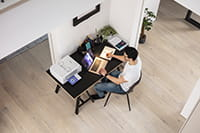
Your workplace may be at home but that should not mean print quality should be compromised. With the MFC-J4340DW you can expect print quality of the highest order, at quick, hassle-free speeds.If you’re working on large documents, these multifunction devices give you the opportunity to print focus on your work while it processes your documents. Whether it’s printing double sided automatically, thus saving the environment and paper, or using the automatic document feeder for multipage scanning it’s sure to improve your efficiency.
Professional print quality and efficiency from the comfort of your home
Automated supplies delivered free

Automated supplies delivered free

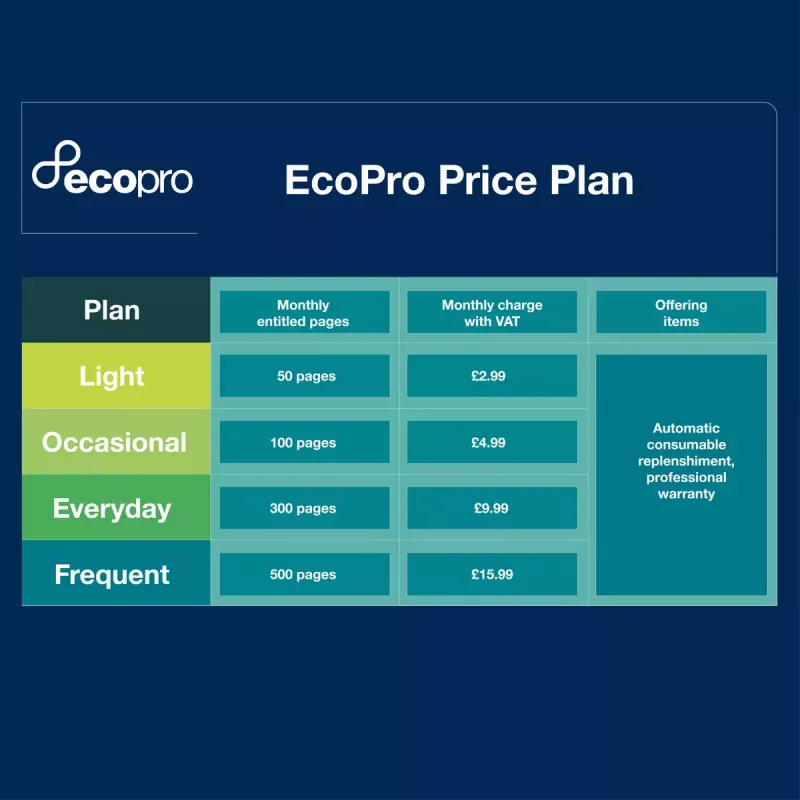
Sign up to the FREE EcoPro trial and supplies are ordered automatically, so you never run out of ink.If you don’t use all your plan pages in a month, the unused pages will be kept in your account and automatically rolled over to the next month.

Easy management with Brother Mobile Connect

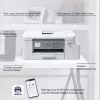
Fully manage your subscription with the Brother Mobile Connect app. Download the app to fully operate your Brother printer from anywhere. Brother Mobile Connect provides intuitive, time saving functionality to fit seamlessly into a busy life. Download the Brother Mobile Connect app to easily print from anywhere, manage your ink levels and fully operate your Brother printer from your mobile device.
Easy management with Brother Mobile Connect
Easy recycling with Brother

Easy recycling with Brother

You can also return your used cartridges back to us to be recycled, absolutely free of charge.With EcoPro, you'll get a free postage label with every ink and toner cartridge you receive.

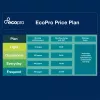
What is an EcoPro subscription plan?

EcoPro is a better way to print for home offices and small businesses, with automatic free ink delivery direct to your door. It’s a subscription plan that helps you save on ink costs, offers warranty and ongoing service support for your printer, whilst focusing on reducing waste through recycling empty ink cartridges.
What is an EcoPro subscription plan?
Keep on top of your ink useage, quickly and easily

Keep on top of your ink useage, quickly and easily

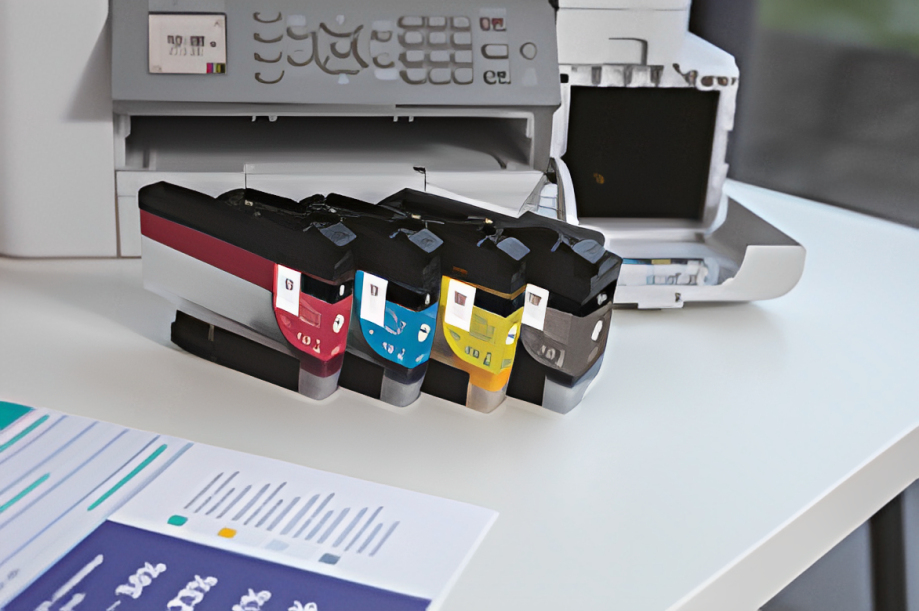
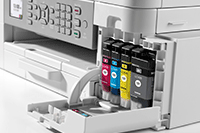
We’ve reengineered our ink cartridges to hold more ink and created an internal ink storage tank that delivers more pages of uninterrupted printing without sacrificing the compact, desktop size. Also, thanks to the page gauge feature you can check remaining ink levels on your LCD display to help avoid interrupted printing.

EcoPro printing warranty

Protected by EcoPro warranty you can feel secure with the reassurance that quality of product is maintained.EcoPro subscription protects your printer warranty maintaining and supporting your printing needs.
EcoPro printing warranty

How to use

Unbox the Brother MFC-J4340DWE, install the supplied ink cartridges and connect the device to your Wi‑Fi network or a computer following the quick start guide. Load A4 paper into the tray and select duplex options in the printer settings when double-sided copies or scans are required. Use the control panel or Brother’s mobile app/software to initiate print, copy, scan or fax tasks.

Recommendations

Use genuine Brother inks and enrol in the EcoPro automatic ink delivery to maintain print quality and ensure warranty coverage. Recycle empty cartridges through Brother’s free programme to reduce environmental impact.

Belangrijkste kenmerken
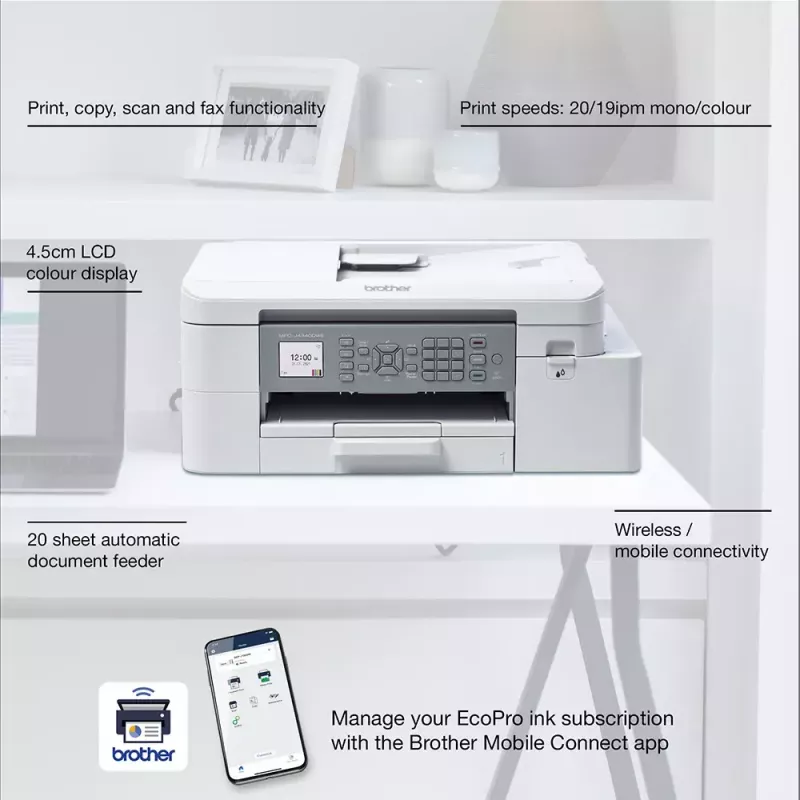
  • Print, copy, scan & fax functionality
  • Automatic 2-sided printing
  • Wireless / mobile connectivity
  • 20 sheet automatic document feeder
  • Print speeds: 20 / 19ipm mono/colour (Based on ISO/IEC 24734)
  • 4.5cm LCD colour display
  • Home & office Inkjet Colour printing
  • 1200 x 4800 DPI
  • Printing colours: Black, Cyan, Magenta, Yellow
  • A4
  • Colour copying Colour scanning Colour faxing
  • Apple AirPrint, Brother iPrint & Scan, Mopria Print Service
  • Direct printing
  • USB port Wi-Fi
  • Internal memory: 128 MB Built-in processor 576 MHz
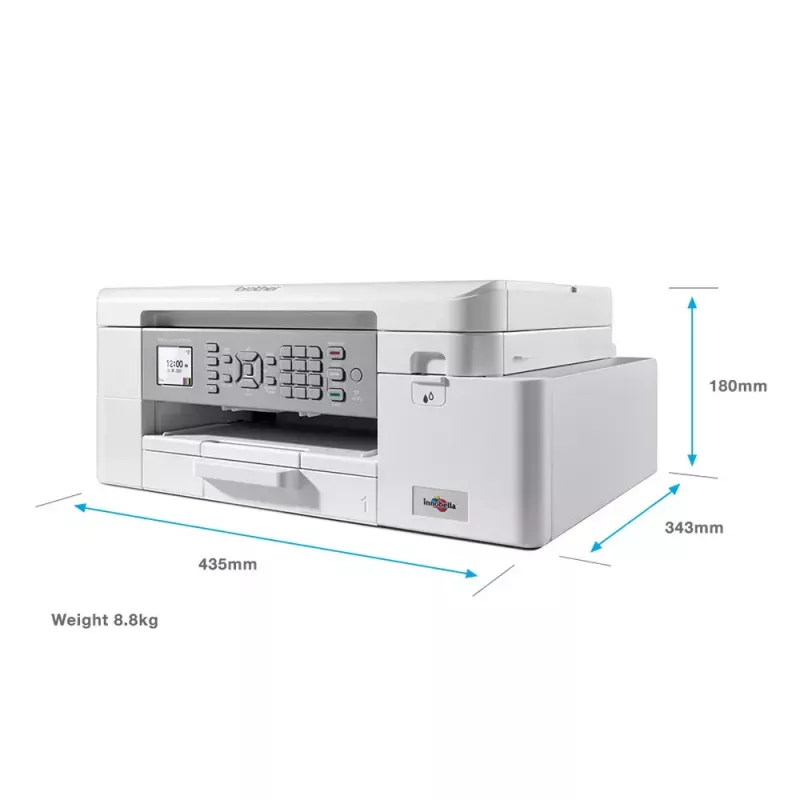
  • 8.83 kg
Specificaties
Aanbevolen werkcyclus
250 - 2000 pages per month
Aantal printcartridges
4
Aantal USB 2.0-poorten
2
Afdrukkleuren
Black, Cyan, Magenta, Yellow
Automatische documentinvoer (ADF)
Yes
Bedieningstype
Buttons
Beelddiagonaal
4.57 cm (1.8")
Beschikbaarheid reserveonderdelen
5 year(s)
Beveiligingsalgoritmen
64-bit WEP, 128-bit WEP, EAP-FAST, EAP-TLS, EAP-TTLS, PEAP, SSID, SSL/TLS, WPA-PSK, WPA2-PSK
Boekjes printen
Yes
Breedte
435 mm
Breedte verpakking
495 mm
Brutogewicht pallet
243.3 kg
Brutohoogte pallet
14.8 cm
Cartridge(s) inbegrepen
Yes
Diepte
360 mm
Diepte verpakking
242 mm
Direct printen
Yes
Display
LCD
Dubbelzijdig kopiëren
Yes
Dubbelzijdig printen
Yes
Dubbelzijdig scannen
Yes
Duplexfuncties
Copy, Print, Scan
Duurzaamheidscertificaten
Blue Angel
Enveloppenformaten
C5, Com-10, DL, Monarch
Ethernet LAN
No
Faxen
Colour faxing
Faxgeheugen
180 pages
Faxverzendsnelheid
14400 sec/page
Formaten ISO A-serie (A0...A9)
A4, A5, A6
Fotopapierformaten
9x13,10x15,13x18
Geluidsdrukniveau (printen)
57 dB
Gewicht
8.83 kg
Gewicht verpakking
10.7 kg
Grijstinten
256
Grijswaardendiepte invoer
10 bit
Grijswaardendiepte uitvoer
8 bit
Hoogte
180 mm
Hoogte verpakking
455 mm
Ingebouwd display
Yes
Ingebouwde processor
Yes
Intern geheugen
128 MB
Invoercapaciteit automatische documentinvoer (ADF)
20 sheets
Invoercapaciteit papierlade 1
150 sheets
ISO C-formaten (C0...C9)
C5
Kabels inbegrepen
AC
Kleurdiepte invoer
30 bit
Kleurdiepte uitvoer
24 bit
Kopieerformaat aanpassen
25 - 400%
Kopiëren
Colour copying
Lagen per pallet
3 pc(s)
Land van herkomst
Philippines
Marktpositionering
Home & office
Maximaal aantal kopieën
99 copies
Maximaal kopieerformaat
A4
Maximaal papierformaat ISO A-serie
A4
Maximaal scanbereik
213.9 x 295 mm
Maximale kopieerresolutie
1200 x 2400 DPI
Maximale resolutie
1200 x 4800 DPI
Maximale werkcyclus
30000 pages per month
Mediagewicht multifunctionele lade
64 - 300 g/m²
Mediagewicht papierlade
64 - 220 g/m²
Mediatypen papierlade
Glossy paper, Plain paper, Recycled paper
Modus dubbelzijdig kopiëren
Auto
Modus dubbelzijdig printen
Auto
Modus dubbelzijdig scannen
Manual
Multifunctionele lade
Yes
N-in-1-kopieerfunctie
Yes
N-in-1-kopieerfunctie (N=)
2, 4
N-in-1-printfunctie
Yes
N-up-printen
2, 4, 9, 16
Niet-ISO-afdrukformaten
Legal, Letter
Omdozen per pallet
21 pc(s)
Omdozen per palletlaag
7 pc(s)
Ondersteunde Mac-besturingssystemen
Mac OS X 10.10 Yosemite, Mac OS X 10.11 El Capitan, Mac OS X 10.12 Sierra, Mac OS X 10.13 High Sierra, Mac OS X 10.14 Mojave, Mac OS X 10.15 Catalina, Mac OS X 10.15.3 Catalina, Mac OS X 10.8 Mountain Lion, Mac OS X 10.9 Mavericks
Ondersteunde netwerkprotocollen (IPv4)
ARP,RARP,BOOTP, DHCP,APIPA(AutoIP),WINS/NetBIOS name resolution, DNS Resolver, mDNS, LLMNR responder, LPR/LPD,CustomRawPort/ Port9100, IPP, SNMPv1/v2c,TFTPserver,ICMP,Web Services(Print/Scan),SNTP Client,HTTPServer
Ondersteunde netwerkprotocollen (IPv6)
NDP,RA,mDNS,LLMNRResponder, DNS Resolver, LPR/LPD,Custom Raw Port/ Port9100,IPP,SNMPv1/v2c,TFTPserver,WebServices (Print/Scan), SNTP Client, ICMPv6,HTTPServer
Ondersteunde serverbesturingssystemen
Windows Server 2008, Windows Server 2008 R2, Windows Server 2012, Windows Server 2012 R2, Windows Server 2016
Ondersteunde Windows-besturingssystemen
Windows 10, Windows 7, Windows 8, Windows 8.1
Optische scanresolutie
1200 x 2400 DPI
Pallettype
800 x 1200 mm
Posters printen
Yes
Printen
Colour printing
Printsnelheid (ISO/IEC 24734) kleur
19 ipm
Printsnelheid (ISO/IEC 24734) zwart-wit
20 ipm
Printtechnologie
Inkjet
Processorfrequentie
576 MHz
Producten per pallet
21 pc(s)
Productkleur
White
Scandrivers
TWAIN, WIA
Scannen
Colour scanning
Scannen naar
E-mail, File, Image, OCR
Scannertype
Flatbed & ADF scanner
Scantechnologie
CIS
Stroomverbruik (gemiddeld gebruik)
21 W
Stroomverbruik (gereed)
3.5 W
Stroomverbruik (slaapstand)
1.1 W
Stroomverbruik (stand-by)
1.4 W
Stroomverbruik (uit)
0.2 W
Technologieën voor mobiel printen
Apple AirPrint, Brother iPrint & Scan, Mopria Print Service
Tijd tot eerste kopie (kleur, normaal)
13 s
Tijd tot eerste kopie (zwart, normaal)
10.5 s
Tijd tot eerste pagina (kleur, normaal)
5.9 s
Tijd tot eerste pagina (zwart, normaal)
5.8 s
Totaal aantal invoerladen
1
Totale invoercapaciteit
150 sheets
Totale uitvoercapaciteit
100 sheets
Uitgesteld faxen
Yes
USB-poort
Yes
Watermerken printen
Yes
Wifi
Yes
Wifi-standaarden
802.11b, 802.11g, Wi-Fi 4 (802.11n)
Prijsverloop van de afgelopen 6 maanden
Brother MFC-J4340DWE multifunctionele printer inkjet A4 1200 x 4800 DPI Wi-Fi
Actueel
529,63 €
Laagste
507,73 €
Hoogste
535,36 €
Wijziging 24 uur
-1,24 €   0%
Week
+21,90 €   +4%
Maand
—   

Populaire producten in deze categorie

Hoi, ik ben de AI-assistent van DistriNode. Ik help je graag met het vinden van producten, het vergelijken van opties, het maken van offerte-PDF's of het openen van supportaanvragen.