
Account Contact
Je winkelwagen
Verzending via DPD & FedEx
Hulp nodig? Vraag het de AI

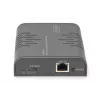
Digitus HDMI KVM IP extender ontvanger Full HD bekabeld 120 m USB

Digitus HDMI KVM IP extender ontvanger Full HD bekabeld 120 m USB
104,07 €
The Digitus HDMI KVM IP Extender Receiver (DS-55530) allows you to reproduce Full HD AV content on additional screens by extending an existing Digitus HDMI KVM IP Extender Set (DS-55529). It supports wired point-to-point extension over CAT5e (or higher) up to 120 m and can be used with network switc... Lees meer
Voorraad 1 Code 114358 Merk DIGITUS Model DS-55530 Garantie 2 jaar

Bezorging & retourneren

Verwachte bezorgdatum woensdag, oktober 21
Je blijft op de hoogte via ons uitgebreide trackingsysteem
Betaalopties
BetaalkaartVisaMastercardPayPalApple PayGoogle PayBankoverschrijving

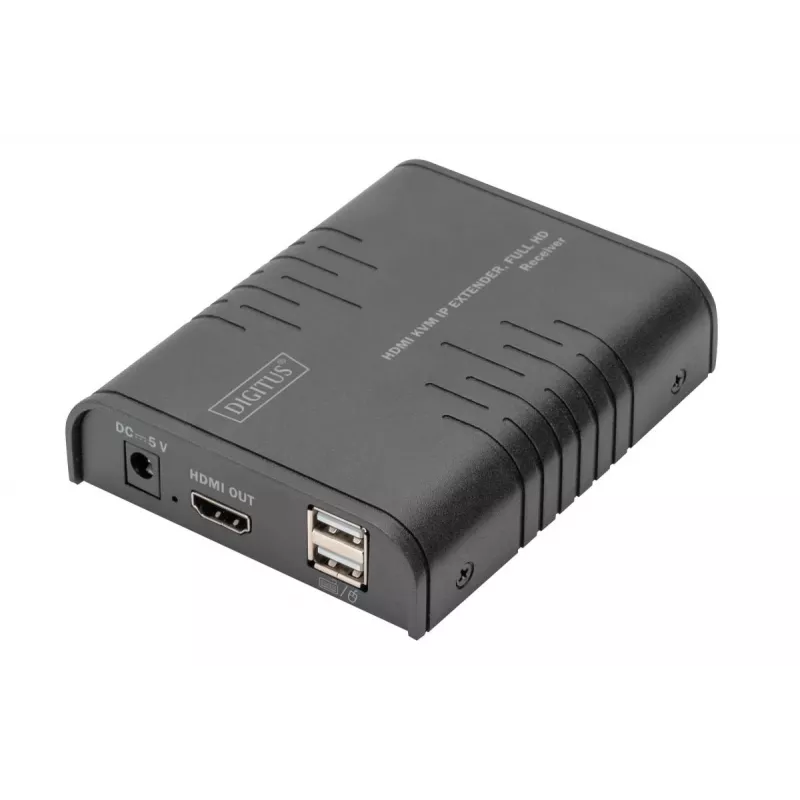
The Digitus HDMI KVM IP Extender Receiver (DS-55530) allows you to reproduce Full HD AV content on additional screens by extending an existing Digitus HDMI KVM IP Extender Set (DS-55529). It supports wired point-to-point extension over CAT5e (or higher) up to 120 m and can be used with network switches to distribute video across an IP network to as many as 253 receivers. The unit includes HDMI and USB Type-A connections and is designed for compact installations with low power consumption.

Advantages

The receiver supports Full HD resolution up to 1080p/60Hz and complies with HDMI 1.3 and HDCP 1.4 standards. It enables KVM functionality so a keyboard and mouse can be connected at the receiver to control the source device on the remote screen. Installation is plug-and-play with no additional drivers required, and it operates over commonly available CAT5e or better cabling. The device is compact, black in colour, and consumes only 3.5 W at 5 V DC.

Suitable for

  • Extending a Digitus HDMI KVM IP Extender system to additional displays
  • Digital signage and multi-screen AV distribution over an IP network
  • Conference rooms, control rooms, or classrooms requiring remote display and KVM control
  • Point-to-point extension up to 120 m using CAT5e or higher cable

Key specifications

  • Model: DS-55530 (receiver)
  • Compatible set: DS-55529
  • Maximum distributed receivers: up to 253 (with network switch/IP connection)
  • Video resolution: up to 1080p/60Hz (Full HD)
  • HDMI standard: HDMI 1.3
  • HDCP: 1.4
  • Cable type: CAT5e or higher
  • Maximum point-to-point cable length: 120 m
  • USB: USB Type-A (supports KVM peripherals), USB 2.0 high speed (480 Mbit/s)
  • Power: 5 V DC, power consumption 3.5 W
  • Dimensions (W × D × H): 9 × 11 × 2.7 cm
  • Colour: Black

How to use

Connect the receiver to the output display via HDMI and plug a keyboard and mouse into the USB Type-A ports if remote KVM control is needed. For a direct point-to-point link, connect the receiver to the DS-55529 transmitter using CAT5e or higher cable up to 120 m. To distribute the signal to multiple screens, connect the transmitter and additional receivers through your network switches and configure the system according to the transmitter's IP settings. Power the receiver with a 5 V DC adapter and verify the display shows the transmitted Full HD signal.

Recommendations

Use CAT5e or higher quality shielded network cable for reliable transmission and avoid running the cable parallel to high-voltage power lines. For multi-display setups, ensure network switches support the required bandwidth and follow the DS-55529 transmitter configuration guidelines to register additional DS-55530 receivers.
Belangrijkste kenmerken
  • Supports resolutions of up to 1080p/60Hz, Full HD
  • Supports CAT 5e (or higher) network cables
  • Simple installation thanks to Plug & Play - no additional software/drivers or similar required
  • Supports Full HD resolutions up to 1920x1080 / 60 Hz
  • HDMI 1.3
  • HDCP 1.4
  • Receiver unit connections:
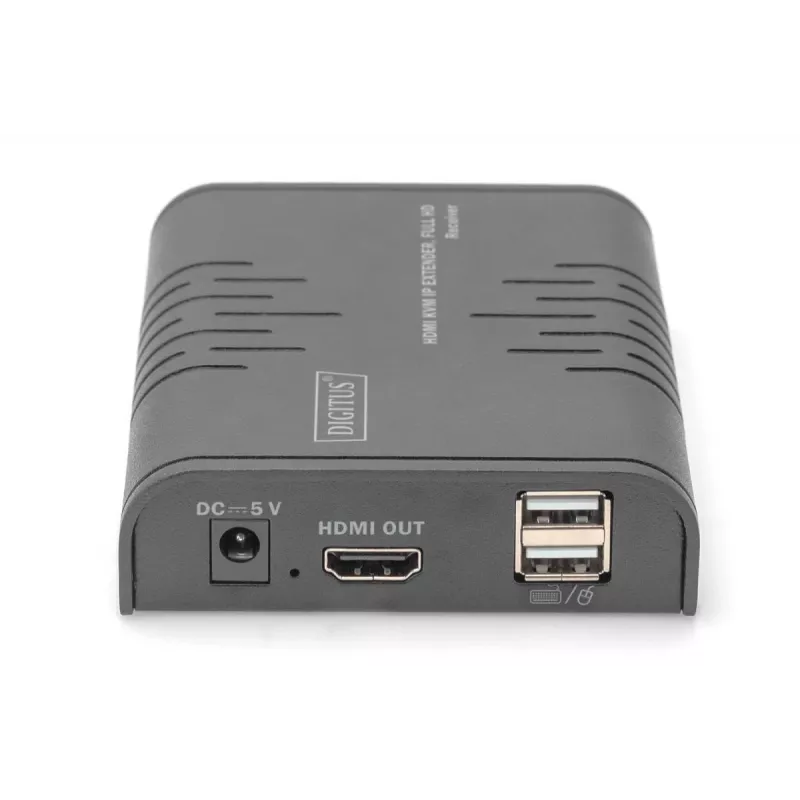
  • 1x HDMI output (1080p/60Hz) - Output device connection
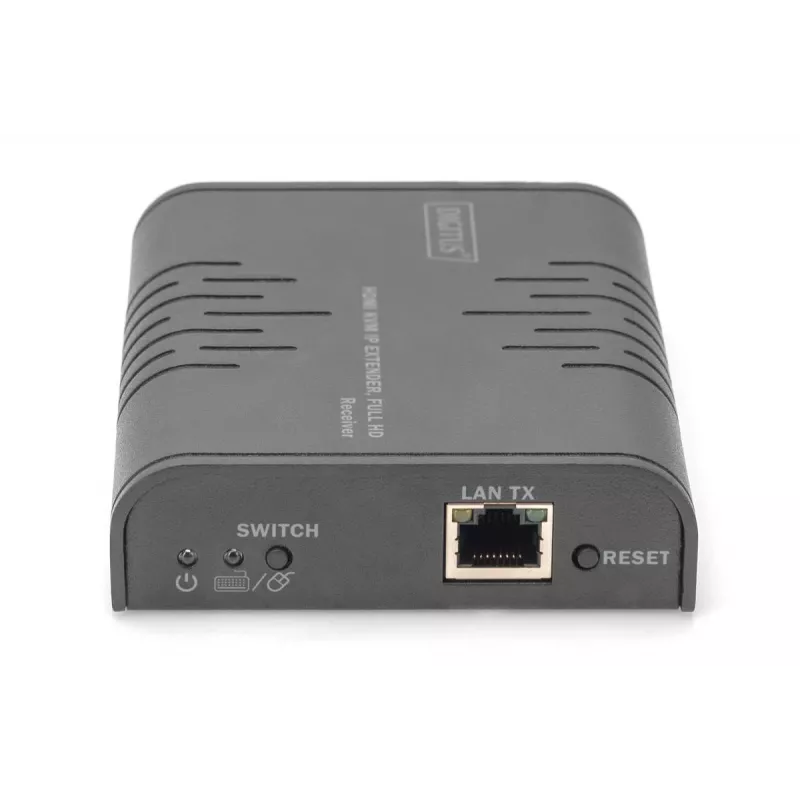
  • 1x RJ45 input - CAT transmission cable connection
  • 2x USB-A (2.0) input - mouse/keyboard connection
  • 1x power supply input (DC 5V/1A) - external power supply connection
  • 1x KVM button - switch to the desired receiver (output device) to use the KVM functionality
  • 1x reset button
  • Operating temperature: -10 - 60°
  • Power consumption : approx. 3.5W
  • Compression: H.265
  • Housing: Metal
  • Dimensions: L 11 x W 9 x H 2.7 cm
  • Weight (1 unit): 244 g
  • Color: black
Specificaties
Aantal RJ-45-poorten
1
Aantal RJ-45-poorten (ontvanger)
1
Aantal USB 2.0-poorten
2
Bedrijfstemperatuur (T-T)
-10 - 60 °C
Breedte ontvanger
9 cm
Breedte verpakking
117 mm
DC-ingang
Yes
DC-spanning
5 V
Diepte ontvanger
11 cm
Diepte verpakking
150 mm
Eenvoudig te installeren
Yes
Gewicht ontvanger
244 g
Gewicht verpakking
350 g
Handleiding
Yes
HDMI-versie
1.3
Hoogte ontvanger
2.7 cm
Hoogte verpakking
77 mm
Ingangsstroom
1 A
Land van herkomst
China
Led-indicatoren
Yes
Materiaal
Metal
Maximale digitale resolutie
1920 x 1080 pixels
Maximale overdrachtsafstand
120 m
Ondersteunde kabeltypen
Cat5e
Ondersteunde resoluties
1920x1080 60Hz
Plug and Play
Yes
Productkleur
Black
Stroomverbruik (ontvanger) (max.)
3.5 W
Type
Receiver
Type lokale toetsenbord-/muispoort ontvanger
USB
Type lokale videopoort ontvanger
HDMI
Type USB-aansluiting
USB Type-A
UK Trade Tariff-code
85176200
USB-datasnelheden
480 Mbit/s
Verbindingstechnologie
Wired
Verpakkingsvolume
1351.35 cm³
Voedingsadapter inbegrepen
Yes
Prijsverloop van de afgelopen 6 maanden
Digitus HDMI KVM IP extender ontvanger Full HD bekabeld 120 m USB
Actueel
104,07 €
Laagste
102,82 €
Hoogste
126,67 €
Wijziging 24 uur
+1,19 €   +1%
Week
+0,99 €   +1%
Maand
-5,76 €   -5%
Hoi, ik ben de AI-assistent van DistriNode. Ik help je graag met het vinden van producten, het vergelijken van opties, het maken van offerte-PDF's of het openen van supportaanvragen.