
Account Contact
Je winkelwagen
Verzending via DPD & FedEx
Hulp nodig? Vraag het de AI

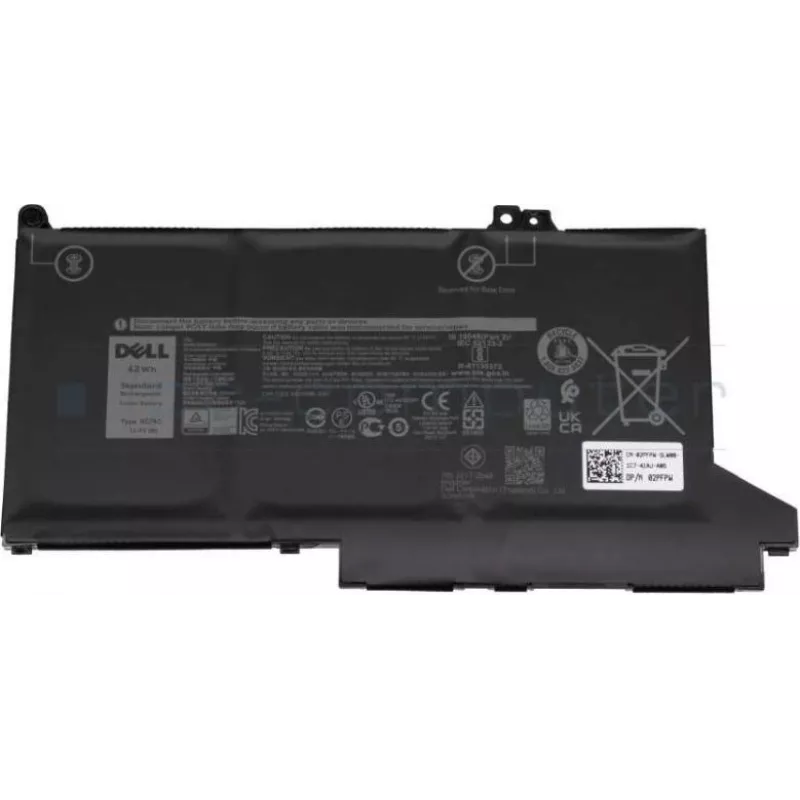
Laptopaccu Dell 42Wh lithium-ion, model 451-BCMD, oplaadbare interne vervanger

Laptopaccu Dell 42Wh lithium-ion, model 451-BCMD, oplaadbare interne vervanger
101,15 €
This Dell 42Wh Lithium‑Ion internal battery (model 451‑BCMD) is a rechargeable replacement designed for compatible Dell laptops. It provides a 42Wh energy capacity to restore or extend unplugged runtime for everyday mobile computing tasks. The unit is intended as an internal replacement, requiring r... Lees meer
Voorraad 49 Code 2236517 Merk DELL Model 451-BCMD Garantie 2 jaar

Bezorging & retourneren

Verwachte bezorgdatum vrijdag, oktober 23
Je blijft op de hoogte via ons uitgebreide trackingsysteem
Betaalopties
BetaalkaartVisaMastercardPayPalApple PayGoogle PayBankoverschrijving

This Dell 42Wh Lithium‑Ion internal battery (model 451‑BCMD) is a rechargeable replacement designed for compatible Dell laptops. It provides a 42Wh energy capacity to restore or extend unplugged runtime for everyday mobile computing tasks. The unit is intended as an internal replacement, requiring removal of the existing battery and reinstallation in accordance with the laptop manufacturer’s disassembly instructions.

Advantages

The battery offers a measured 42Wh capacity in a compact internal form that preserves the laptop’s original fit and balance. Being a Lithium‑Ion design, it delivers consistent discharge characteristics and accepts standard charging profiles used in Dell systems. As a direct replacement it minimizes compatibility issues when matched to supported laptop models and helps return the device to portable operation without modifying the power system.

Key specifications

  • Battery chemistry: Lithium‑Ion
  • Nominal energy capacity: 42 Wh
  • Form factor: internal rechargeable laptop battery
  • Designed for: compatible Dell laptop models that use a 42Wh internal battery
  • Typical use: mobile computing and travel; replaces original internal battery

How to use

Power off the laptop and disconnect any external power or peripherals before beginning. Follow the laptop manufacturer’s service instructions to access and remove the existing internal battery, taking proper electrostatic discharge (ESD) precautions. Install the replacement battery in the same orientation and secure fasteners as required. After reassembly, connect the AC adapter and fully charge the new battery before normal use. Verify battery status in the operating system battery utility to confirm correct installation.

Recommendations

To maximize service life, perform regular charge cycles and avoid prolonged storage at full charge or in high temperatures. Use the laptop’s power management settings to optimize runtime, and ensure the system BIOS and battery drivers are up to date for accurate reporting and charging behavior.

Belangrijkste kenmerken
  • Восстановление рабочего времени ноутбука при отсутствии зарядного устройства
  • Замена изношенного или неисправного внутреннего аккумулятора
  • Использование в поездках и при мобильной работе
  • Техническое обслуживание и обновление совместимых ноутбуков Dell
  • Battery chemistry: Lithium‑Ion
  • Nominal energy capacity: 42 Wh
  • Form factor: internal rechargeable laptop battery
  • Designed for: compatible Dell laptop models that use a 42Wh internal battery
  • Typical use: mobile computing and travel; replaces original internal battery
Specificaties
Merkcompatibiliteit
Dell
Prijsverloop van de afgelopen 6 maanden
Laptopaccu Dell 42Wh lithium-ion, model 451-BCMD, oplaadbare interne vervanger
Actueel
101,15 €
Laagste
100,06 €
Hoogste
101,16 €
Wijziging 24 uur
+0,84 €   +1%
Week
+1,04 €   +1%
Maand
—   

Populaire producten in deze categorie

Hoi, ik ben de AI-assistent van DistriNode. Ik help je graag met het vinden van producten, het vergelijken van opties, het maken van offerte-PDF's of het openen van supportaanvragen.